
Re-designed an AI-powered customer support assistant to improve inquiry efficiency.
AI
User Engagement
2024
MY ROLE
Design Lead
DURATION
2 Months
COLLABORATORS
Design Director
Product Manager
Software Engineers

AT A GLANCE
About the project
ZhongAn Online P&C Insurance Co., Ltd. (referred to as ZhongAn) is China’s first and largest internet-based insurance company. As of 2023, ZhongAn has served over 500 million users and has issued 57.4 billion insurance policies.
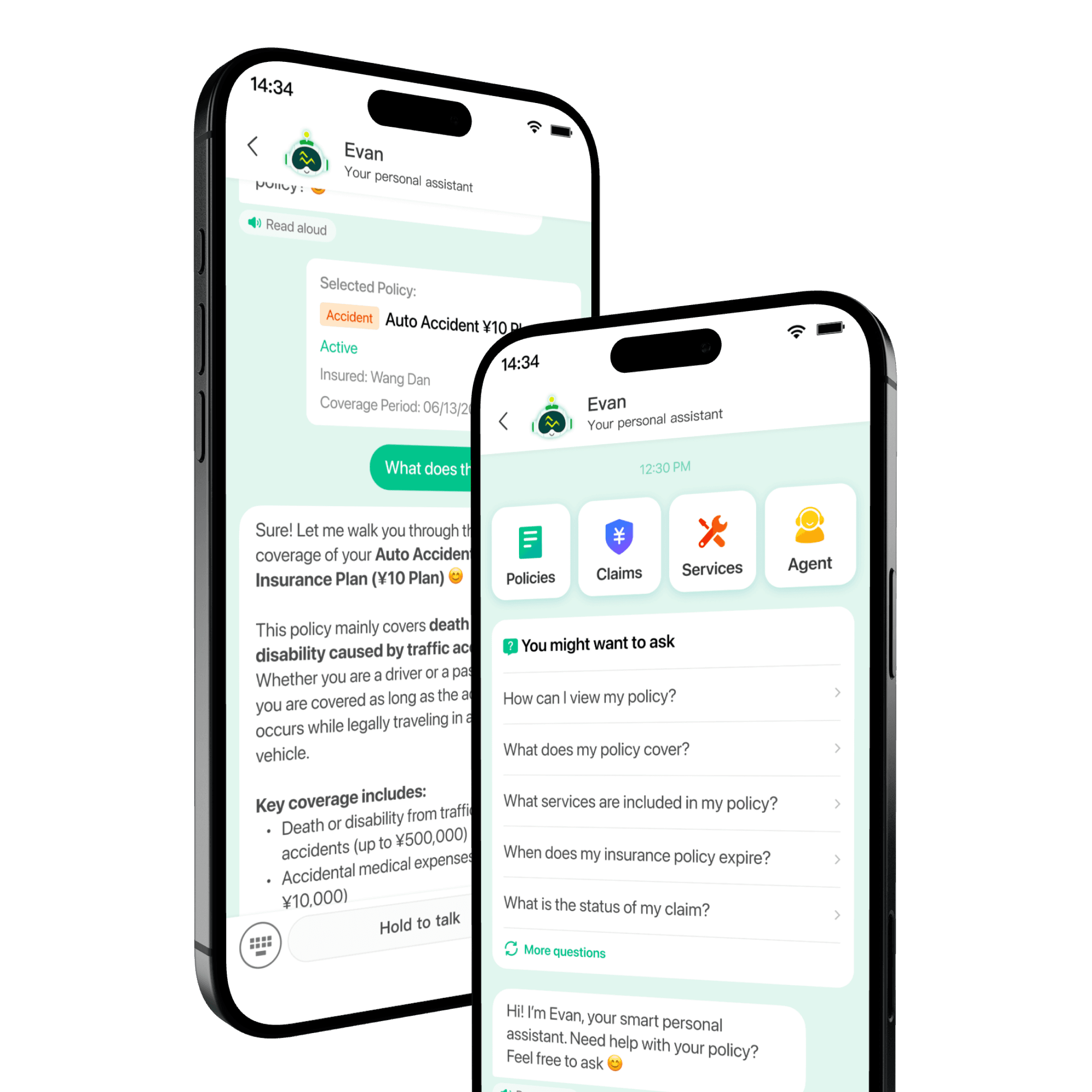
In this project, I led in re-designing ZhongAn's customer support virtual assistant to enhance its experience, improve inquiry efficiency, and ultimately reducing pressure and reliance on human customer support.
My role
I worked as a design lead in a team of 5. I collaborated closely with a Senior Product Director, a Product Manager, and 3 Software Engineers.
OUR USERS

Mid-age insurance policyholders who seek support
When they need to file claims or ask coverage questions, they struggle with text-heavy policy documents and limited familiarity with mobile apps. Their goal is to quickly find clear answers to their concerns without navigating complex information.
THE PROBLEM
Pressure on human support
The human customer support receives too many inquiries. The department is overwhelmed.
80,000 +
inquiries per day
Long support wait
Users have to wait for hours before they can chat with an agent.
1.2 hours
average peak waiting time
Poor virtual assistant
The existing virtual assistant is not user-friendly and does not help users resolve their questions efficiently.
32.5%
Resolution Rate
THE RESULTS
The project spanned 2 months, during which we successfully launched the re-designed assistant and have reached short-term goals.
Relative growth
Relative growth
Interactive prototype
THE PROCESS
1
Analysis
Explored existing user feedback to get quick insights
2
Design
Deliver design solutions to validate our analysis
3
Iteration
Refined the design based on continuous user feedback and metrics
ANALYSIS
Complaints about the chatbot
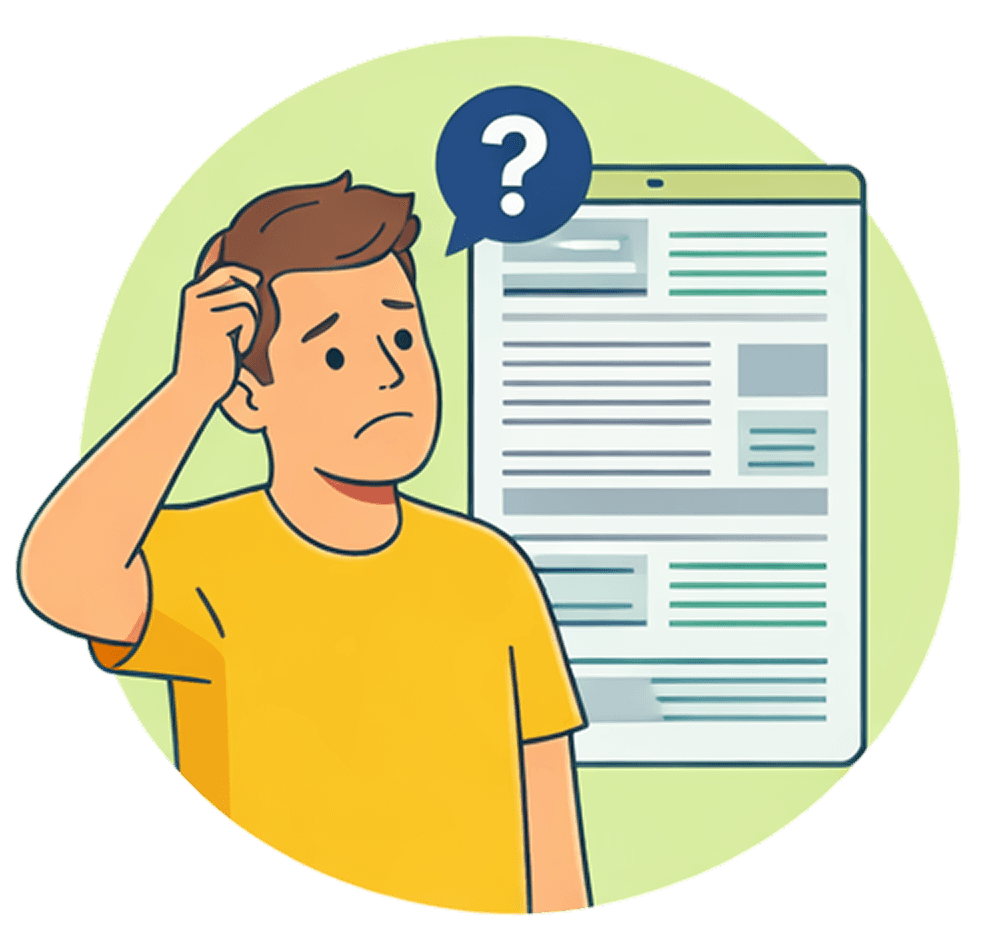
We collected and analyzed existing user feedback on the current chatbot to identify key issues. We summarized 4 main areas of improvement to inform our design direction.
Information
"The response is too long and takes too much effort to read. "
“Some terms are too technical that I don’t understand what they mean.”

Interaction
“It's tiring that I have to type everything manually. "
“I have to enter and exit many times to get the information it's asking for. ”

Emotion
“The responses don’t feel like it understands my situation.”
“I don’t feel reassured when using it.”

Visual Design
“It looks a bit rough and not very professional.”
“It doesn’t look like a polished or reliable product.”
The product strategy breakdown
Strategic Goals
The product goal
Allow the user efficiently resolve their questions through a clear, guided, and trustworthy experience.
The business goal
Reduce pressure on human agents
improve overall user satisfaction
Ensure long-term product engagement
User Problems
Information
Long, unstructured responses are hard to understand
Interaction
Manual typing and repetitive navigation slows down the process
Emotion
Lack of emotional support and reassurance
Visual Design
Unpolished interface that feels untrustworthy
Design Goals
Let the user quickly understand answers without cognitive overload
Let the user ask questions more easily and get answers faster
Make the user feel reassured and more confident when inquiring
Let the user perceive the product as reliable and trustworthy
DESIGN
Translating strategy into design iteration
Based on these insights and strategic goals, I translated key problems into targeted design solutions to improve clarity, efficiency, trust, and overall user experience.
Click to navigate in-page
How can we help users clearly understand responses without feeling overwhelmed?
Improving content format to enhance understanding

Design Director
Users struggle to understand the chatbot's responses. We have discovered 3 main issues:
A large block of text lowers the user's motivation to read the content
Key information is difficult to locate within dense responses
Insurance terminology is overly complex and hard to understand
If the user can understand the response easily, it means…
User spends less time interpreting information and finds answers faster
User is more likely to resolve issues on their own
Increased resolution rate and reduced reliance on human support
Improved overall user satisfaction and trust
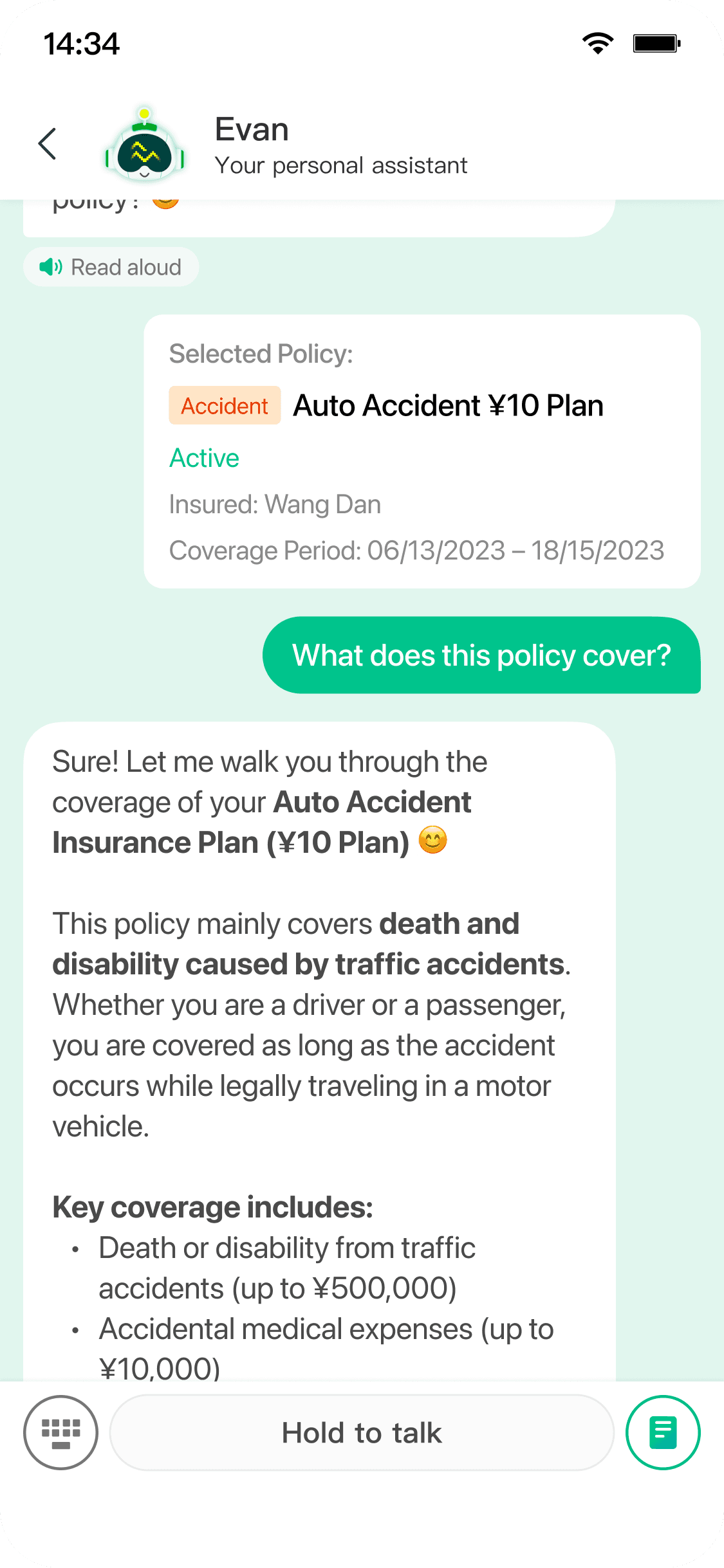
User now can read and understand dialogues easily
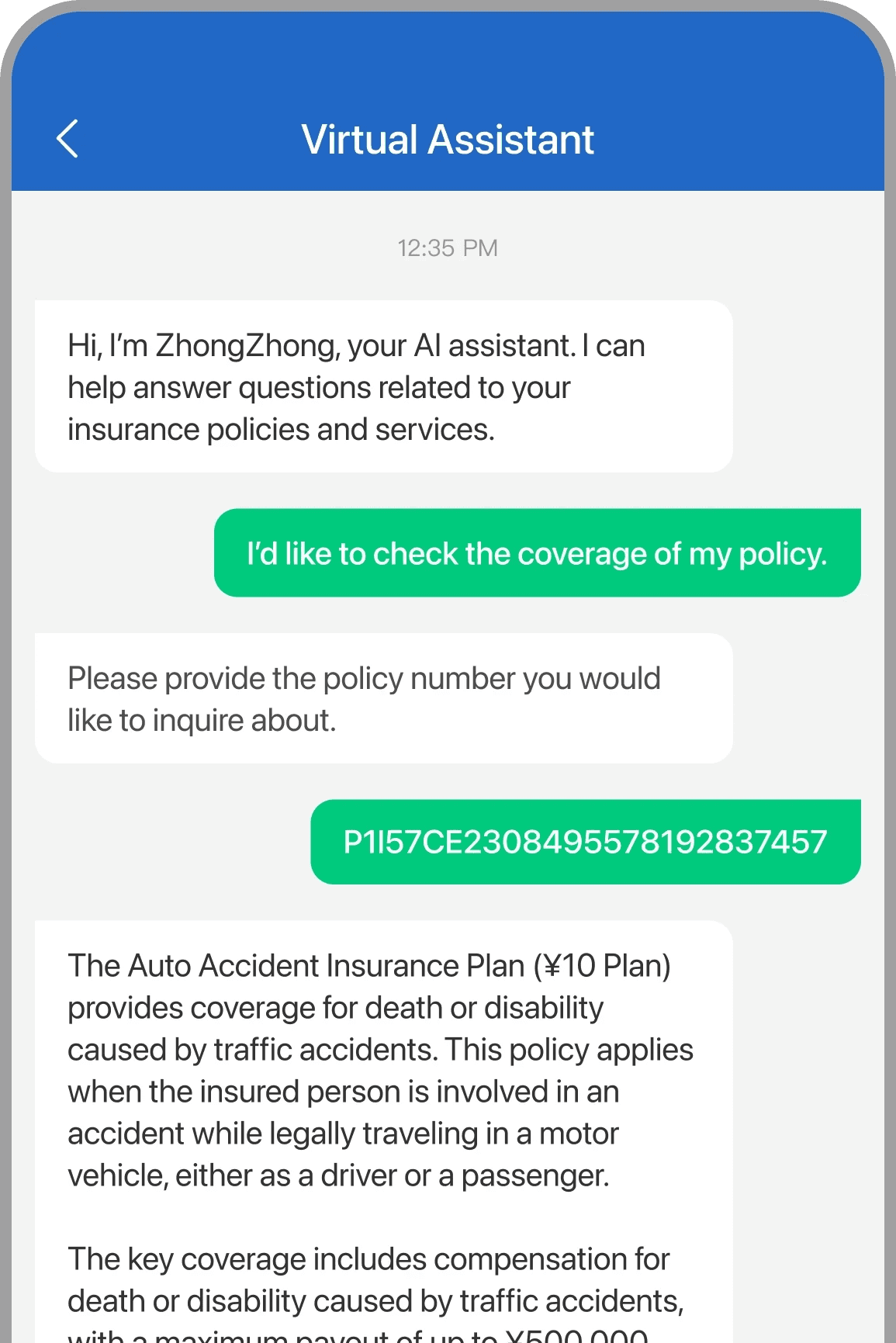
BEFORE
AFTER
Refine format with AI
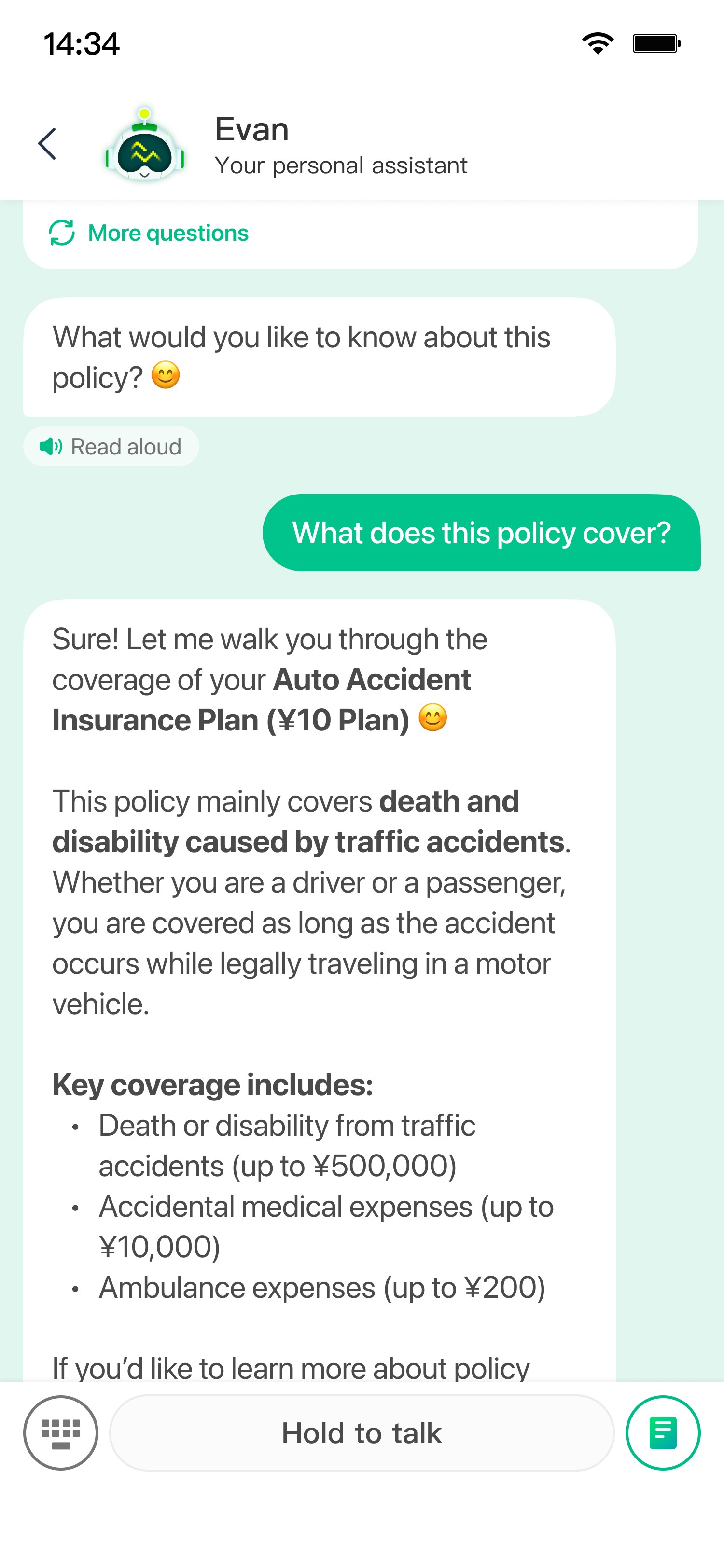
Refine responses with AI to highlight key information, making content more concise, easier to scan, and easier to understand.
AI prompt keywords
concise
highlight
avoid terminology
not insurance savvy
Unstructured response

Clearer response refined by AI
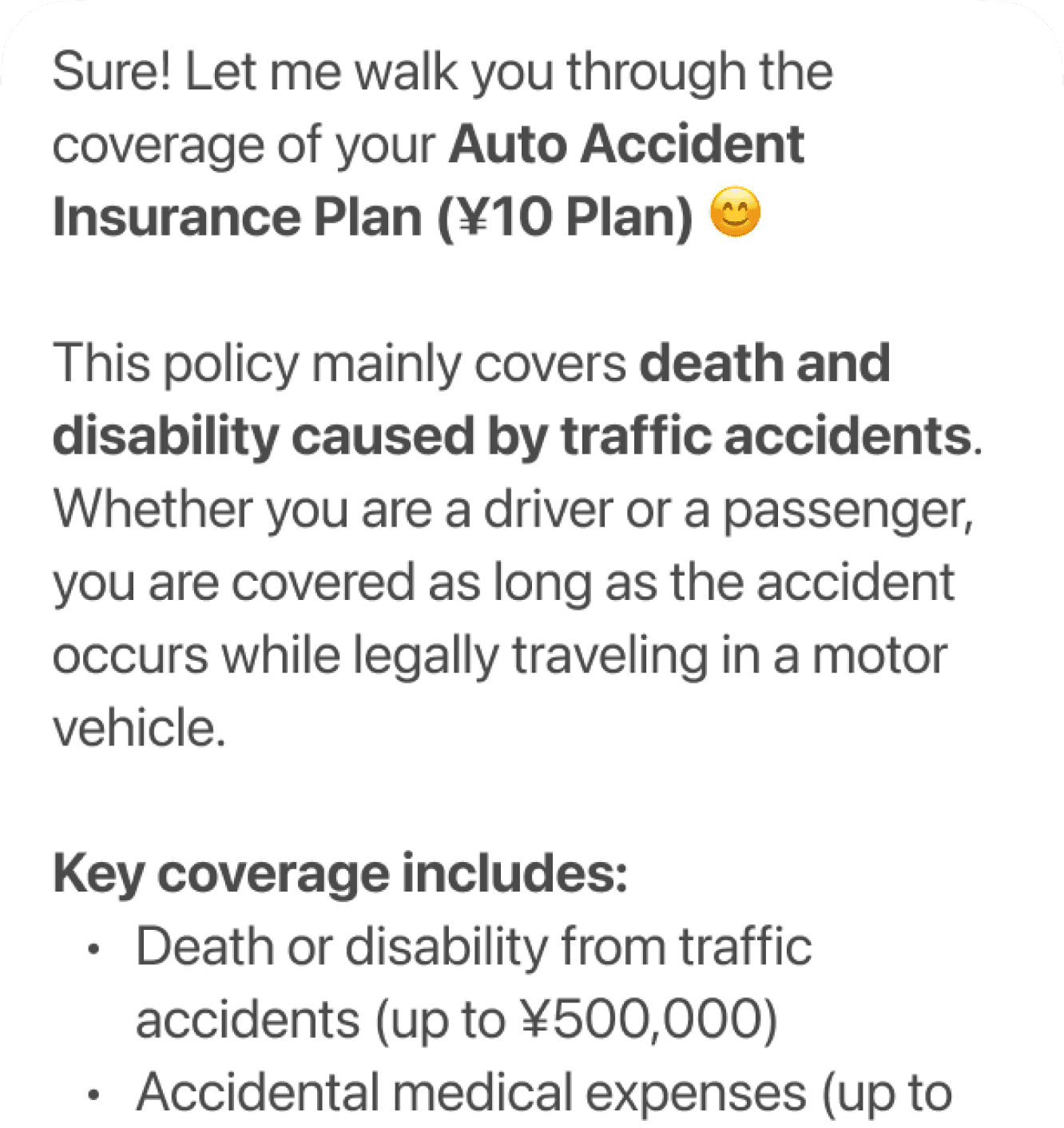
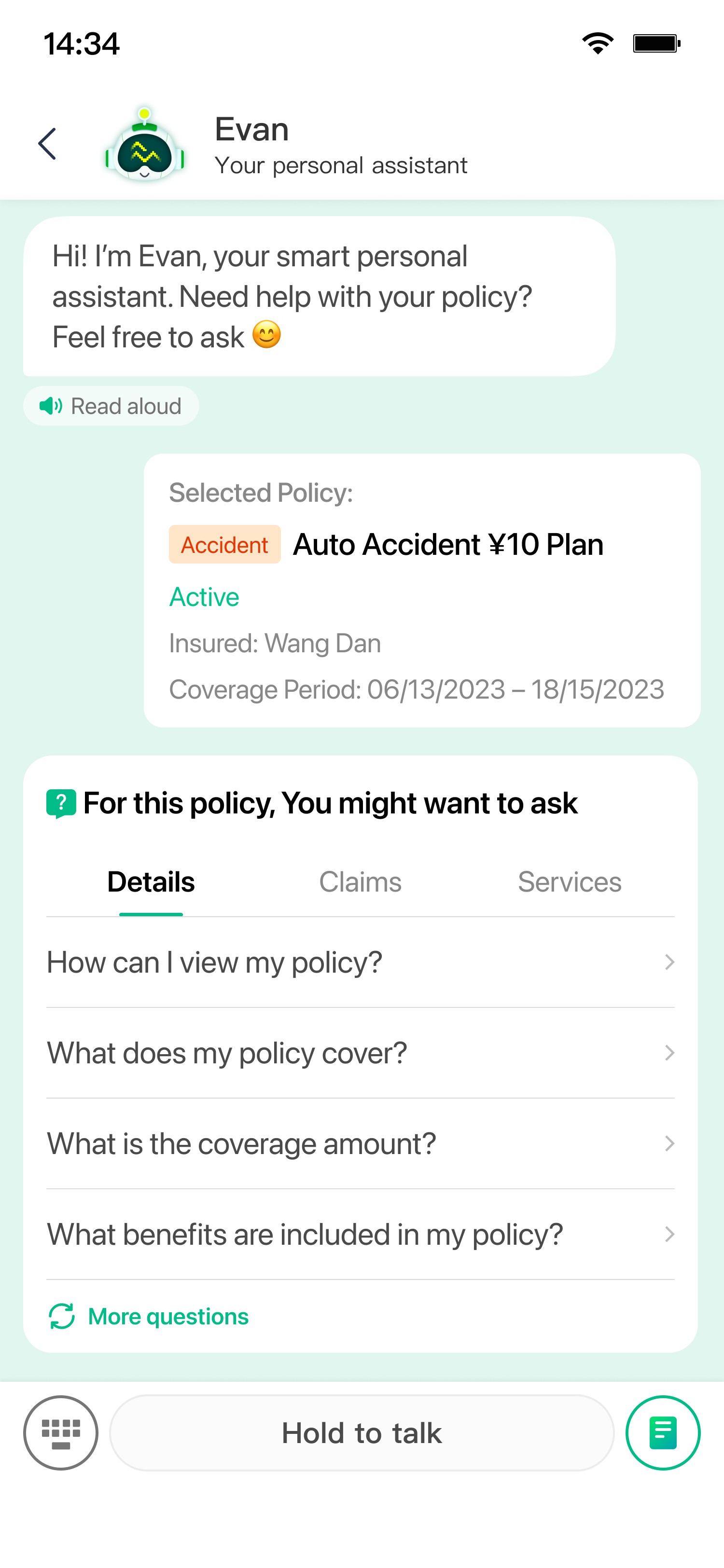
Policy cards for identification
Display the selected policy as a card with key details, helping users clarify the policy they are currently inquiring.
Non-semantic serial number

Organized insurance info card
Click to navigate in-page
How might we reduce friction in how users ask questions and navigate the conversation?
Letting the user start a conversation easily to reduce friction
Design Director
Many users bounced without engaging because they are unsure how to start a conversation or what questions to ask. We want to give users clues about what the chatbot can do and help them quickly jump into a conversation.
If the user can start a conversation easily, it means…
Users engage with the assistant instead of leaving
More users ask questions and explore possibilities
Lower bounce rate and higher engagement
Assistant solves the question and satisfaction rises
User now can start a conversation in quick action
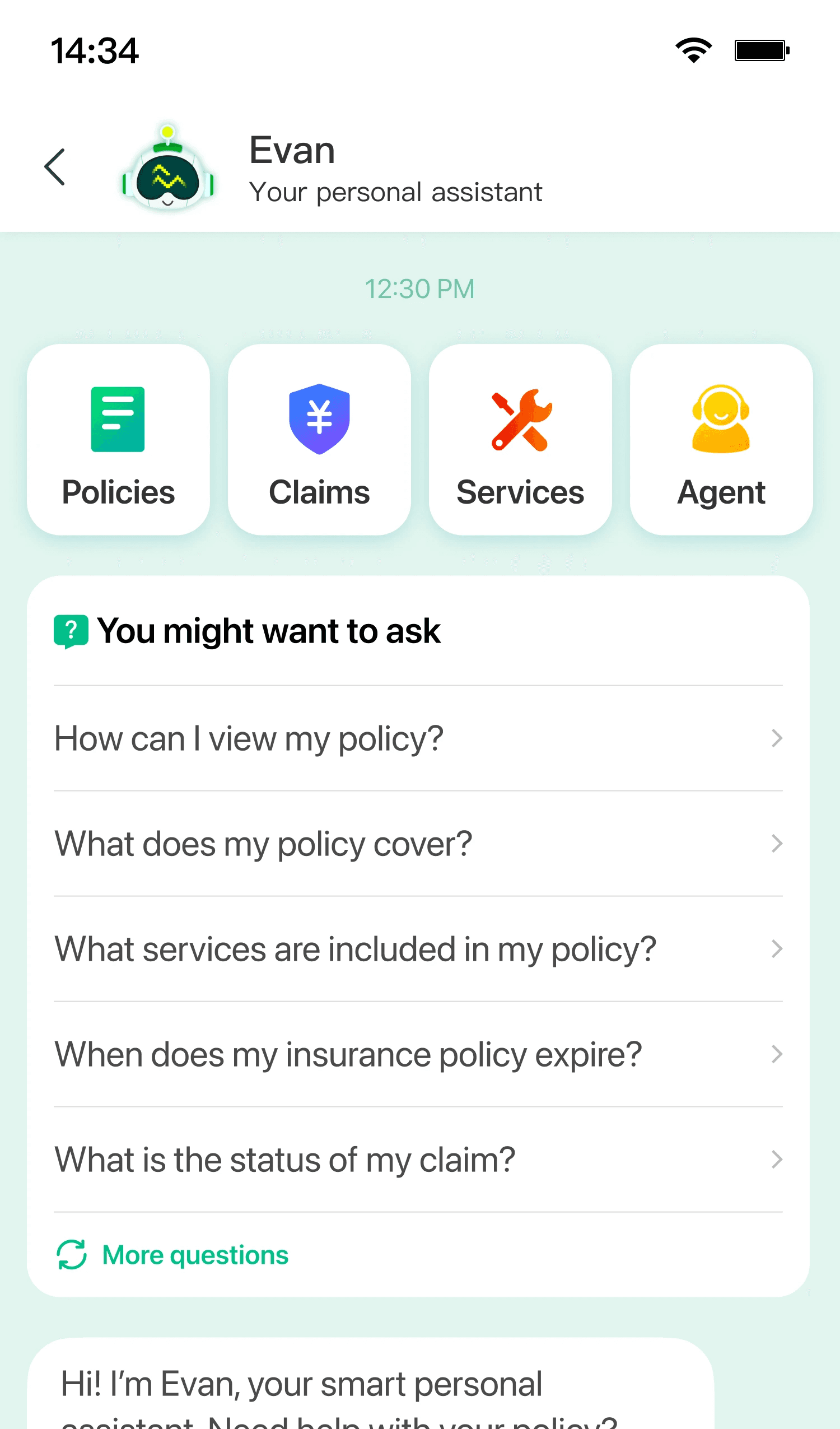
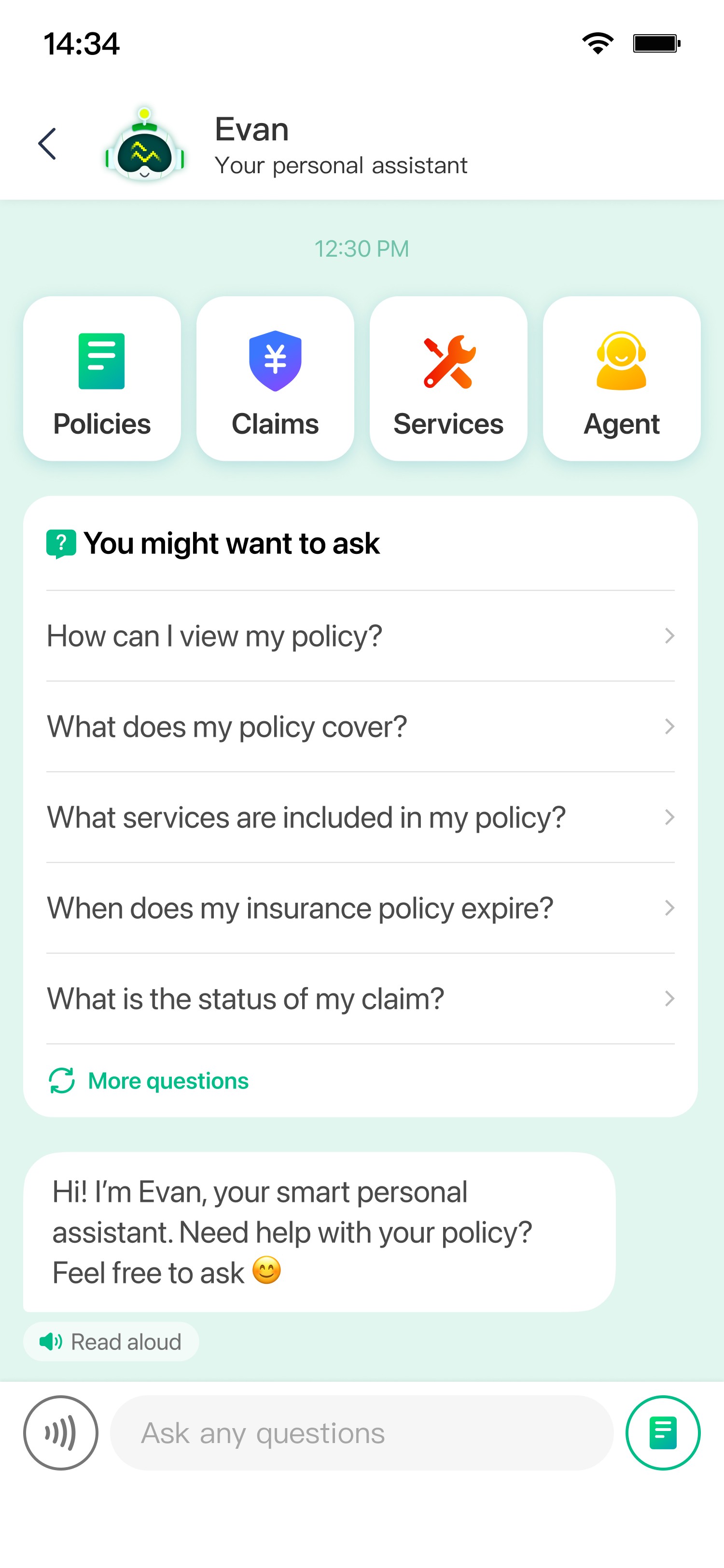
Quick action buttons
Prioritized the four most common categories, helping users quickly start a conversation within the relevant category.
Suggested questions
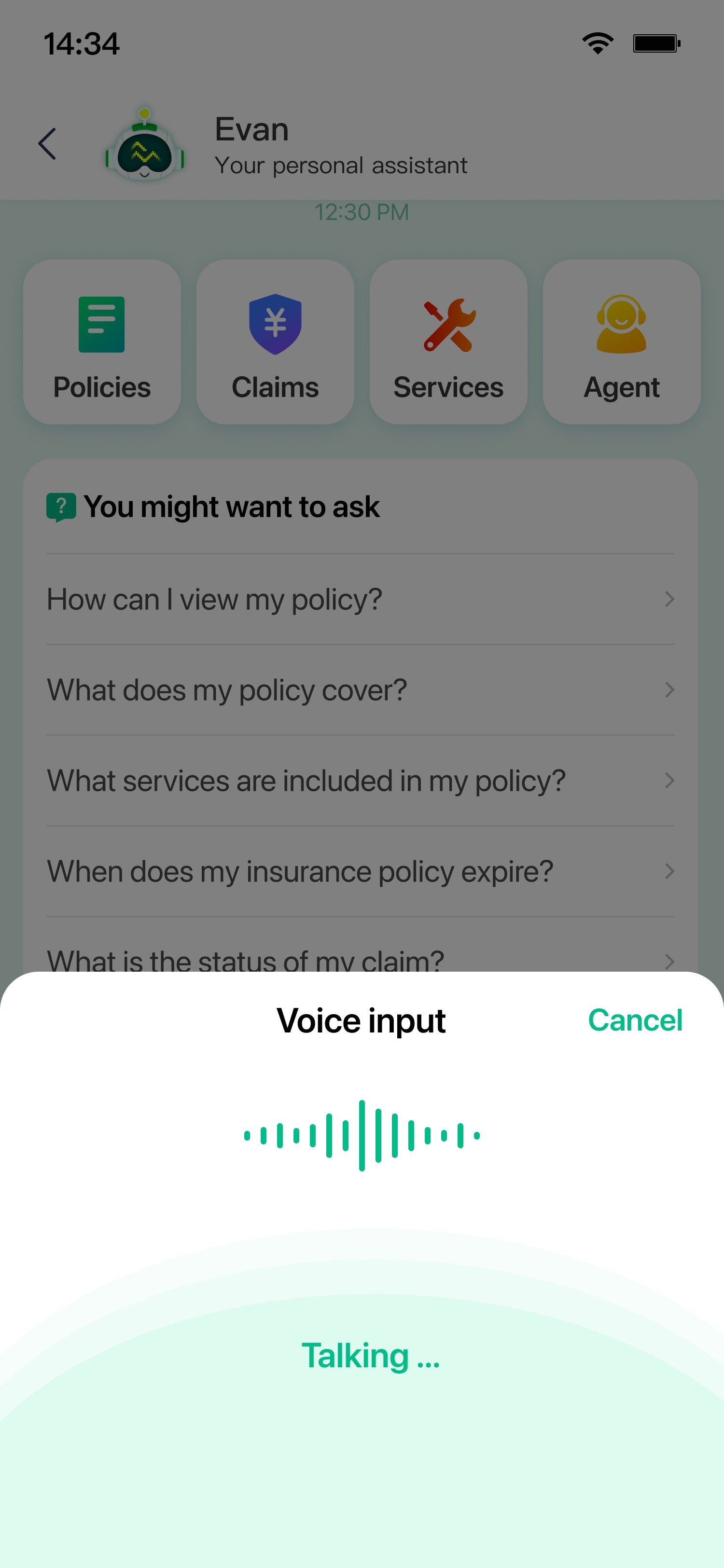
Help users quickly understand what they can ask, and start a conversation instantly without typing.
User Bounce Rate
% of users who entered and left without any interaction
33%
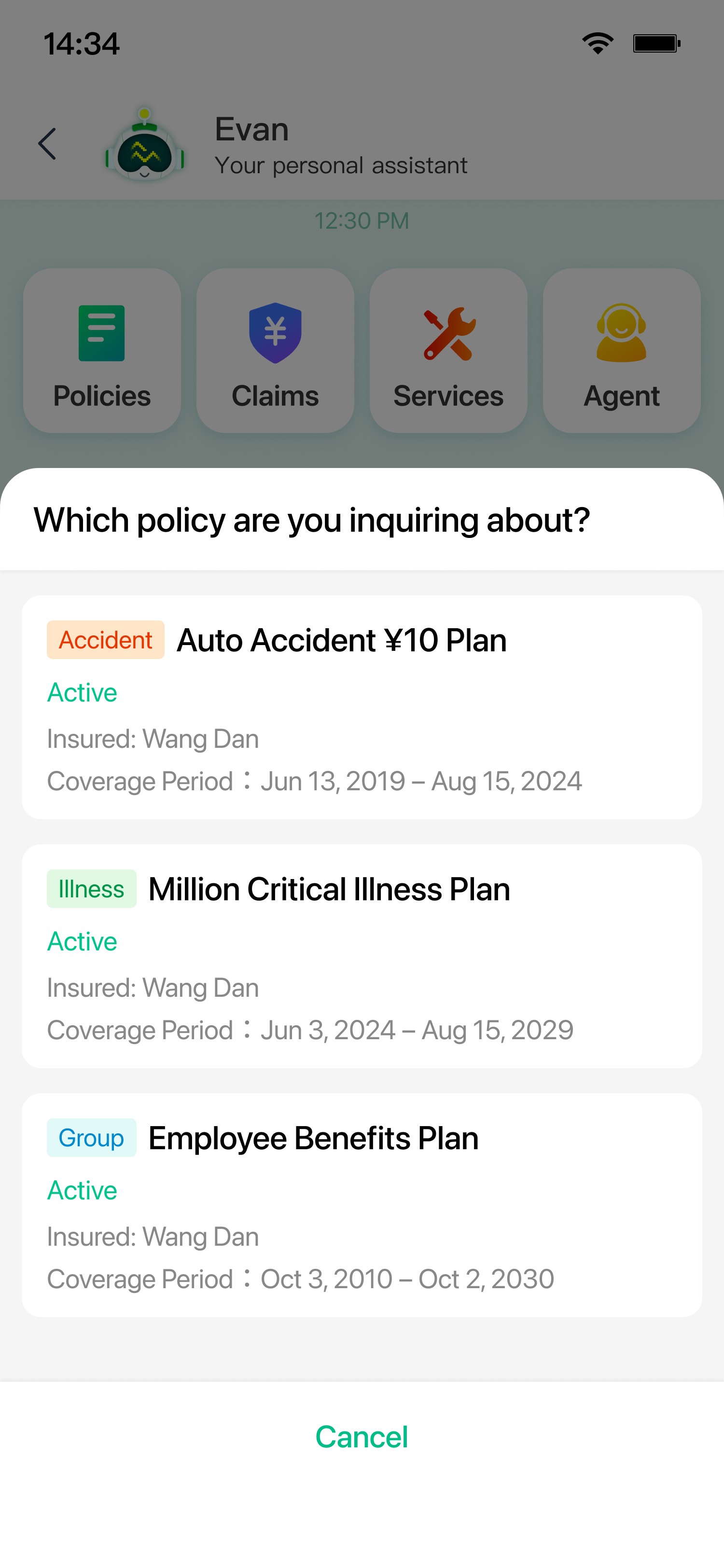
Helping the user to specify a policy

Product Manager
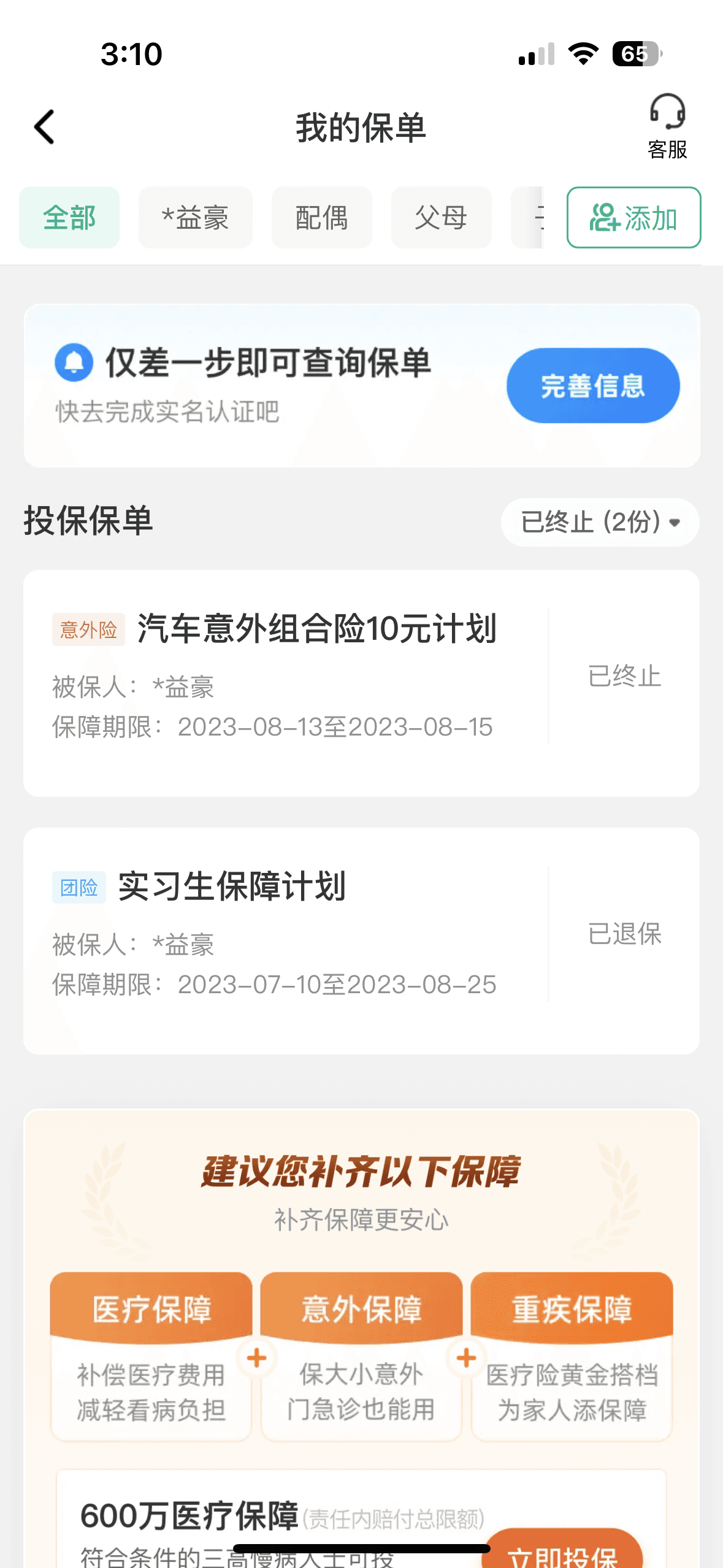
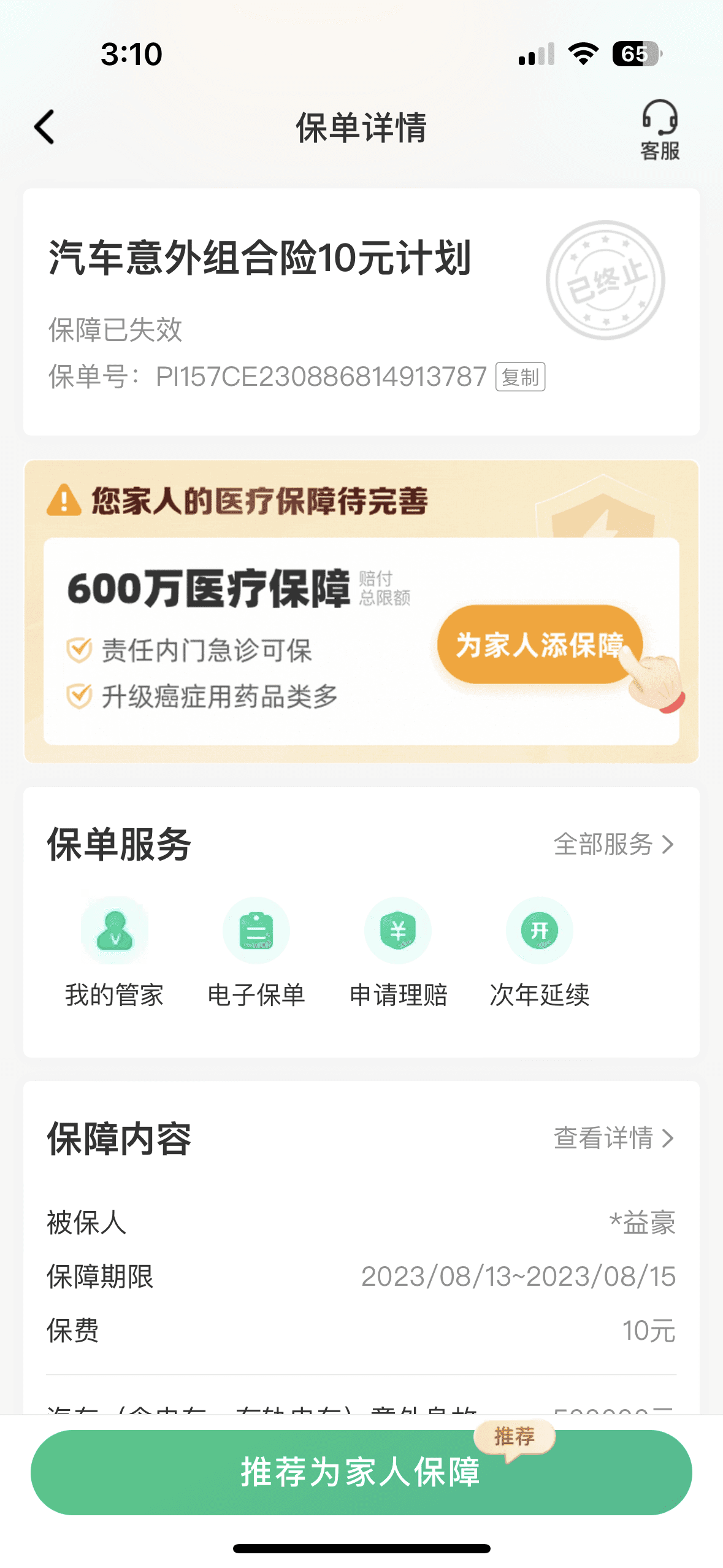
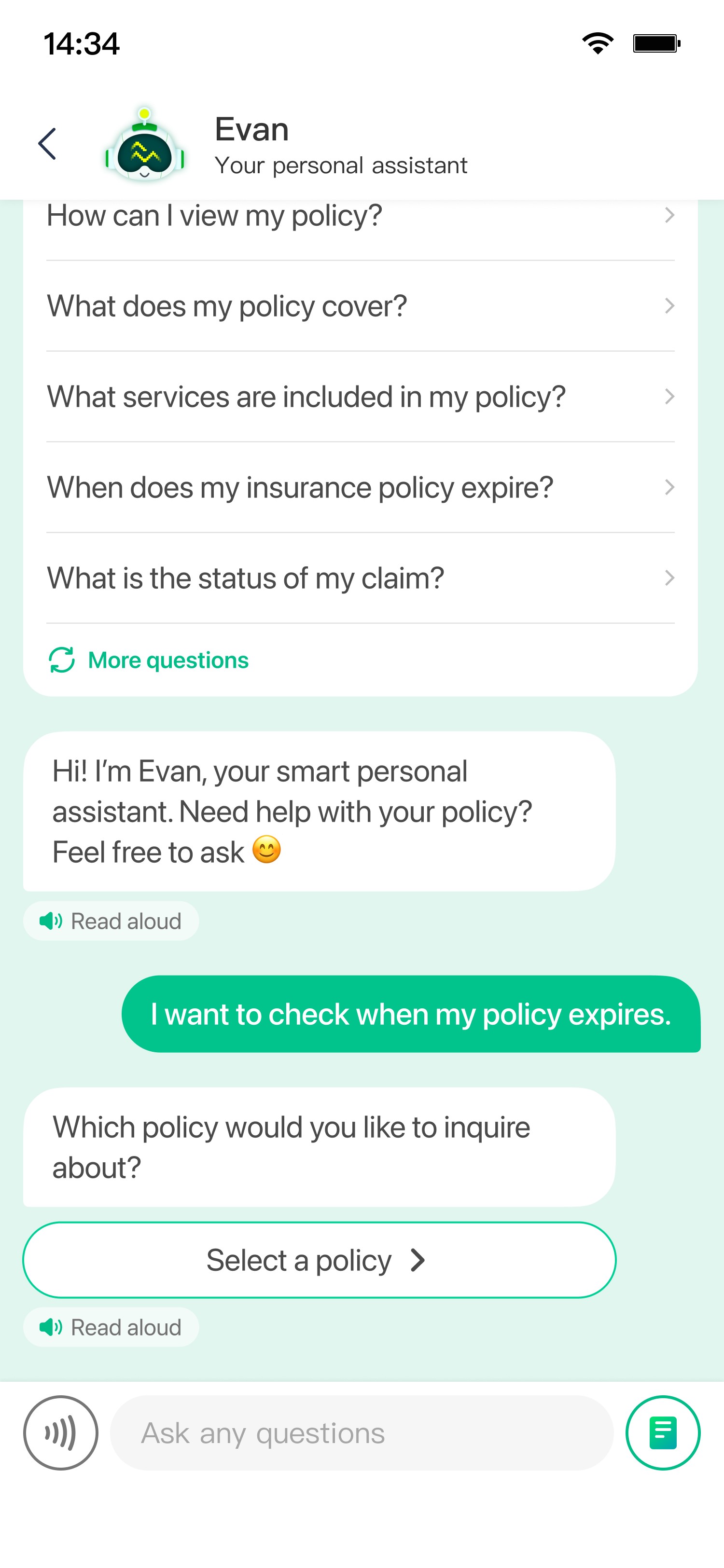
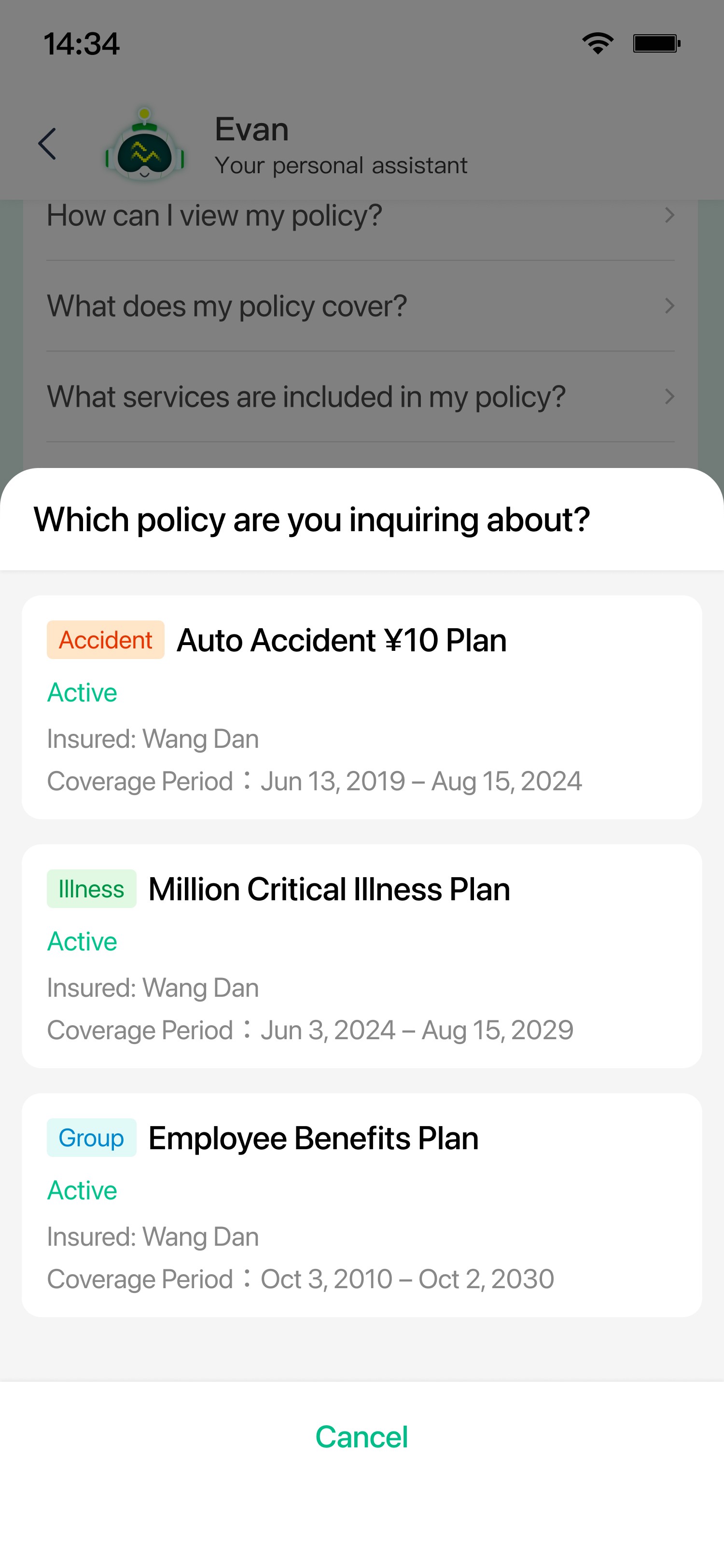
Over 70% of user inquiries are tied to a specific policy, so we need to make it easy for users to identify and select the relevant policy when asking questions.
User now can easily select a policy when asking questions
BEFORE
The user has to repeatedly switch in and out to retrieve the policy number when making inquiries, which increases consultation time and interaction complexity.
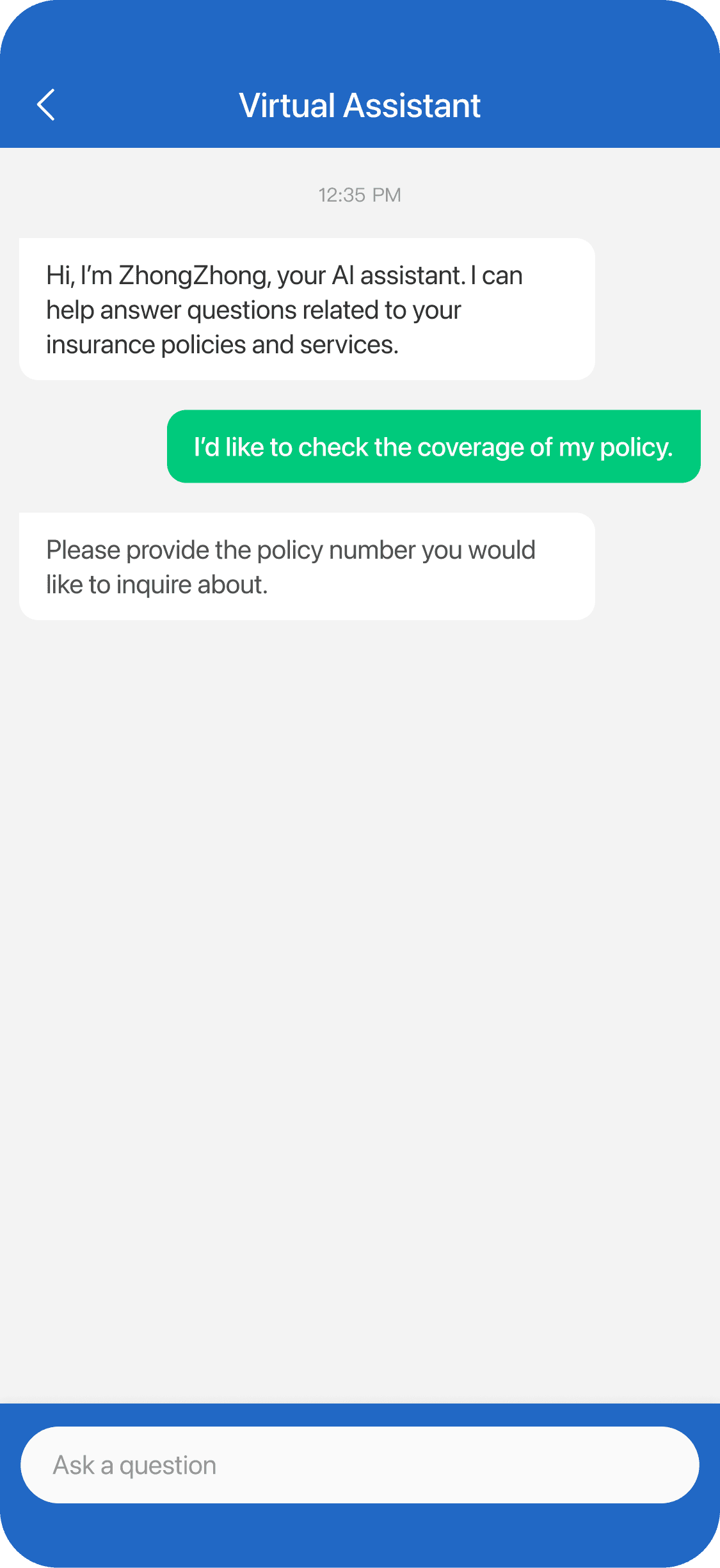
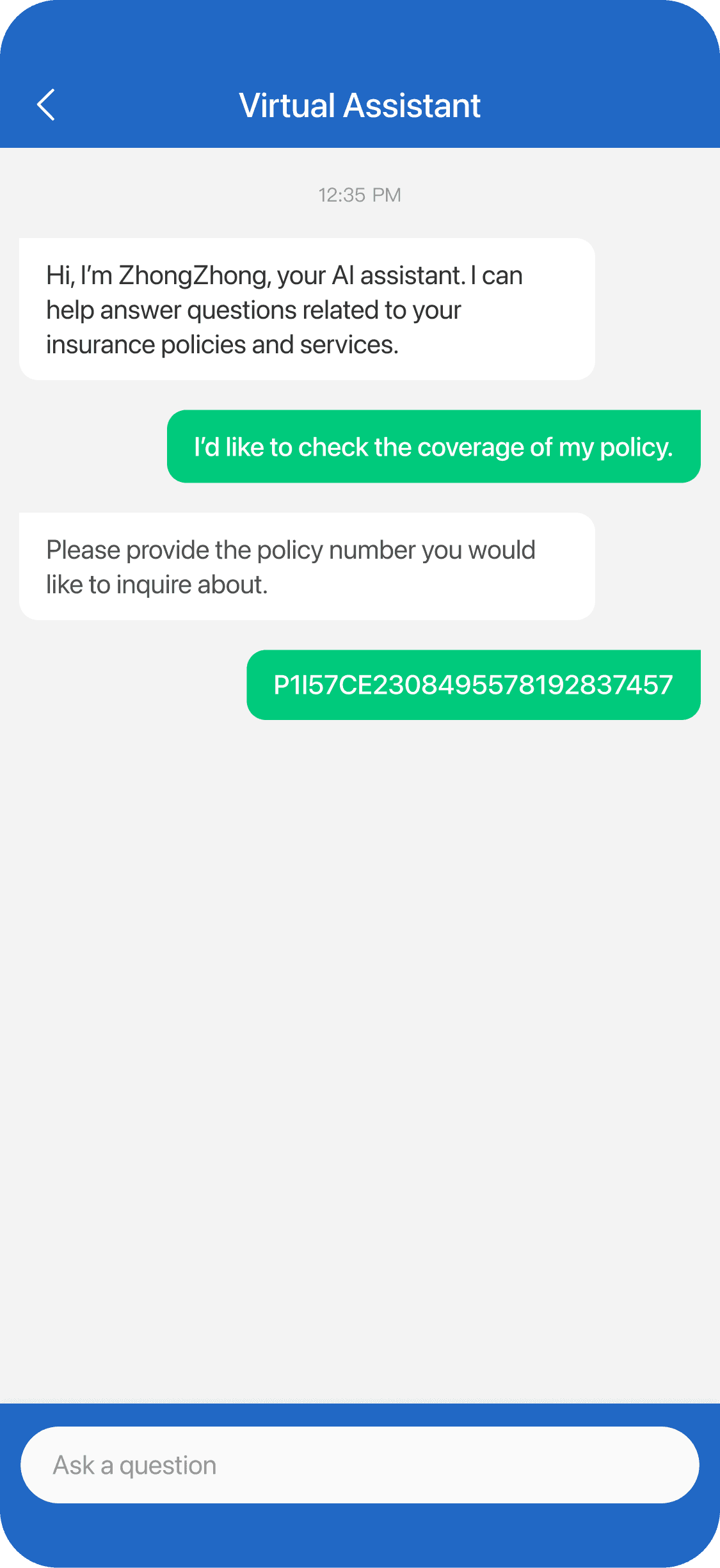
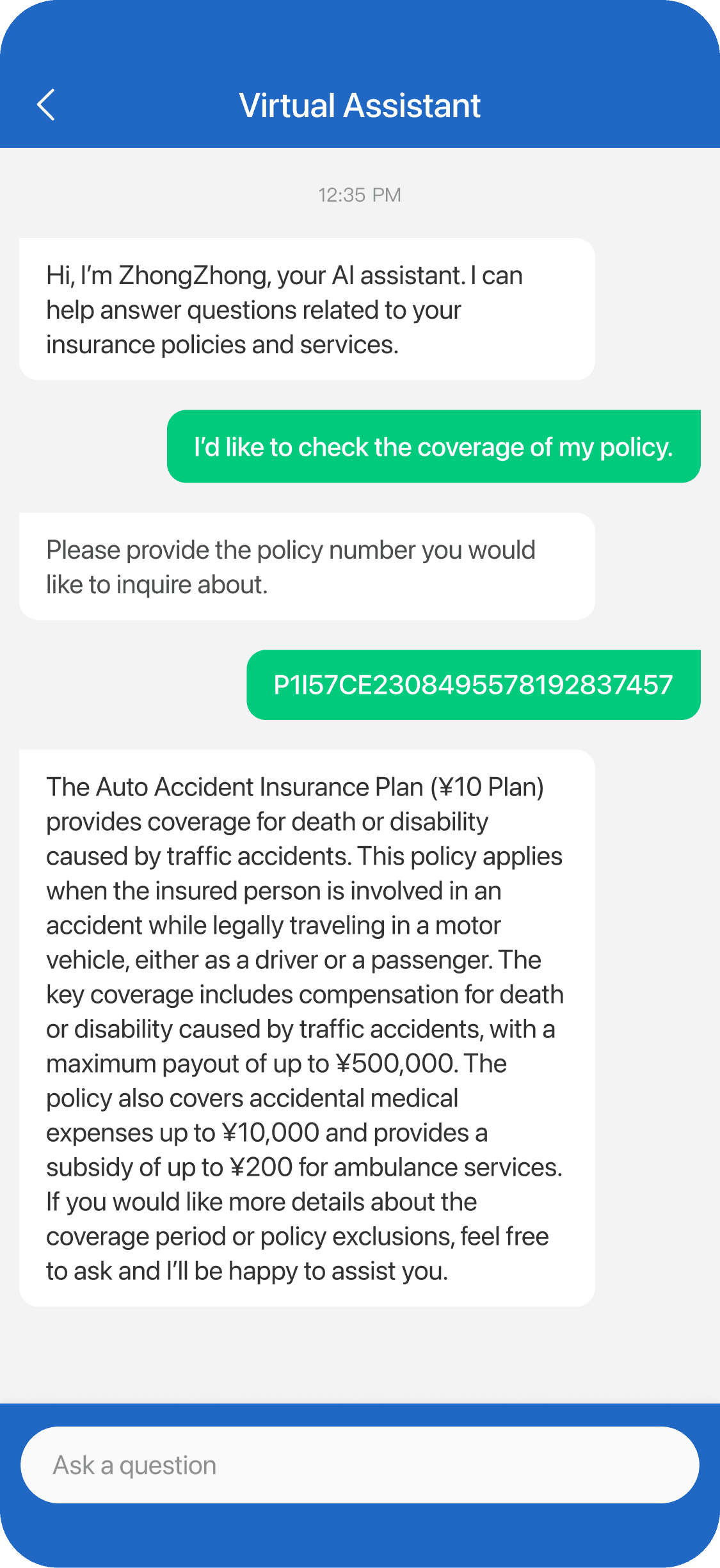
AFTER
Users can now confirm the correct policy directly within the page, eliminating the need to switch between screens and simplifying the overall flow.
71%
Click to navigate in-page
How might we support the user emotionally during conversation to build confidence and trust?
Building connection with the user to gain trust
Product Manager
We aim to create a more human, approachable experience that builds trust and helps users feel comfortable, confident, and supported throughout the conversation.
If the user can feel the support during a conversation, it means…
Users feel more confident and reassured
Reduced anxiety and hesitation
Users are more willing to continue engaging
Increased reliance on the assistant and less pressure on human support
User now can talk to Evan, the smart personal assistant
Evan is an animated robot character designed to feel intelligent, secure, and approachable. Subtle animations provide real-time feedback, making the experience feel more alive and encouraging users to engage more naturally.

DEFAULT

LOADING

Users can now feel emotional support from conversations
Evan now delivers more human-like, empathetic responses refined by AI. It better aligns with users’ emotional states, helping reduce anxiety and uncertainty, and ultimately encourages users to engage more actively.
AI prompt keywords
conversational
emojis
human-like
empathetic
encouraging
BEFORE
AFTER
I can help answer questions related to your insurance policies.
Hi! I’m Evan, your smart personal assistant. Need help with your insurance? Feel free to ask 😁
Please go to the [Service Booking] page, tap on All Orders, select Emergency Unlock, and then tap Cancel Booking.
Got it! Please go to the [Service Requests] page first. Then tap [All Orders], select [Emergency Unlock], and …
Hope this helps 😊
First, after an incident occurs, the customer needs to submit a claim within the time specified in the insurance …
No worries~ I know this can be a bit complex, so let me walk you through it step by step 🙌
Is there anything else I can help you with?
Is there anything else I can help you with? If you have more questions, feel free to ask—I’m always here 💚
Click to navigate in-page
How might we enhance visual design to build user trust and credibility in Evan?
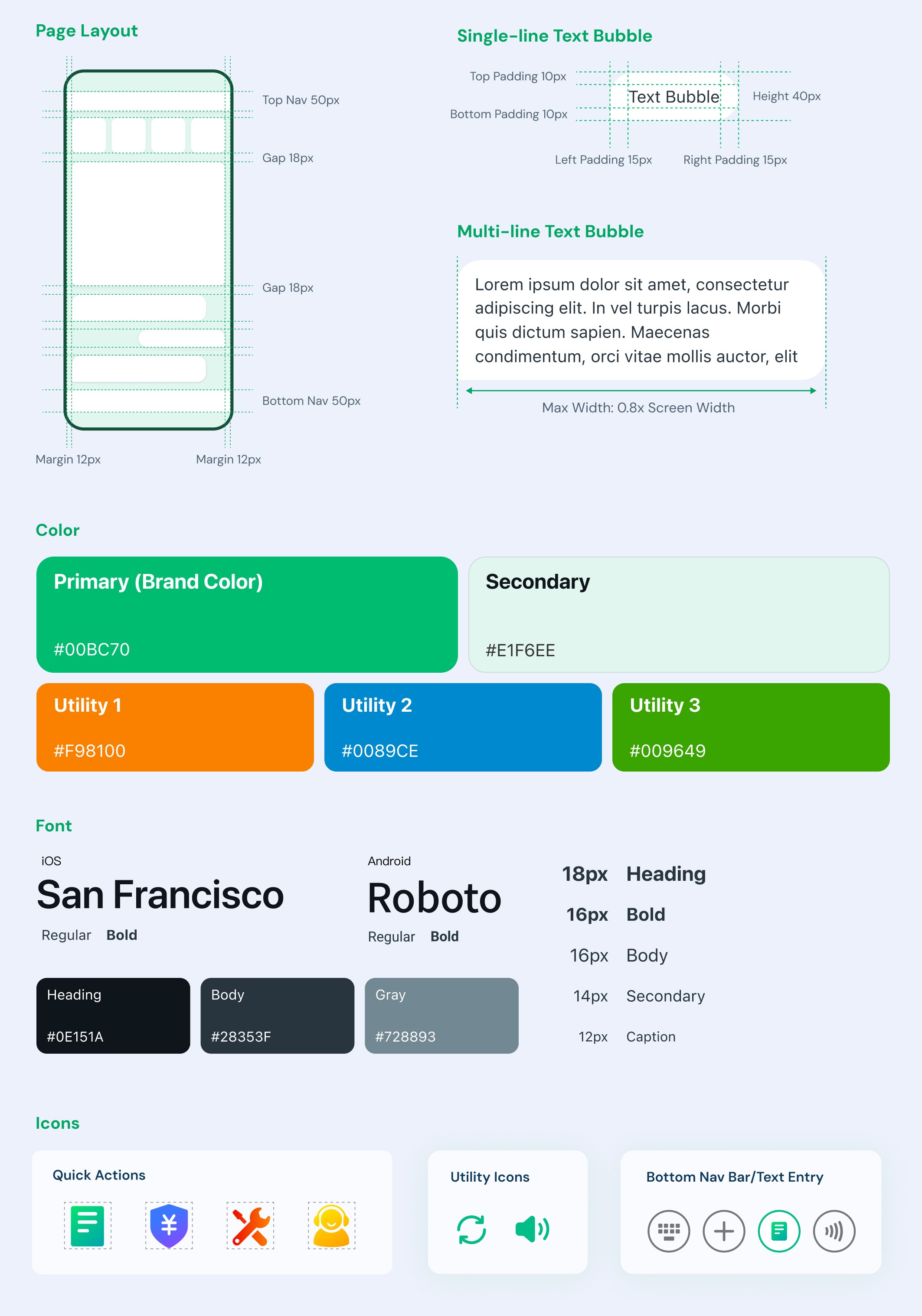
Establishing a design system for clarity and professionalism

Design Director
Evan’s visual design should feel friendly, professional, clean, and easy to read, building user comfort and trust. It should also align with ZhongAn’s branding to ensure a consistent, credible, and reliable experience.
✅ Rounded corners for a friendly feel
✅ System fonts for optimal readability
✅ ZhongAn’s brand colors for consistency
DESIGN ITERATION
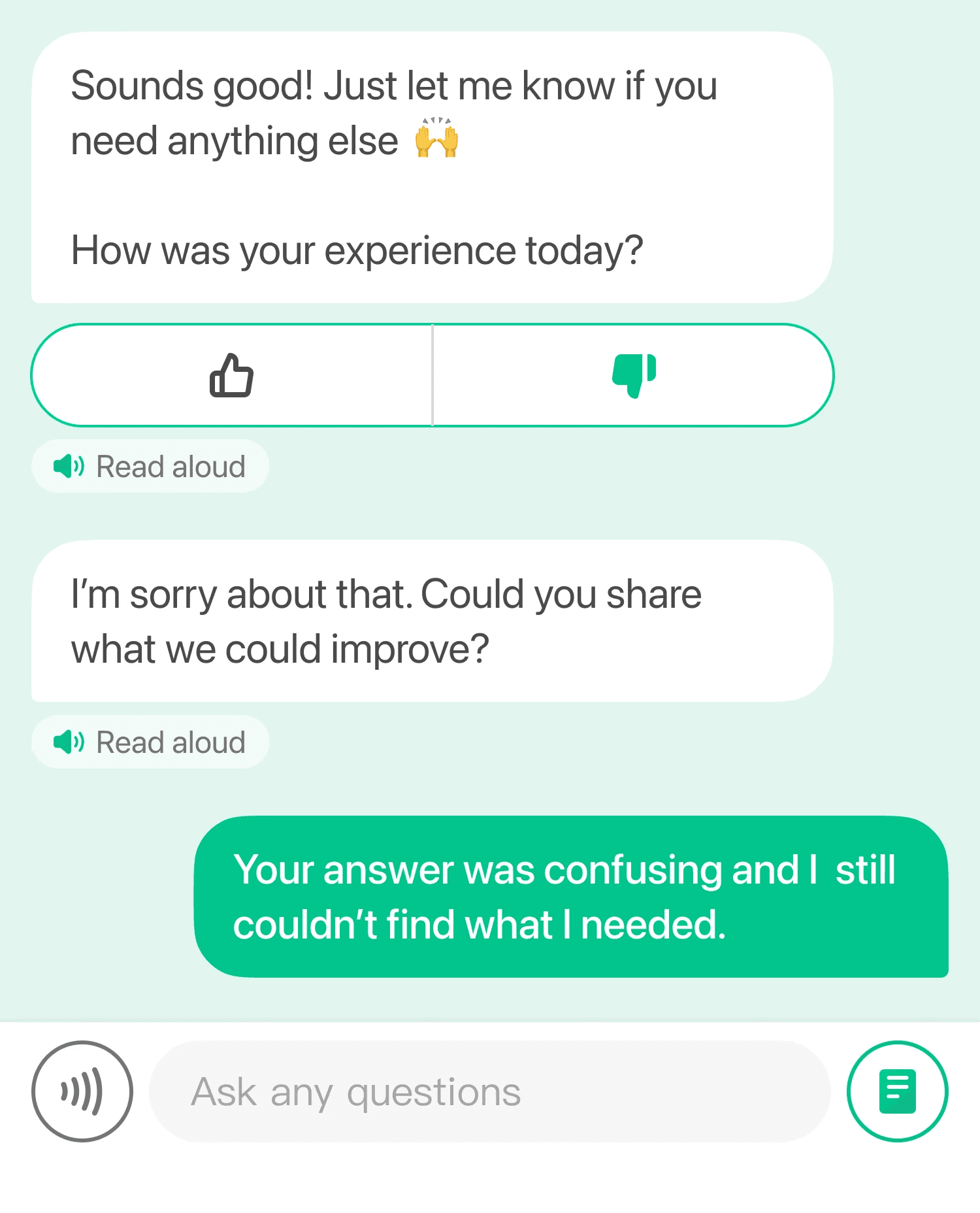
Iterating from real user feedback
We added a feedback mechanism that allows users to share feedback after each conversation. These insights help us improve response quality, identify gaps, and continuously iterate on the experience.
THE OUTCOME
2 months after launching, Evan has achieved:
Resolution Rate
55%
Relative growth
User Satisfaction Rate
34%
Relative growth
# of Users Reached
600,000+
KEY TAKEAWAYS
Summary
This project systematically improved the assistant across information structure, interaction flow, emotional experience, and visual design. We improved efficiency, built trust, and increased resolution rate, ultimately led to higher user satisfaction and engagement.
What did I learn?
Cross-functional collaboration. As the design lead, I learned how to align with product and development teams, communicate design decisions clearly, and navigate disagreements effectively.
Prioritization under constraints. Working under tight timelines, I learned to move away from perfectionism and focus on the most impactful research and design decisions. This helped me better understand how UX design works in real-world constraints.
Next Steps
Conversational smart agents require continuous iteration. Moving forward, we will leverage user feedback and data to further validate interaction flows, improve response quality, and optimize multi-turn conversations for complex scenarios.