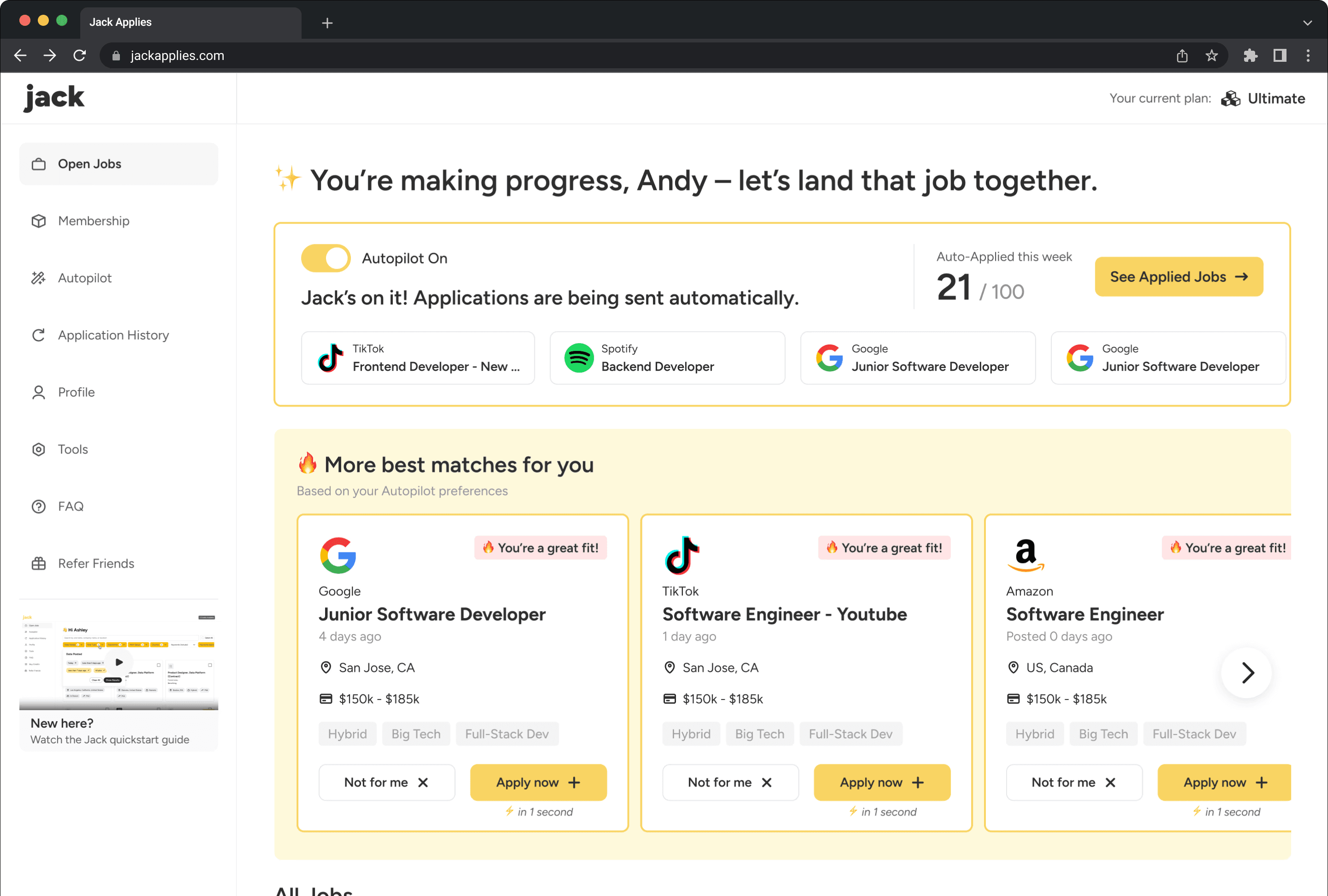
Jack - Automatic Job Application Platform
Improved core product experiences to increase user engagement and retention.
Business Growth
User Retention
2025
MY ROLE
UI/UX Designer
DURATION
3 Months
COLLABORATORS
Design Director
Product Manager
Software Engineers
AT A GLANCE
About the project
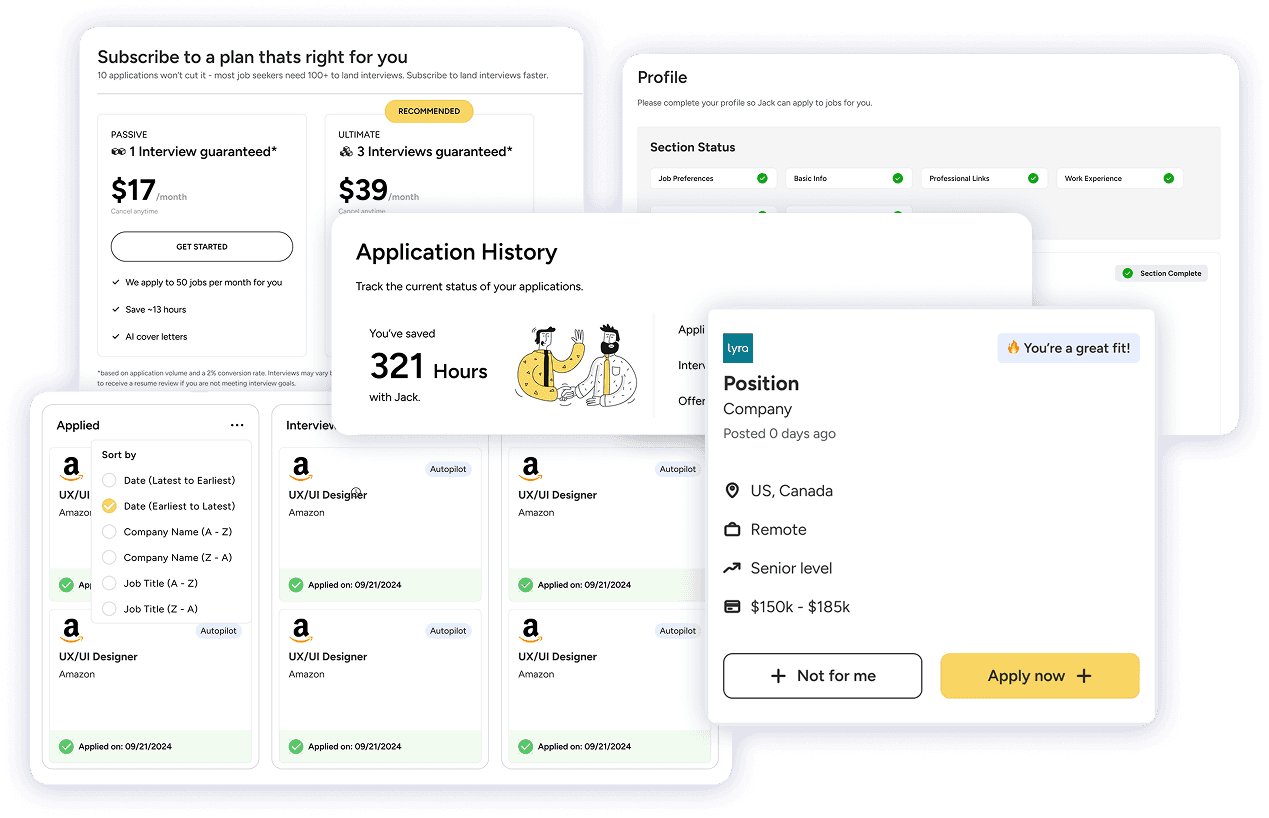
Jack Applies, Inc. (Jack) is an automated job application platform that automatically applies to jobs on users’ behalf based on their preset preferences.
In this project, I focused on redesigning key product experiences to help users get started with Jack, maintain engagement throughout the subscription period, and ultimately support the platform’s long-term growth.
My role
I worked as a UI/UX Designer in a team of 3. I collaborated closely with a Senior Product Designer and a Product Manager. I also partnered with the development team to ensure my design solutions were accurately implemented.
OUR USERS

Early-career job seekers who apply in bulk
They lack the time and energy to submit large numbers of applications, and finds repetitive form-filling and filtering both time-consuming and stressful. They wish to streamline their job search by using Jack’s features to automatically apply to relevant roles, saving time while increasing their chances of landing interviews.
THE PROBLEM
Users don't perceive the unique value and powerful features of Jack in job-applying compared to traditional job boards.
Many hesitated to begin using Jack or discontinued their subscriptions.
Subscription Rate
7.9%
Subscriber Churn Rate
43.1%
THE RESULTS
The project spanned three months, during which we successfully achieved our short-term business goals through iterative design improvements.
Subscription Rate
23%
Relative growth
Subscriber Churn Rate
19%
Relative decline
# of Users Reached
50,000+
THE PROCESS
1
Exploration
Explored data and early design solutions to get quick insights
2
Validation
Tested design through user research and data to get clear focus.
3
Iteration
Refined the design based on insights and performance metrics.
Exploration
After initial conversations with stakeholders, I identified key usability gaps and implemented quick design improvements. This allowed us to get quick impacts and validate assumptions before investing in deeper research process.
Validation
To further validate our assumptions and gain insights of future iterations, we identified 2 groups of Jack's previous users that were affected by our current problems. We recruited 5 participants for each group, conducted 15-minute interviews, and identified key friction points users encounter while using Jack.
User Group 1
Non-subscribers
Signed up but did not start applying.
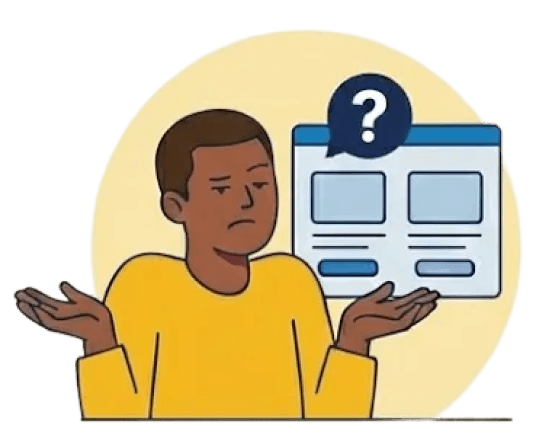
They don't to see Jack’s differentiated value and question its reliability, resulting in low motivation to get started.
⚠️ Low Motivation
“I don’t really see how this is different from other job platforms. I’m not convinced it’s worth paying for.”

⚠️ Low Trust
“The interface feels a bit rough. Made me question whether this platform is reliable to apply to jobs.”

⚠️ High Learning Curve
“I wasn’t sure what I was supposed to do first. The features sounded powerful, but I didn’t know how to actually use them.”

User Group 2
Ex-subscribers
Subscribed but unsubscribed shortly.
Ex-subscribers lacked clear progress feedback and tangible results, leading them to question Jack’s value and lose confidence in the process.

⚠️ Low Sense of Security
“I turned on autopilot, but I kept wondering if my applications were really being sent.”
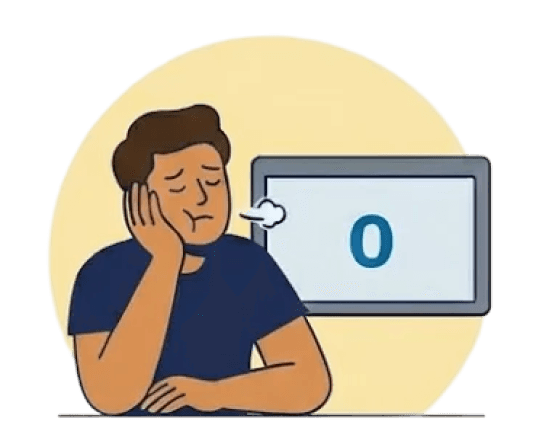
⚠️ Diminished Confidence
“I didn’t see much feedback or progress, so it felt like nothing new was happening.”

⚠️ Weak Connection
“When I didn’t hear back from any applications, I feel discouraged and questioned whether this platform even helps.”
Pivoting the product strategy
The insights from our research revealed a consistent gap between Jack’s capabilities and users’ perception of its value, highlighting the need for a strategy that supports users both before and after they subscribe.
Before subscribing
Clarify Jack’s core value early, build trust, and motivate users to take their first actions.
After subscribing
Ensure users consistently feel the subscription is worthwhile by making benefits, progress, and outcomes visible.
The ultimate goal
Drive sustained subscription adoption and retention, ultimately supporting long-term, sustainable business growth.
THE DESIGN SOLUTION - PART 1
Before subscribing
How could we motivate users to take their first actions while they begin to explore Jack?
What has been done
Before I joined Jack, the team has worked on onboarding experiences to thoroughtly introduce Jack's core features to the users when signing up.
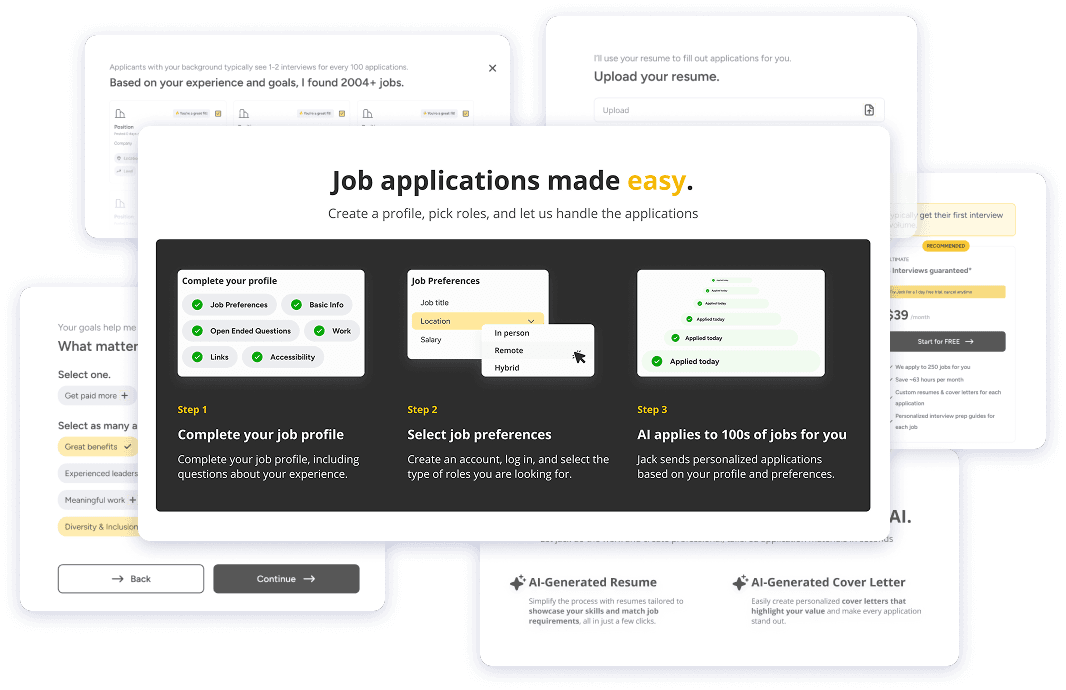
01 Highlighting key features to reduce early friction

Product Manager
Although users were introduced Jack's core features during onboarding, they don't see them once they enter. We want to highlight the features on the home page and encourage users to try them out. The goal is to reduce friction early on and raise the Day-1 Activation Rate on job-applying.
Autopilot (automatic job application)
QuickApply (manual application within one click)
Advanced Job Matches (AI-powered job match mechanics)
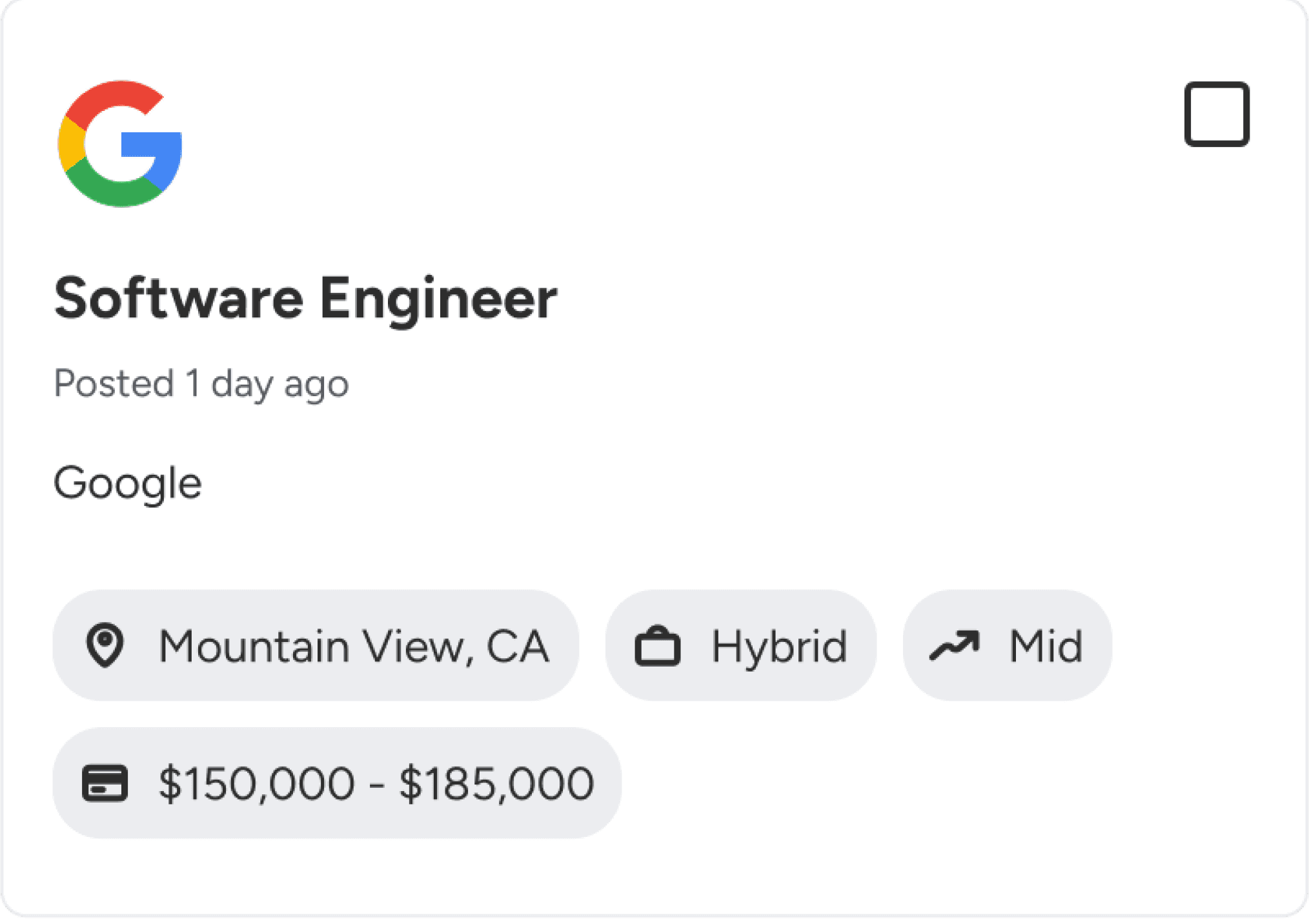
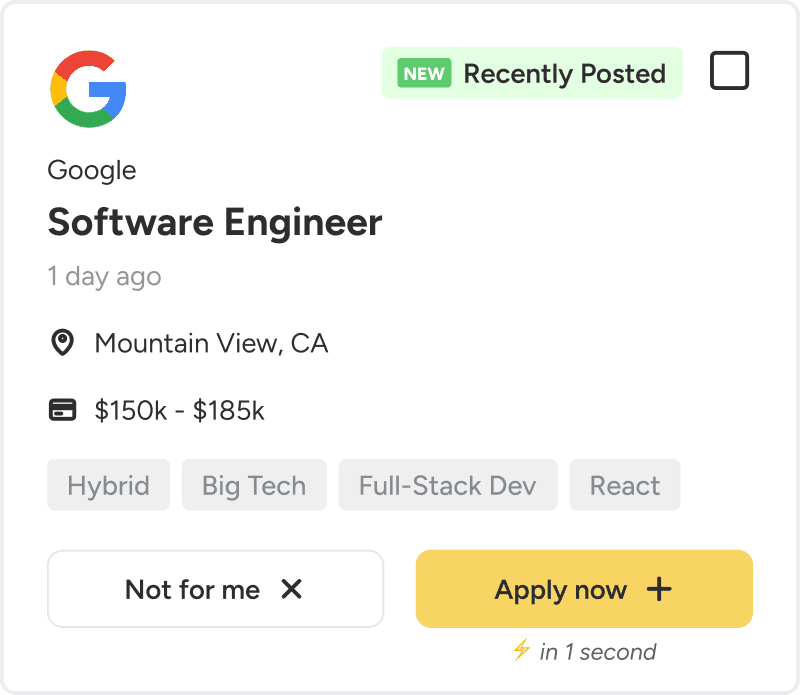
User now can apply to jobs in one click
On the homepage, a quick-apply button with supporting text is added to the job cards. It makes the apply-in-one-click feature easy to discover and encourages smoother application flow.
BEFORE
AFTER
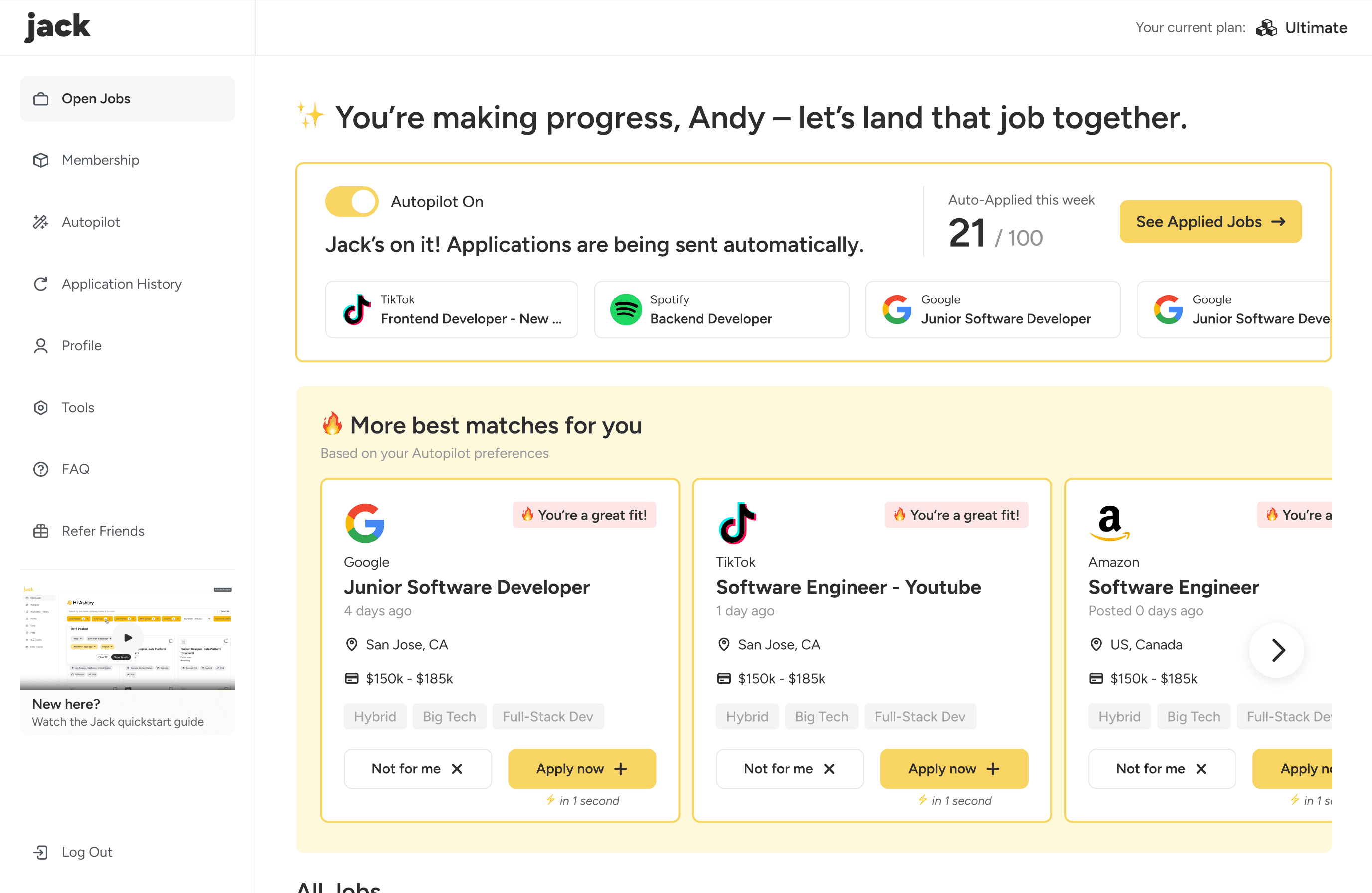
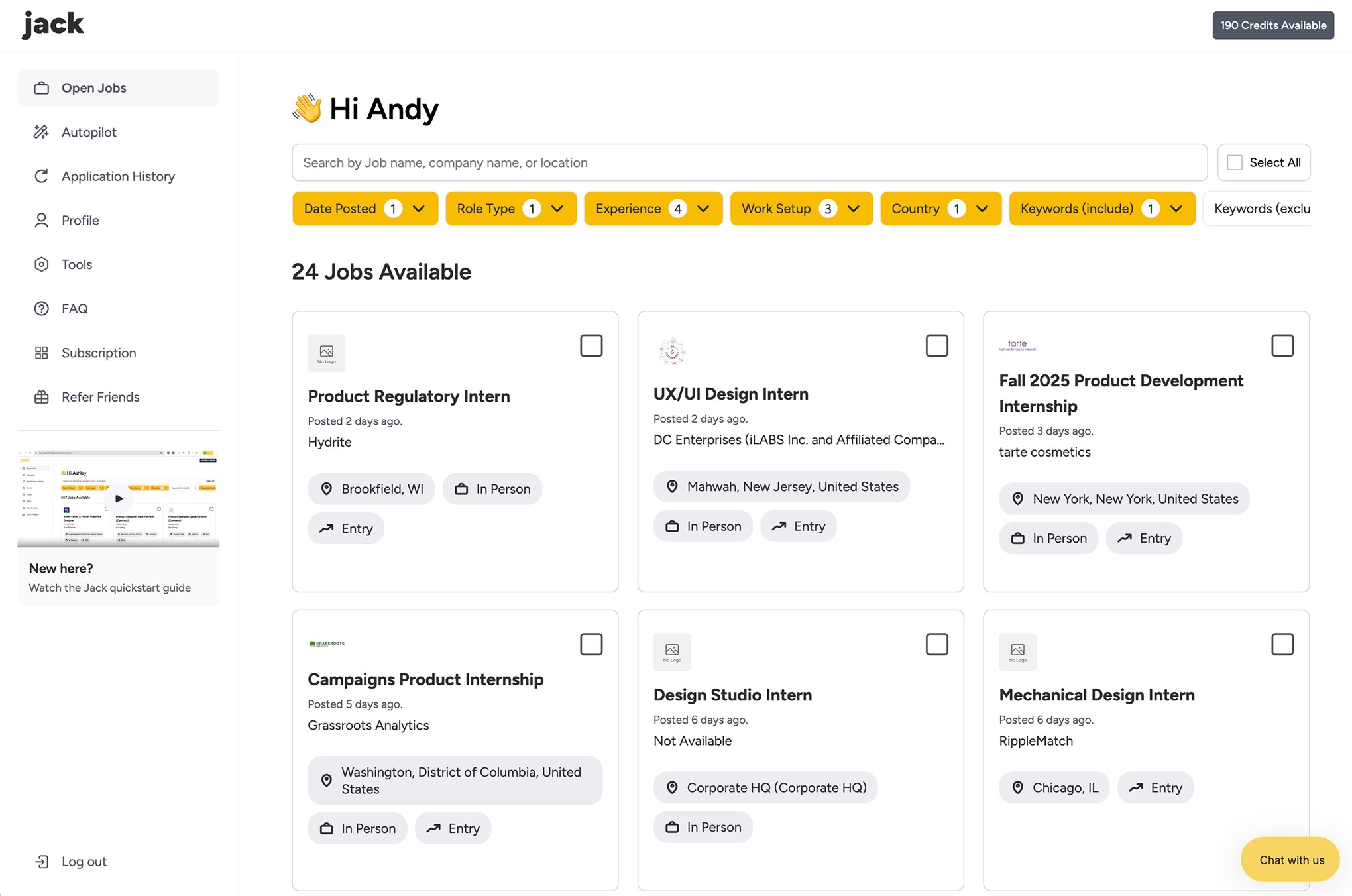
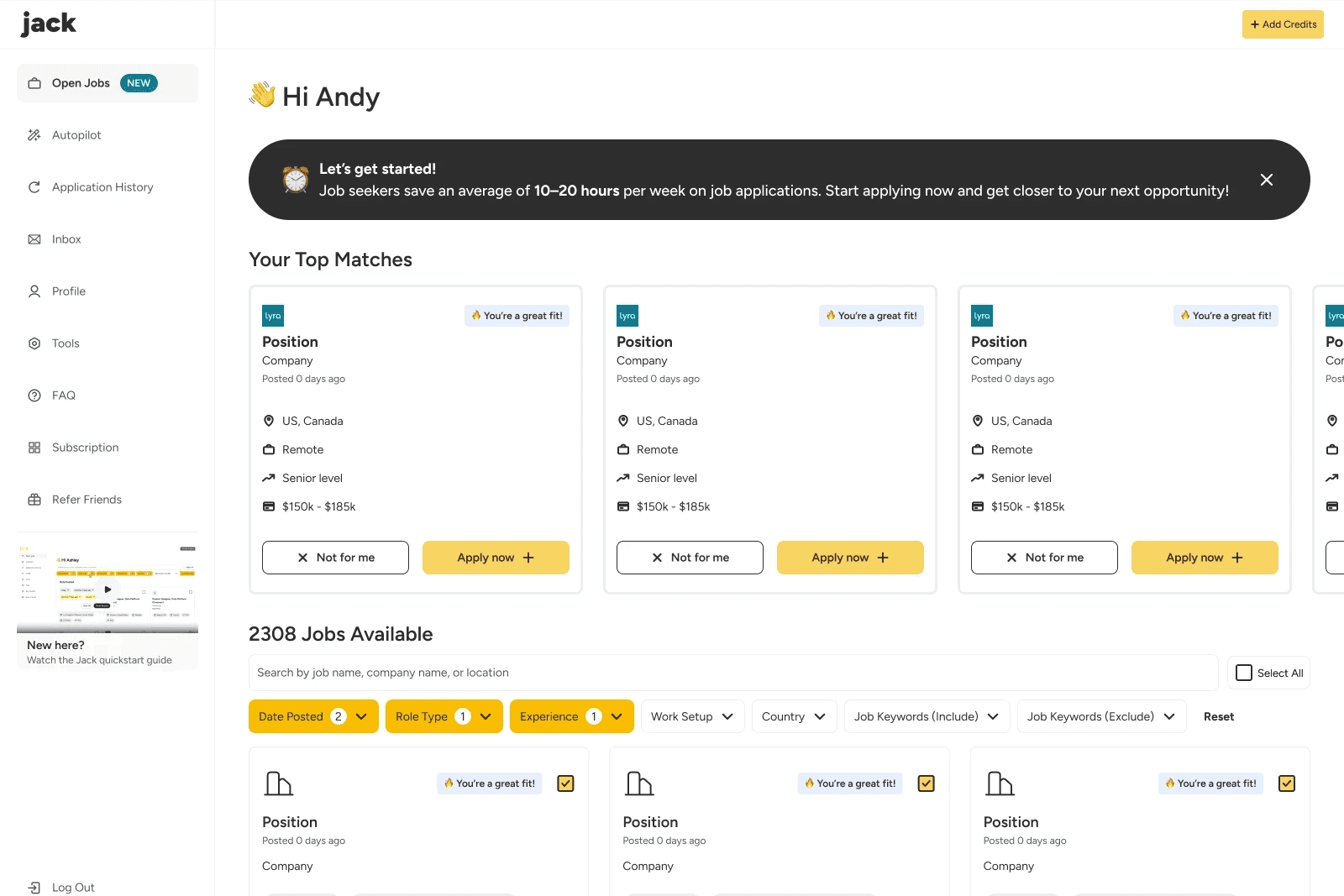
User now can view and apply best matched jobs on the home page
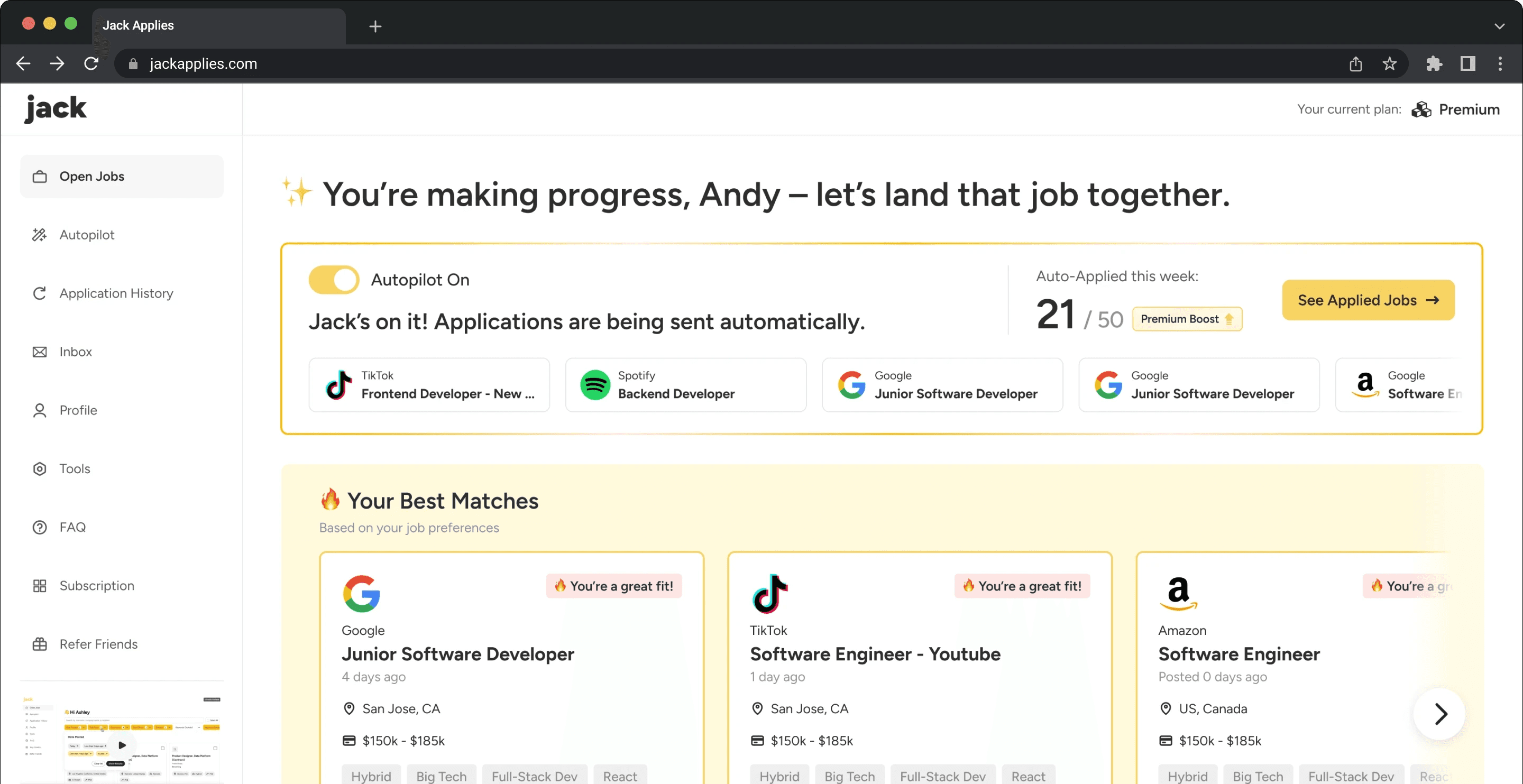
Added a separate section that highlights jobs with highest matching scores. We also added banners at the top to remind users to setup Autopilot. These updates clearly communicates both features and prompts quicker action.
BEFORE
AFTER
Day-1 Activation Rate Growth:
26%
% of users who applied or enabled Autopilot within 24 hours of registration.
Validation + Iteration
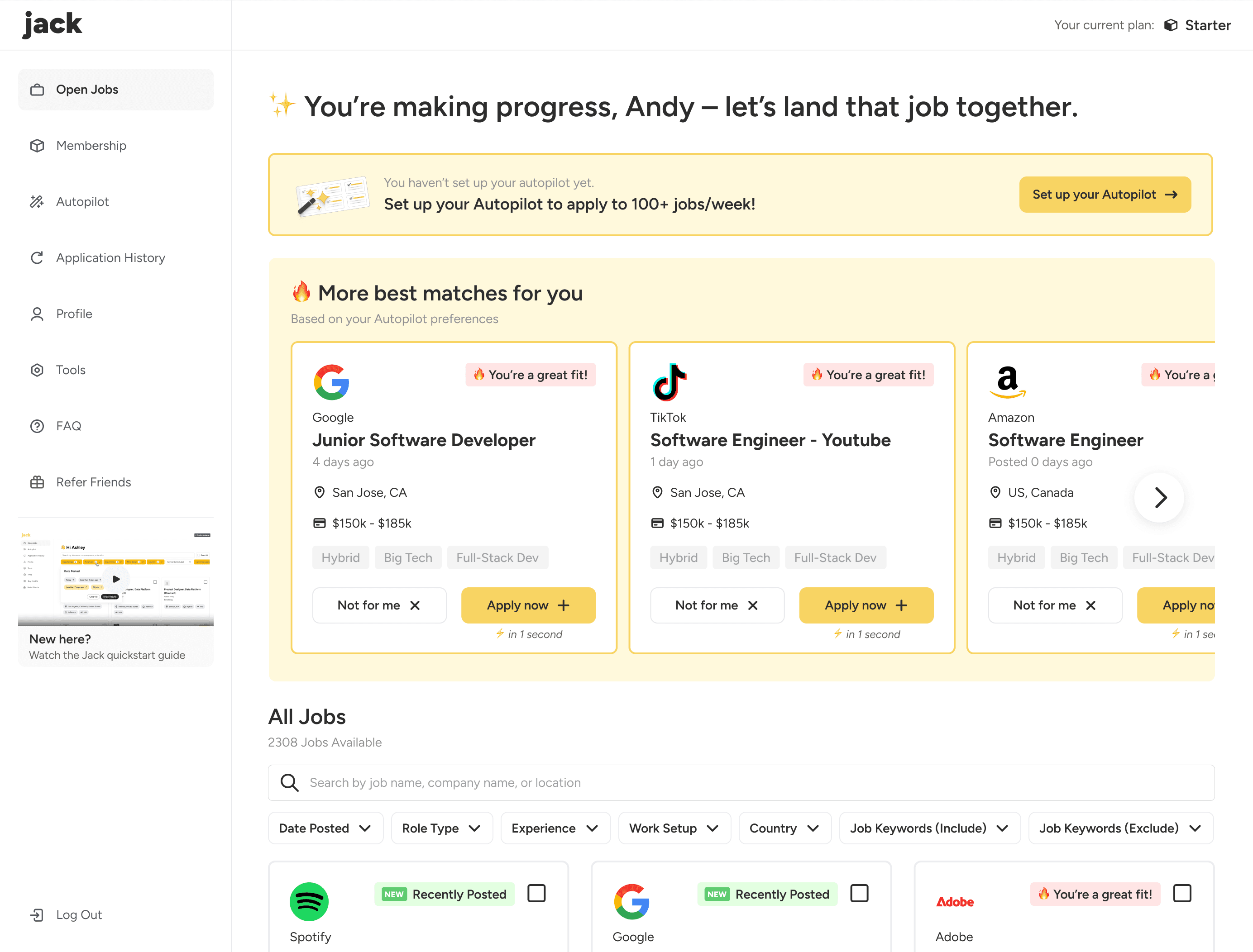
Based on positive data feedback on our first version, we further highlighted the Top Matches section.
Also, we improved the Autopilot setup banner to make the language more precise and persuasive, added CTA buttons to help direct users.
02 Promoting subscription to ensure sustainable business growth

CEO
A lift in conversion rate directly increases recurring revenue at scale. We want to eventually increase revenue so Jack can have a sustainable growth.
At 50,000 users,
every +1% absolute lift in conversion rate
= +500 subscribers
= +$14,500 Monthly Recurring Revenue (MRR)
Total Active Users
% Subscription Page Visits
% Page Conversion
MRR
The lift in % of subscription page visit and the subscription page conversion rate would both boost the MRR eventually. So my design iteration will focus on lifting these key metrics by:
Simplifying the path to the subscription page to reduce friction
Highlighting value on the subscription page to promote conversion

Andy (Me)
User now can access the subscription page through multiple paths
CTAs across key touchpoints constantly remind users about subscribed features, making subscription page easy to reach any time.



User now can see the core values of subscription more clearly
To lift the conversion rate, we want to communicate the core values and benefits of paid plans to encourage subscription.
🎯 THE CHALLENGE
The trade-off between user experience and conversion effectiveness
Designing the subscription page required balancing a clean, trustworthy user experience with persuasive elements that drive conversion without being overwhelmed or pressured.
We created two approaches to compare their impact on decision-making and subscription intent.
User-centered approach
Cleaner layout with fewer distractions makes the page more approachable, minimizing cognitive overload during decision-making.
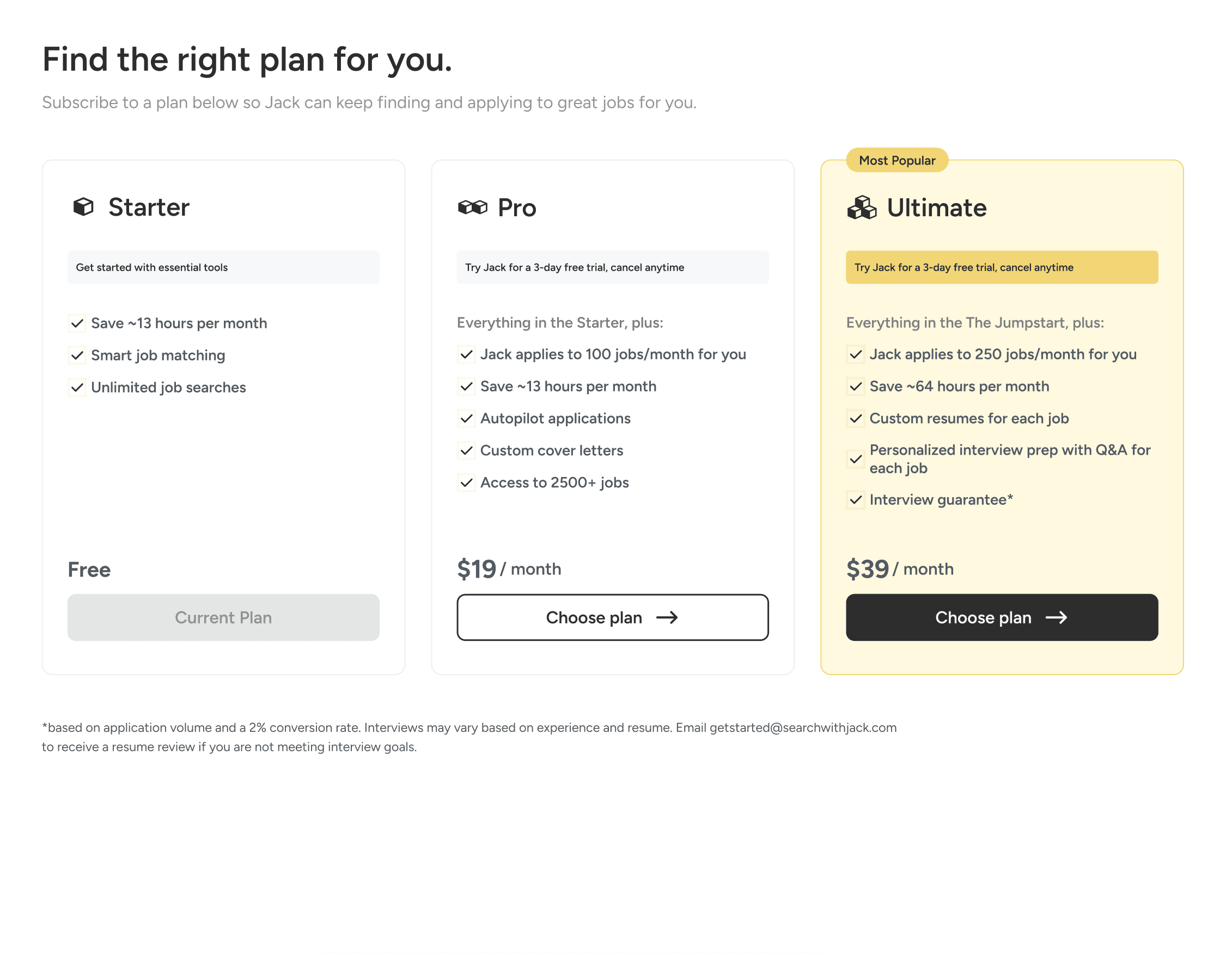
Final choice
Conversion-centered approach
Enhanced contrast to stimulate attention, encouraging users to make decisions quicker and more efficient.
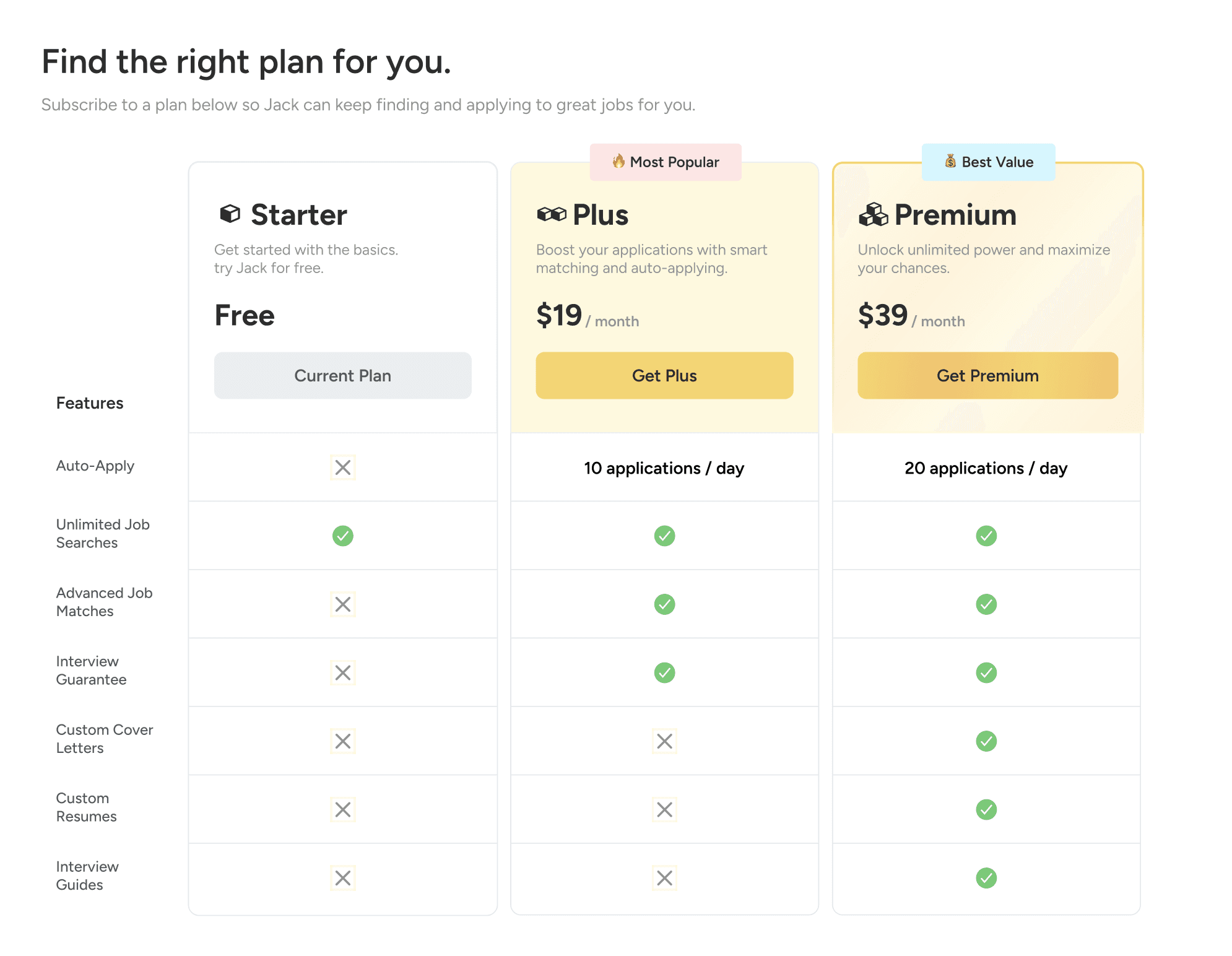
The decision
Andy (Me)
Prioritizing clarity over visual pressure better supports long-term retention and sustainable growth. We believed that a cleaner, less promotional layout would increase trust and lead to more confident subscription decisions.
THE DESIGN SOLUTION - PART 2
After subscribing
How could we maintain user engagement after the user subscribes to Jack?
03 Underscoring application status to ensure sense of security

User 1: “I’m not sure if I’m doing this right. I don’t really know how to get started.”

User 2: “I thought Autopilot would just start applying automatically, but it doesn’t seem like anything’s happening.”

User 3: “I turned Autopilot on, but I’m still not sure if it’s actually applying to jobs.”
Product Manager
In the original version, Autopilot status and applied jobs were hard to find, providing little real-time feedback. Users were unsure whether Autopilot was active and whether applications were actually being sent. We need to ensure two things:
Let users see Autopilot status easily
Shorten the path to access all applied jobs
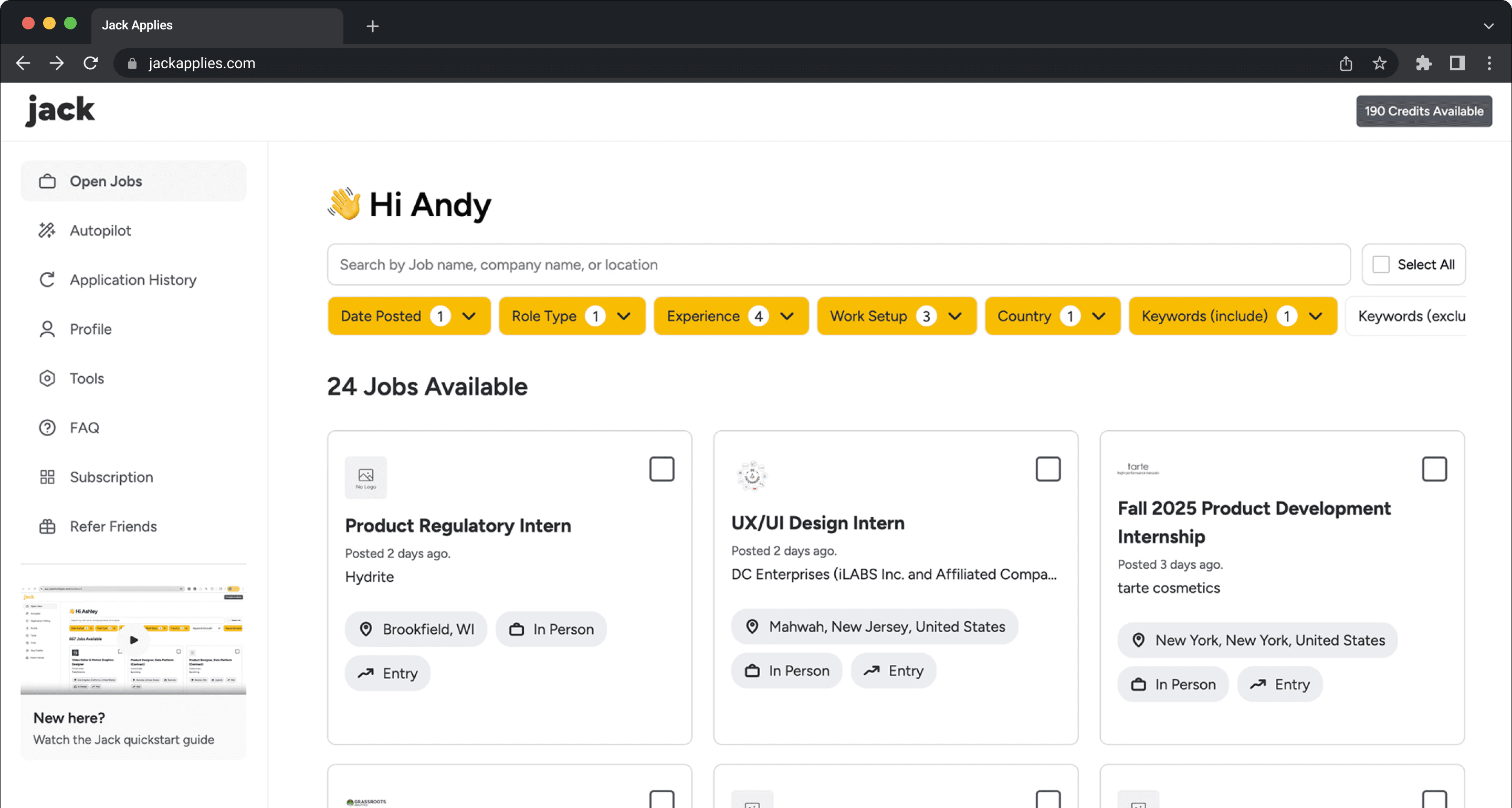
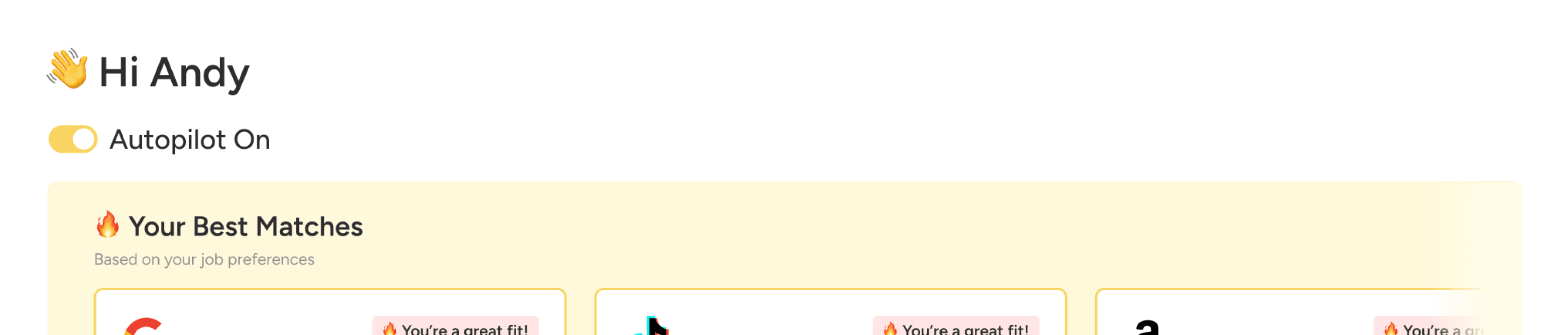
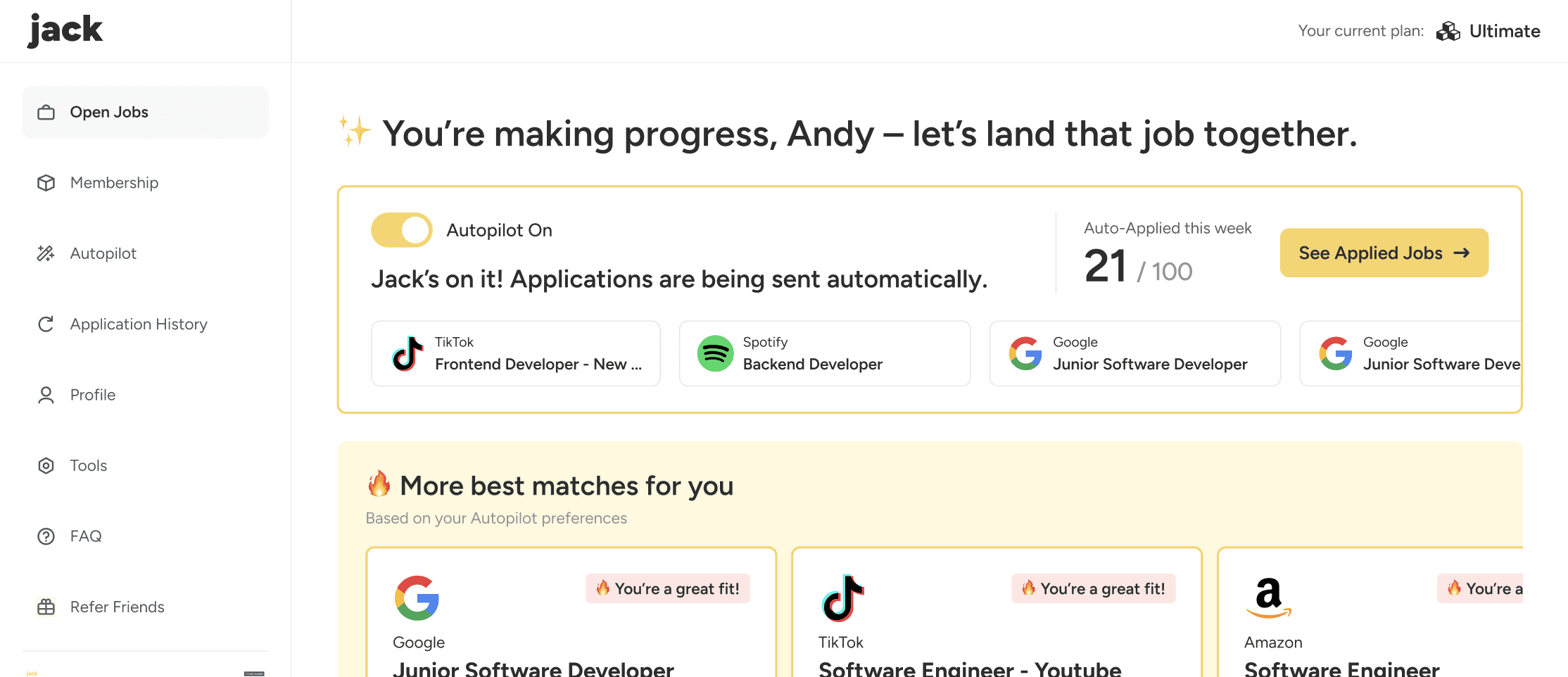
User now can easily see Autopilot's application progress
On our first iteration, we added a simple On/Off icon near the top of the home page to reveal Autopilot status ...
Then we took a step further to highlight Autopilot status and a preview of applied jobs, allowing the user to fully see the effectiveness of Autopilot at a glance. Also added a CTA button to easily direct users to the full Applied Jobs page.
04 Reinforcing value to secure confidence and retention
CEO
If subscribers cannot clearly see the value Jack is providing for them, churn increases and the perceived ROI drops. We want to protect retention, increase customer lifetime value (LTV), and secure long-term revenue growth.
At 4,000 subscribers,
every +1% absolute drop in monthly churn rate
= +40 subscribers retained
= +$1,160 MRR protected
We need to build confidence among subscribers and let them feel their investment is worthwhile over time. In this way they will be more willing to retain their subscription. I will focus on building a subscriber section to thoroughly introduce benefits, features, and impact.
Andy (Me)
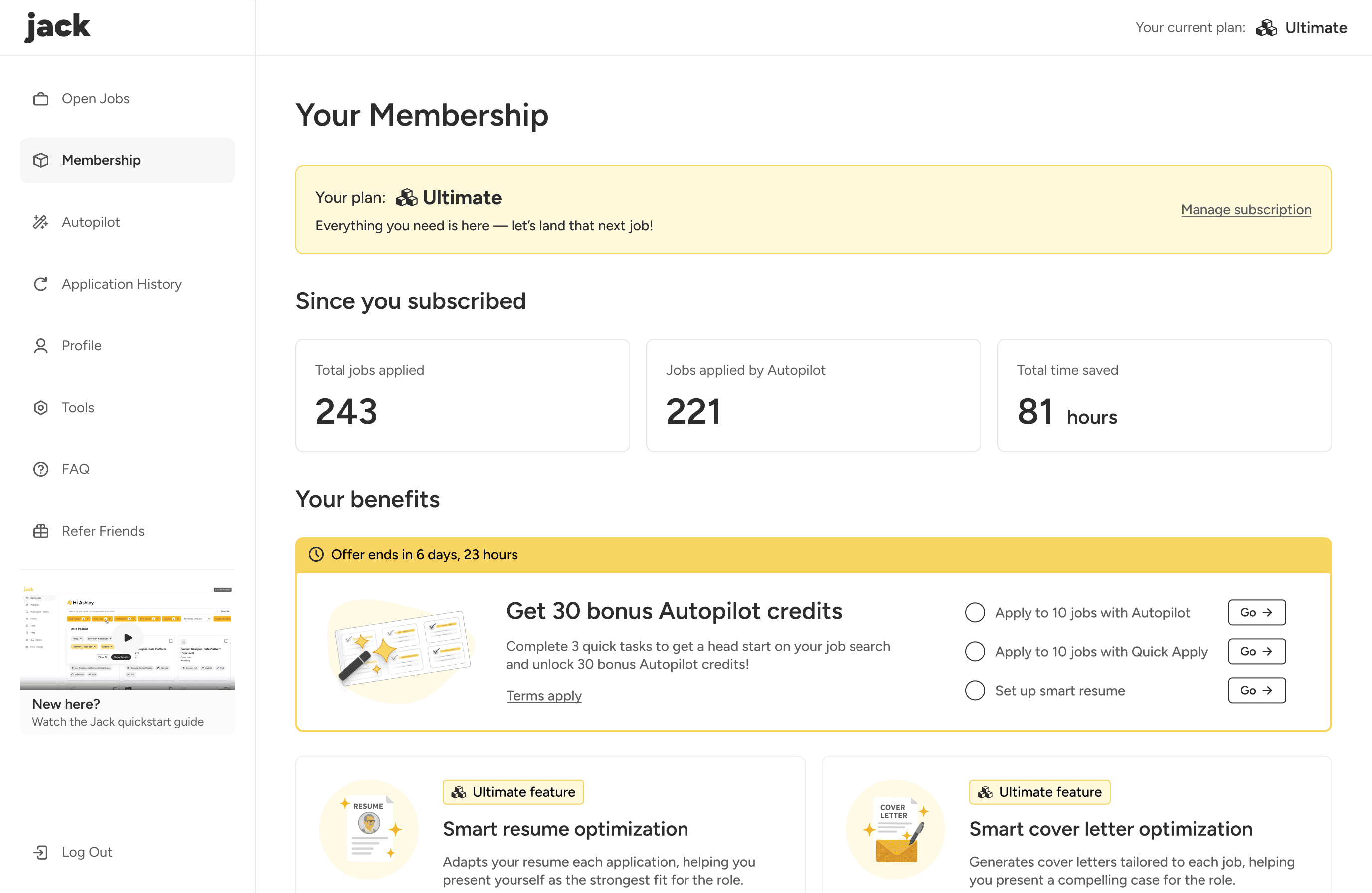
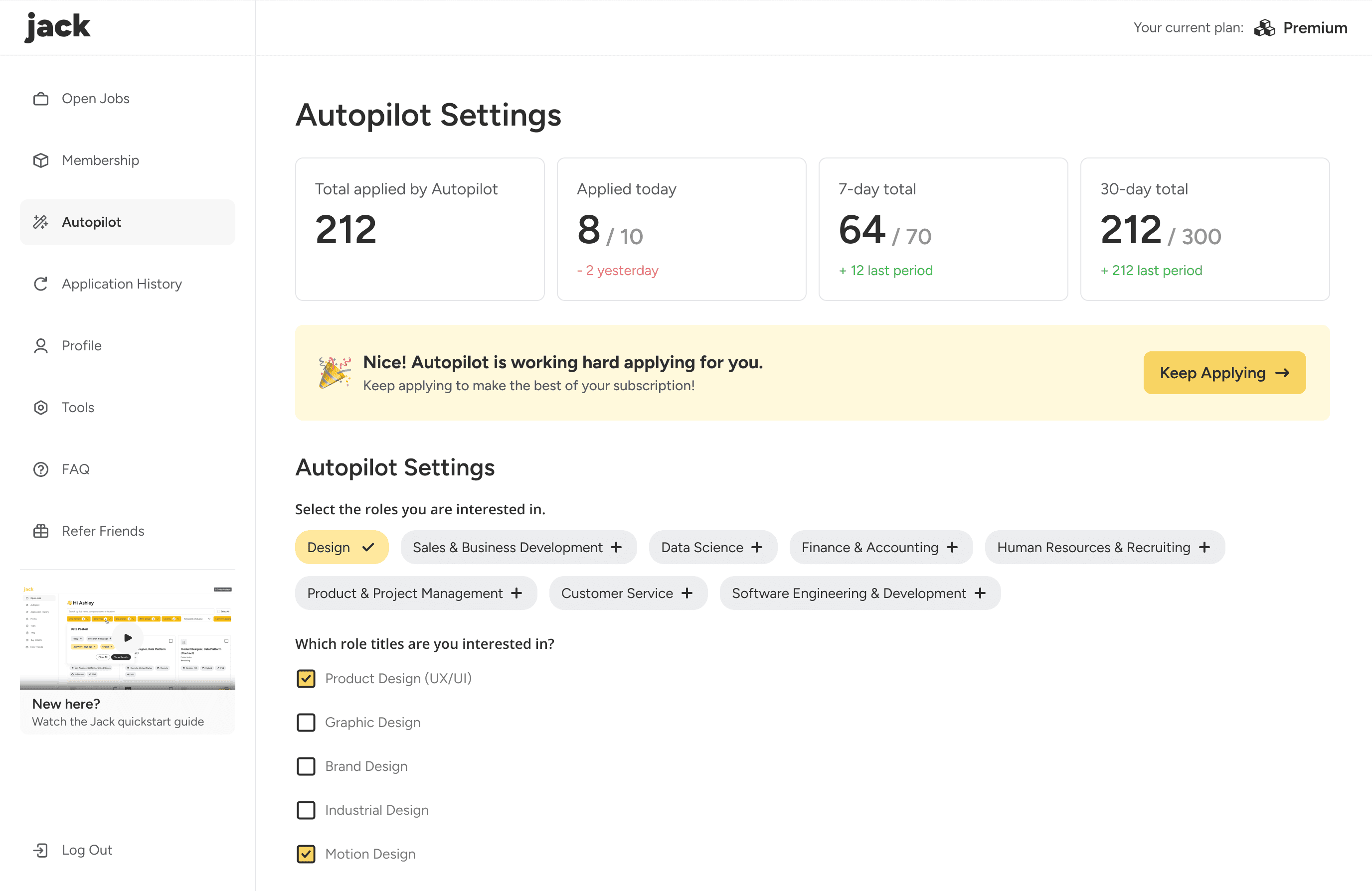
Users now can clearly see the value of their subscription
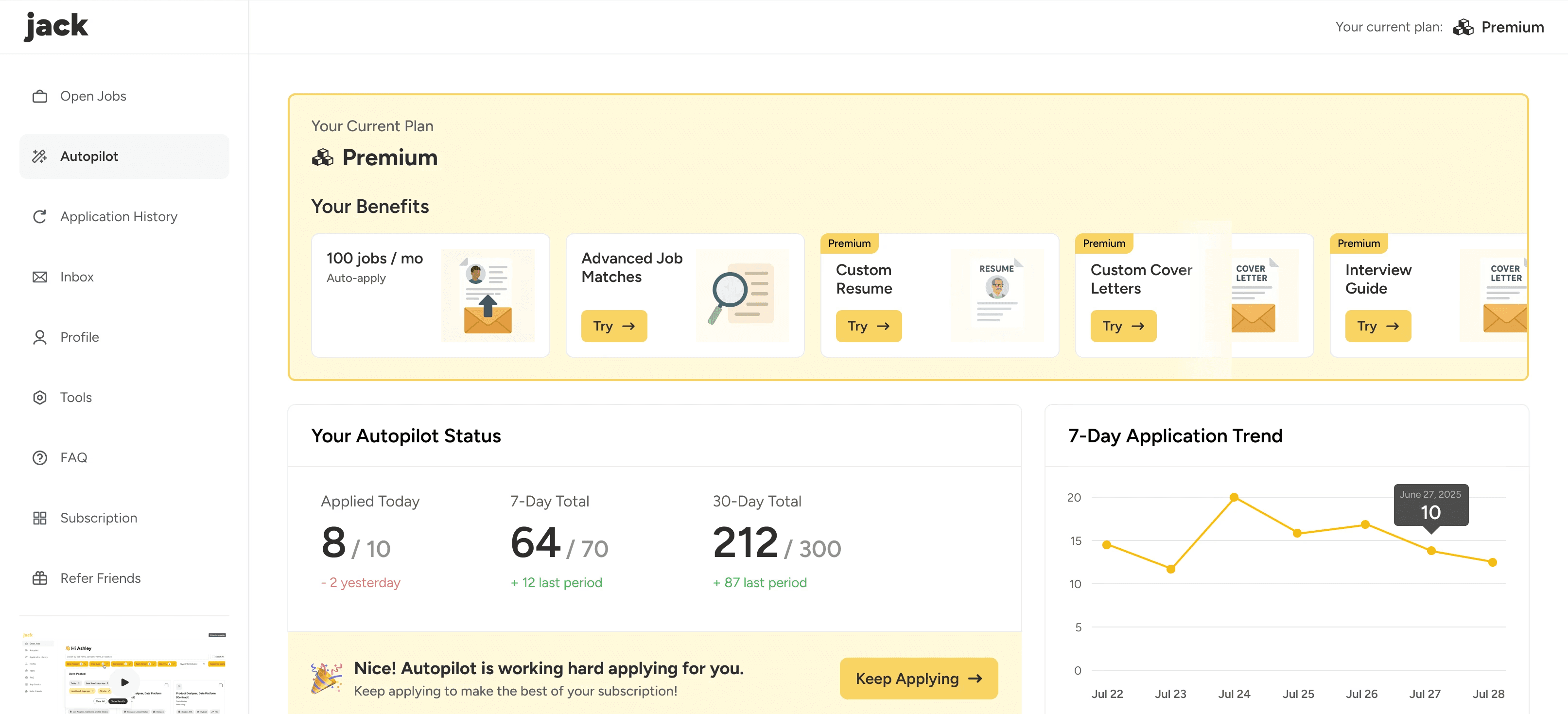
On the first iteration, we placed the subscriber section at the top of the "Autopilot" page, listed out exclusive features and CTA buttons to encourage exploration.
Feature Activation Rate:
11%
% of subscribers who activated at least one paid feature other than Autopilot
PM
The more the subscribers try our unique features, the more chance they will perceive the value and be willing to retain their subscription. Our expectation is 20% - 35% activation rate.
The current version lists the features, but did not thoroughly introduce them. Subscribers would hesitate to try them out if they don't know what they do.
The subscriber section resides in the Autopilot page, which is primarily used for configuration and not strongly associated with feature discovery.
Andy (Me)
Iteration
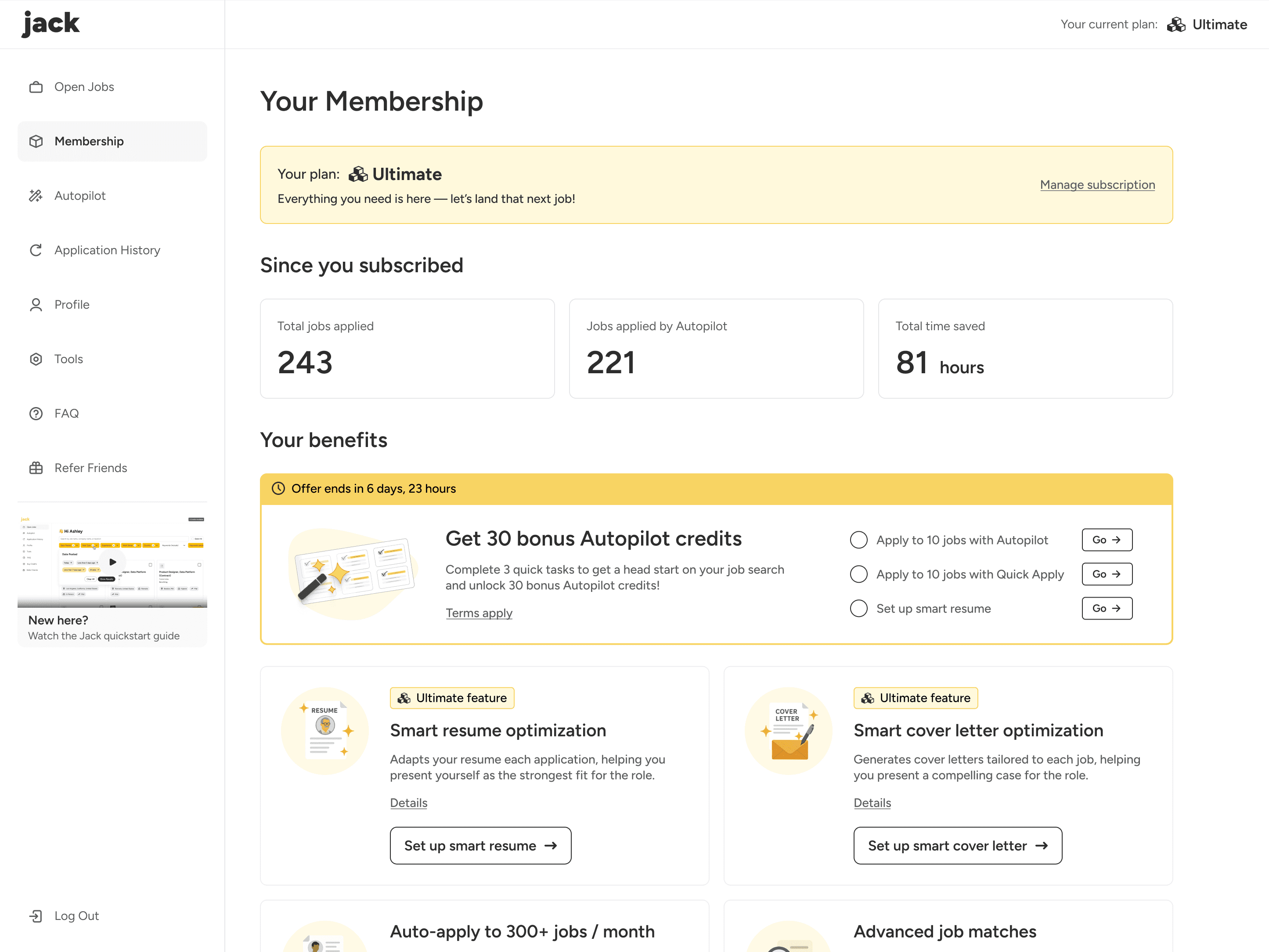
We introduced a dedicated “Membership” page where users can clearly see subscription impact and explore exclusive features in one place. By visualizing progress and benefits, the page reinforces the value of Jack’s subscription and encourages continued engagement.
Feature Activation Rate:
33%
% of subscribers who activated at least one paid feature other than Autopilot
05 Refining microcopy to foster connection
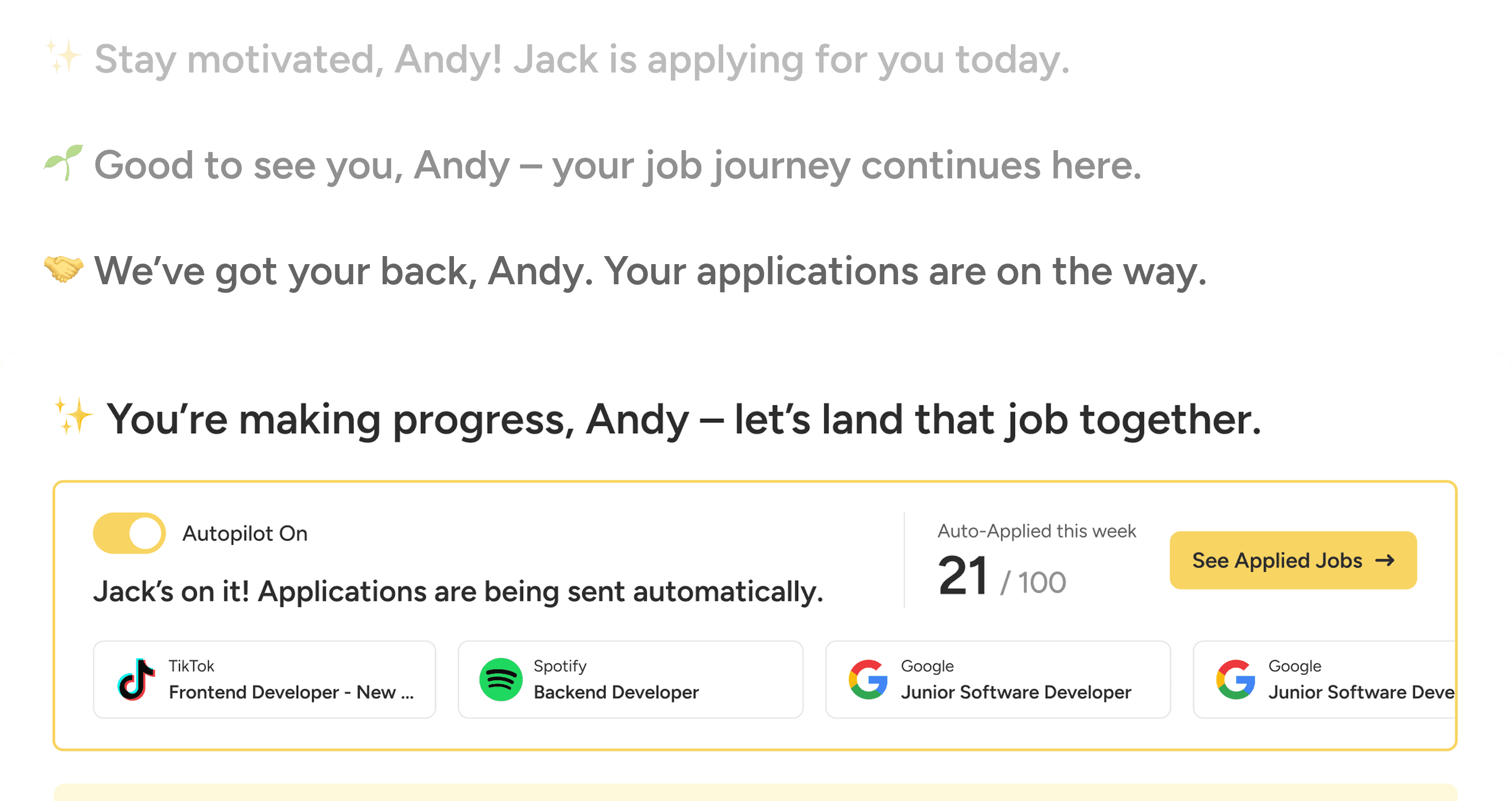
Job searching can often feel stressful and discouraging. By adopting a more personal tone and incorporating encouraging language throughout the experience, it helps users feel understood and supported, strengthening trust and increasing their willingness to continue using Jack.
Users now can feel support and connection with Jack
Home page greetings help users feel supported and accompanied every time they enter the home page, strengthening their sense of belonging and motivating continued engagement.
More examples of microcopy refinement
BEFORE
AFTER
27 Jobs Available
🔥 Your 27 Best Matches
Jack automatically applies when there's a match
Jack's on it! Applications are being sent automatically.
Autopilot is applying for you.
🎉 Nice! Autopilot is working hard applying for you.
Additional design contributions for Jack
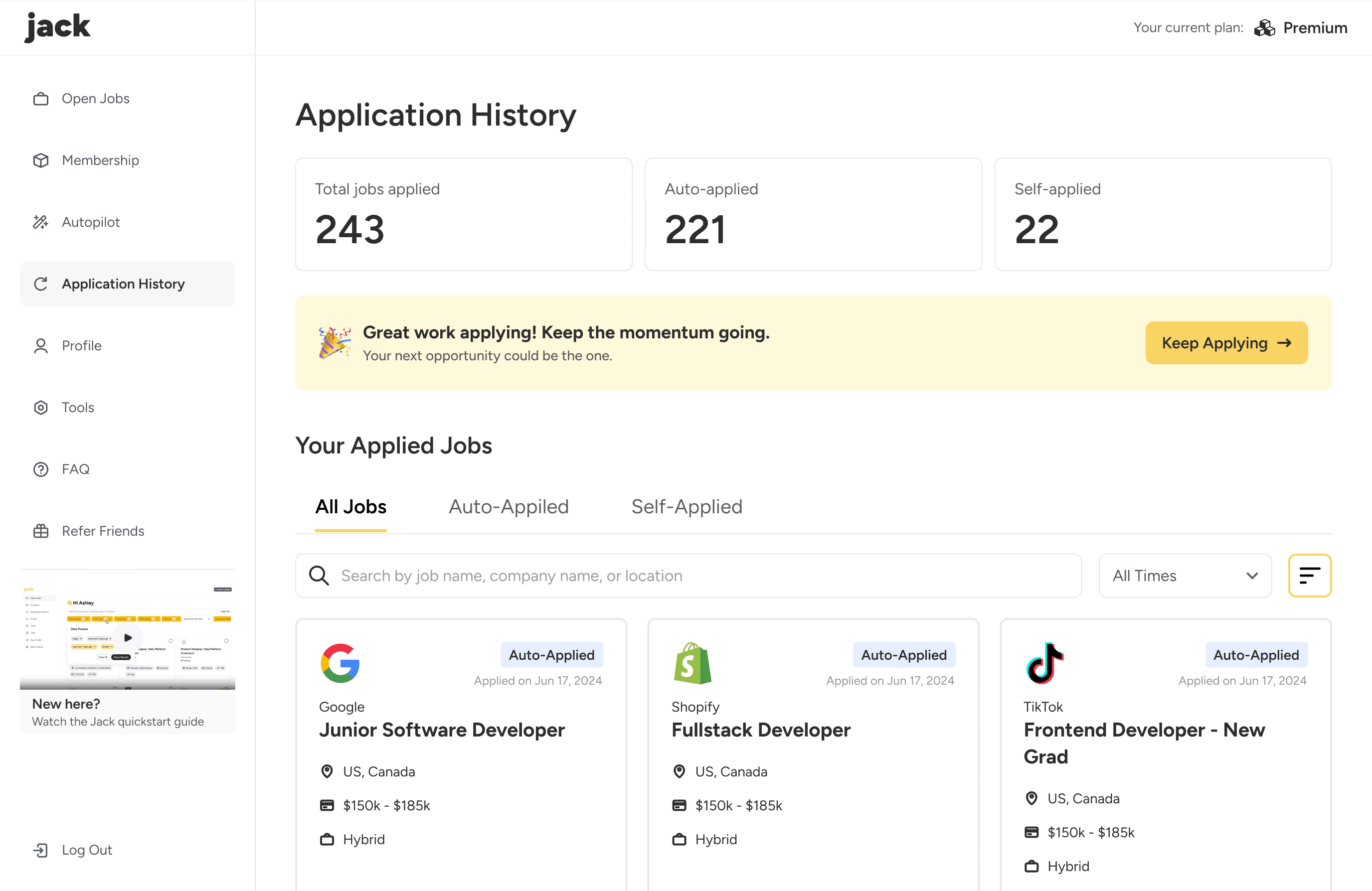
Make application history filtering easier
Optimized the filtering system for applied jobs by introducing tabs for different application types, with search and time filters as supporting controls.
The optimization makes it easier for users to view, manage, and track the progress of their applications.
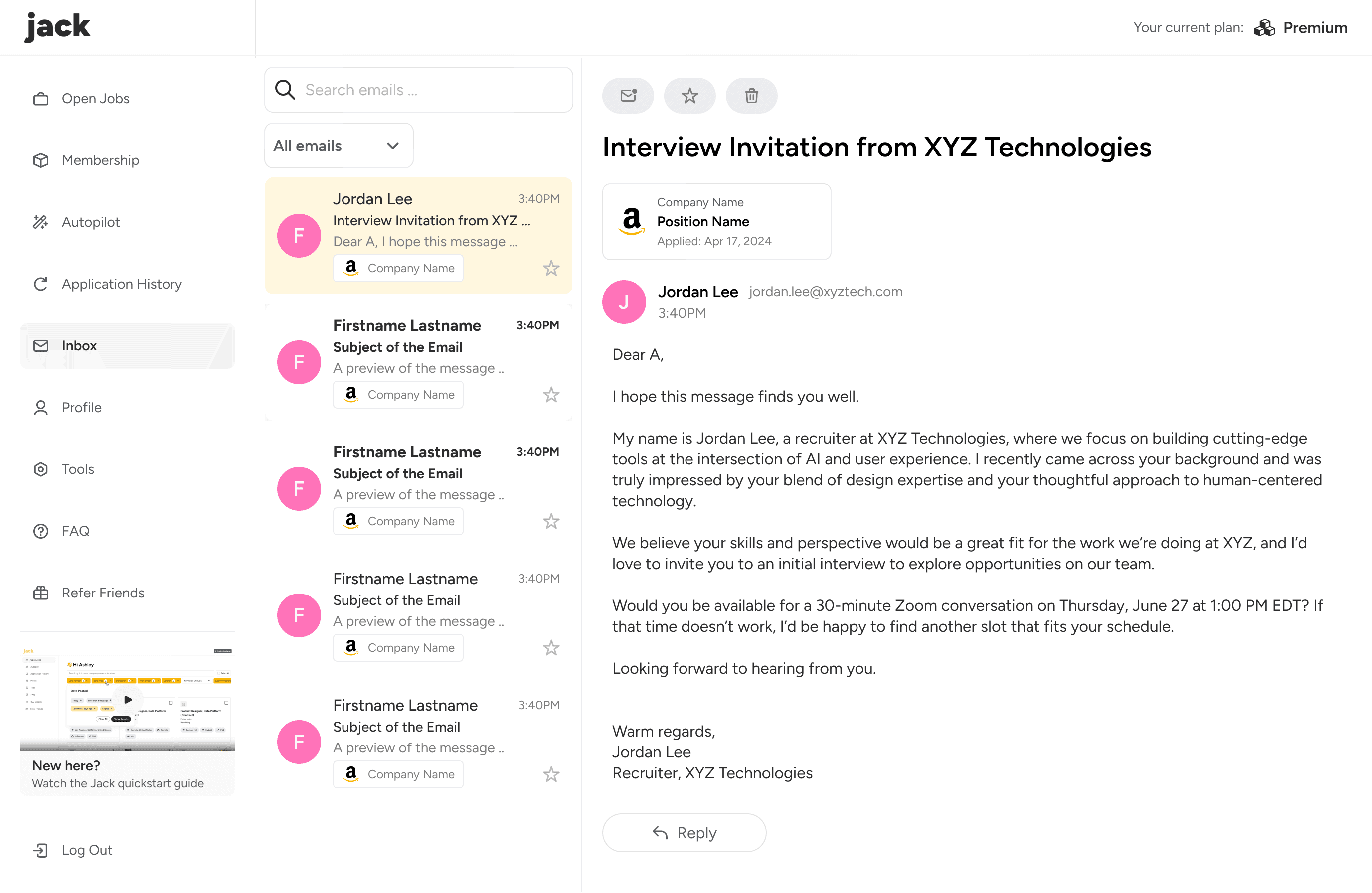
Link user's email inbox to strengthen feedback
The email inbox page connects to the user’s email account that analyzes application-related messages and extracts key details such as company name and job title, providing clearer visibility and feedback on application outcomes.
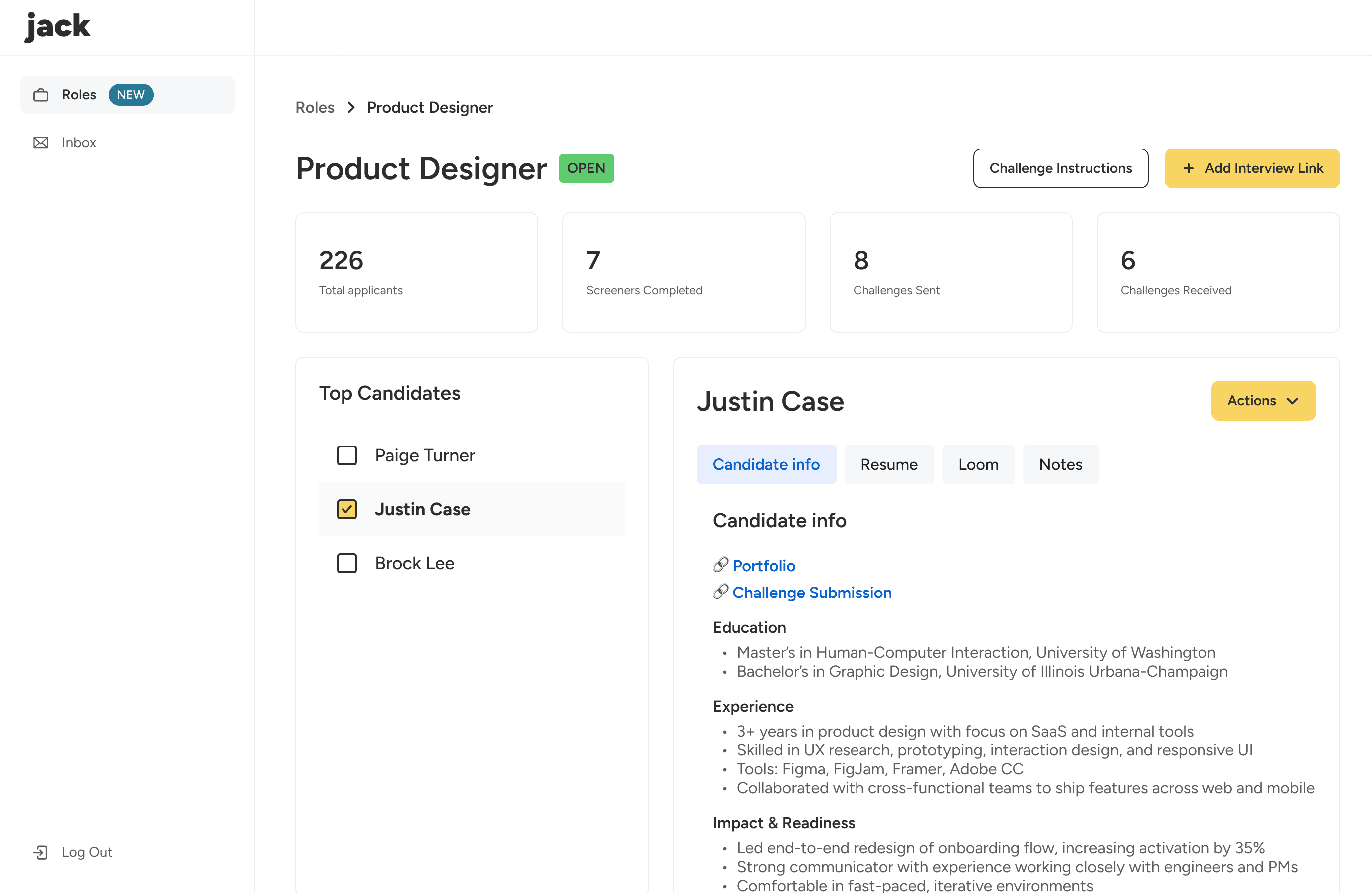
Employer dashboard
In progress
In the next phase, we plan to introduce recruiters and employers to host job openings on Jack, focusing on improving candidate filtering and bulk management to make hiring workflows more intuitive and efficient.
THE OUTCOME
1 month after my internship at Jack, our design have achieved:
Subscription Rate
23%
Relative growth
Subscriber Churn Rate
19%
Relative decline
# of Users Reached
50,000+
KEY TAKEAWAYS
Summary
This project significantly improved the overall user experience of Jack while increasing subscription conversion and user retention. As the user base continued to grow, these improvements also contributed to more sustainable business development.
What did I learn?
Balancing user needs with business priorities. Decisions such as how prominently to highlight subscription benefits required careful trade-offs. I learned to align user-centered design with measurable business growth.
Thinking from real user insights and business metrics. By analyzing key metrics and user behavior, I realized that design goes beyond UI improvements—it requires identifying the factors that truly drive user experience and business impact.
Next Steps
As Jack’s user base continues to grow, future improvements can be further driven by key metrics and user feedback. By continuously tracking and analyzing user behavior, we can refine the experience more precisely while supporting long-term business strategy and sustained growth.
Hey! Thanks for exploring.
Ready to build the next thing together?
Let's connect


Designed and developed by Andy Xu • © 2025