MY ROLE
Designer & Developer
DURATION
8 weeks
COLLABORATORS
3 Developers
AT A GLANCE
About the project
The Disability Equity Office (DEO) at the University of Michigan supports students, faculty, and visitors by promoting accessibility and inclusion across campus through services, education, and community outreach.
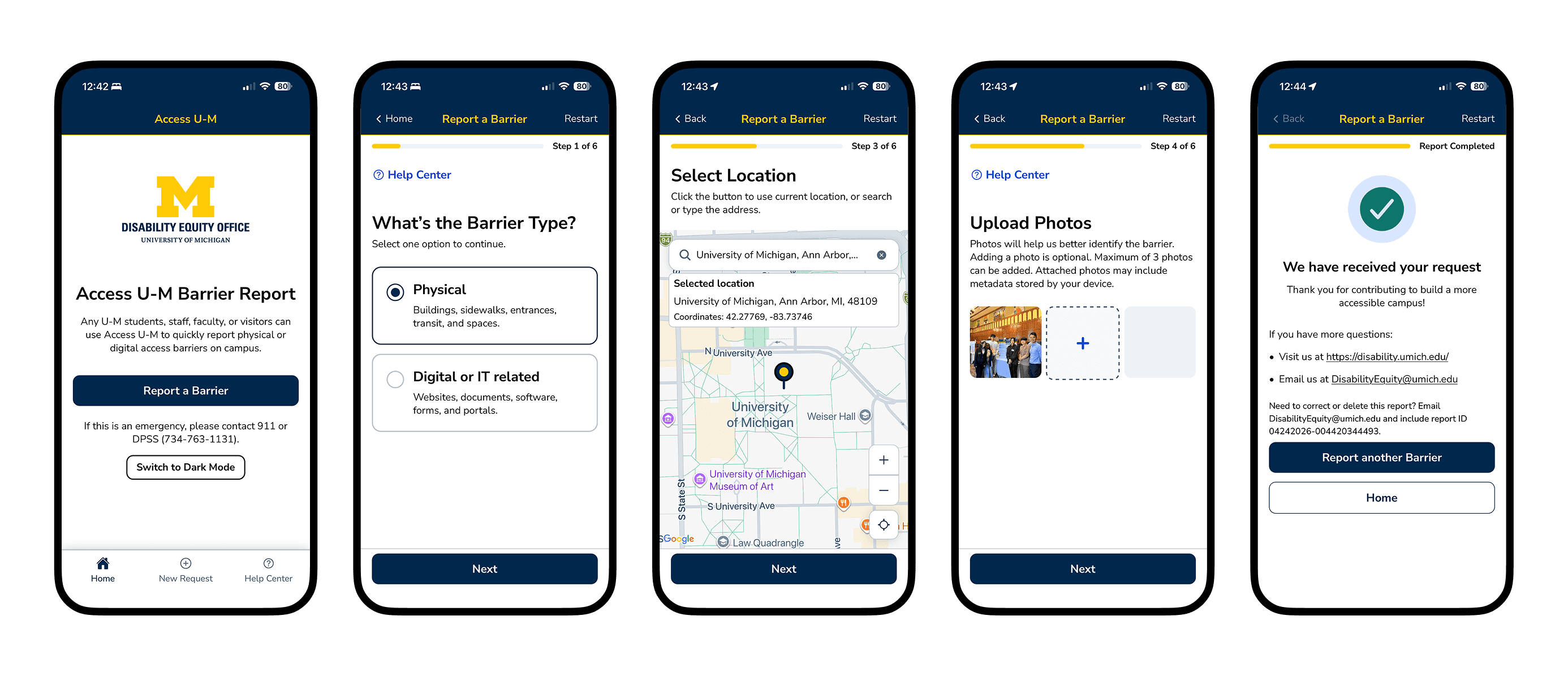
In collaboration with the office, our team designed and developed Access U-M, a mobile app that enables real-time reporting of physical and digital accessibility barriers in a streamlined, mobile-first experience.
My role
I worked as a designer and developer in an agile team with 3 developers to take the app from 0–1. I led end-to-end UX design and contributed to development and iteration across all 4 sprints.
Tech Stack
THE PROBLEM
Increasing accessibility demand
As physical and digital spaces expand on campus, accessibility issues increase.
200+
new accessibility issues discovered in 2025
Inefficient web form
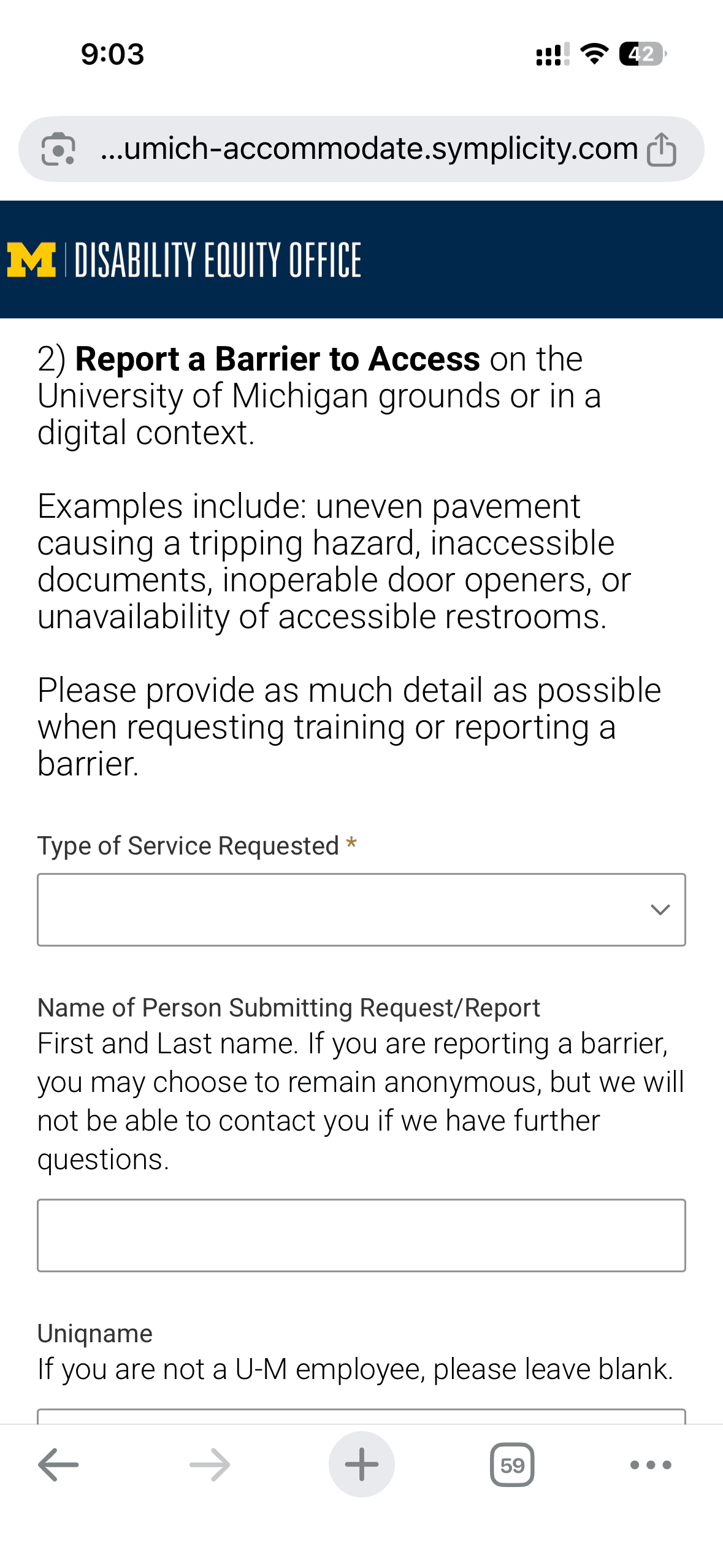
The current web form is not mobile-friendly and lacks accurate location data and additional details.
43%
of the reports could not be located and resolved
Limited awareness
Users don't know where or how to report barriers when they encounter one.
66%
users are unaware of existing reporting channels
THE SOLUTION
A user-friendly mobile app that enables real-time reporting of accessibility barriers.
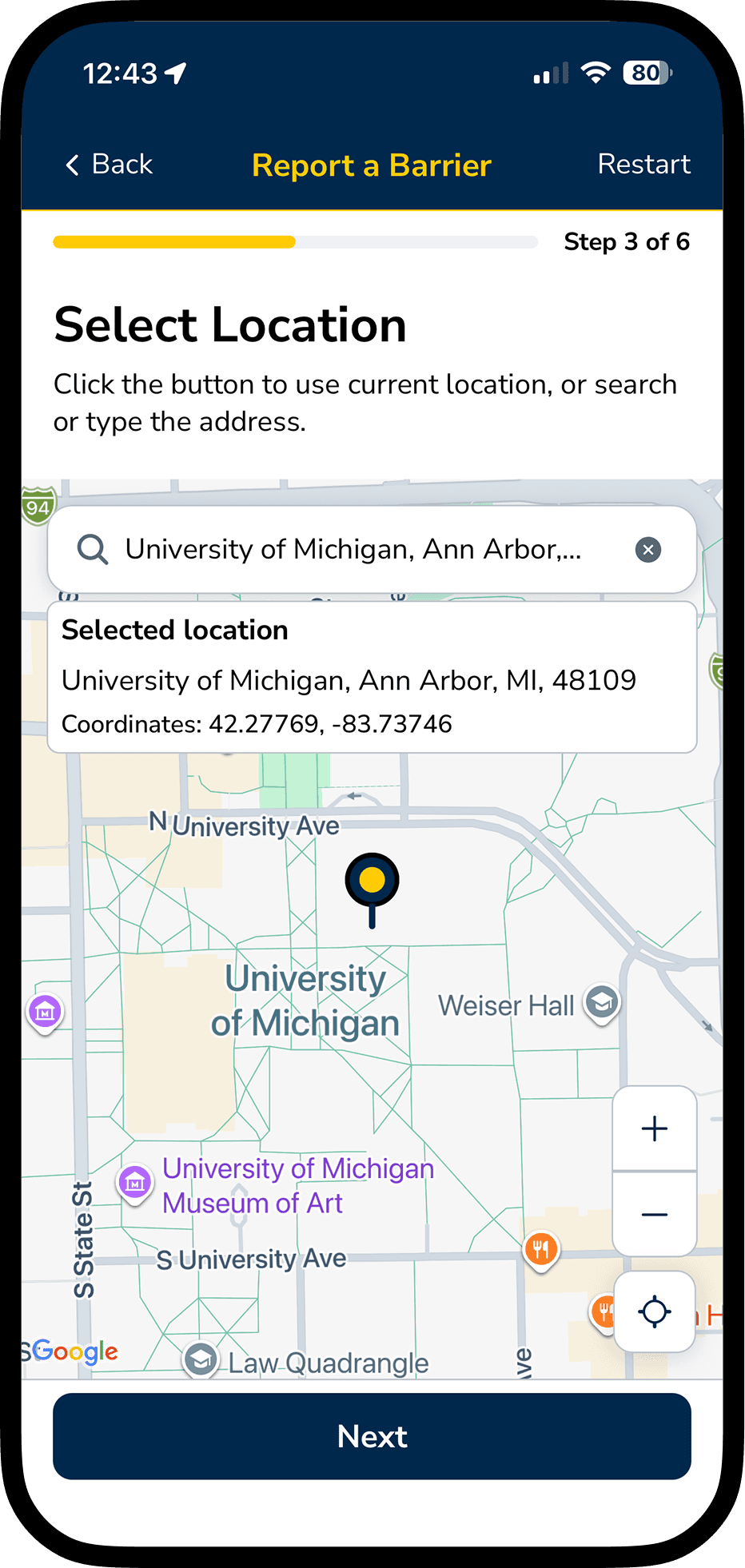
Real-time geolocation to better locate the barrier
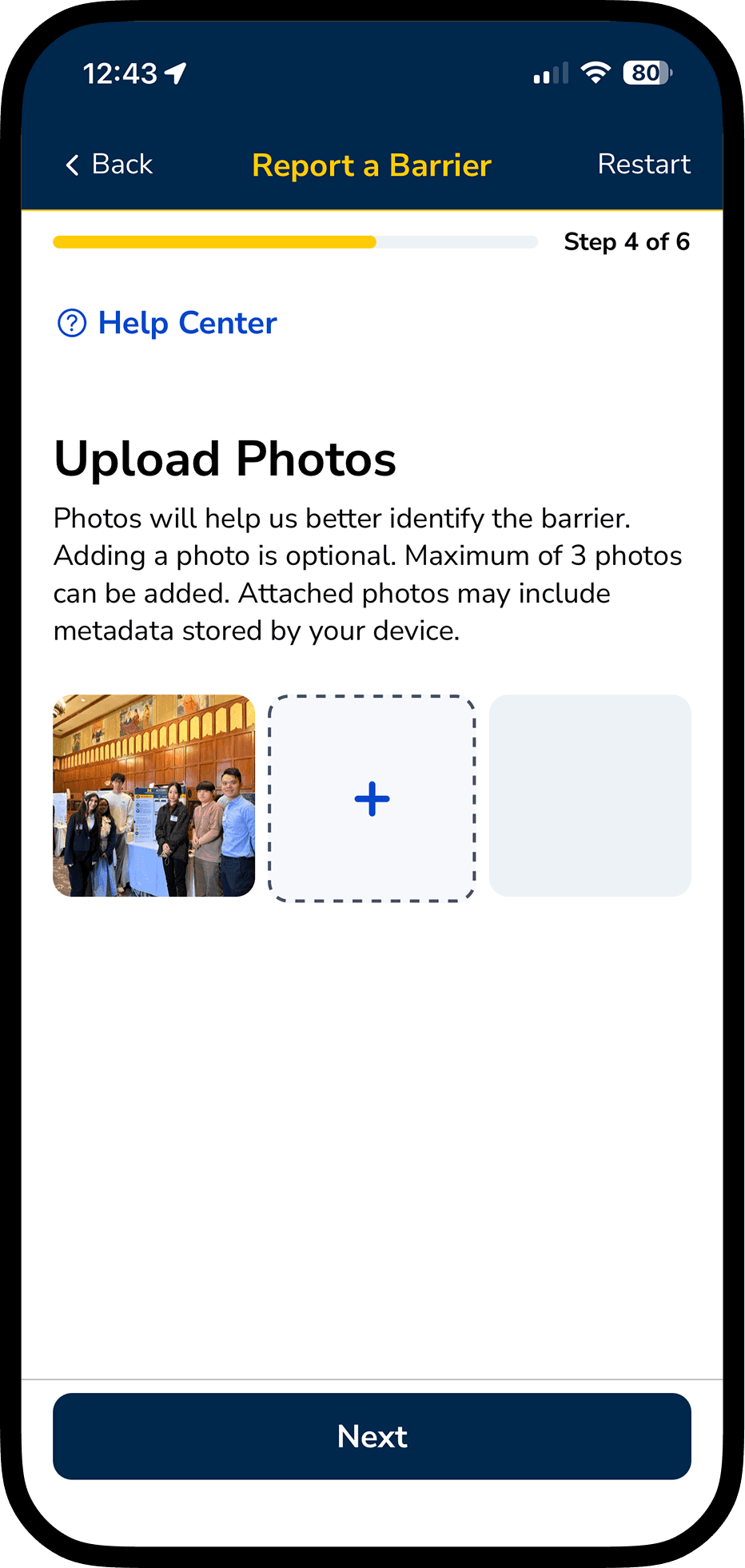
Upload a photo to better identify the barrier
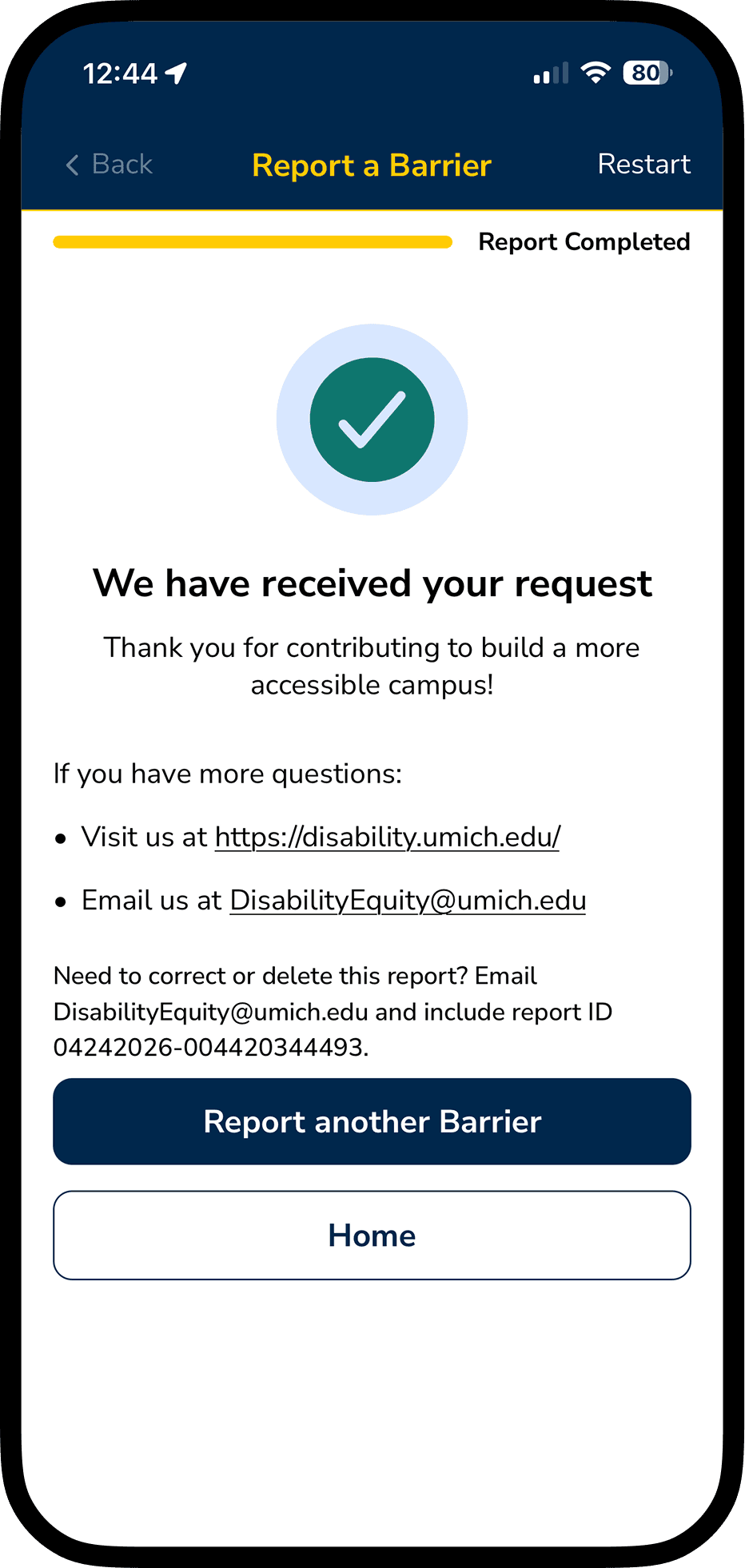
Get follow-ups from DEO after submission
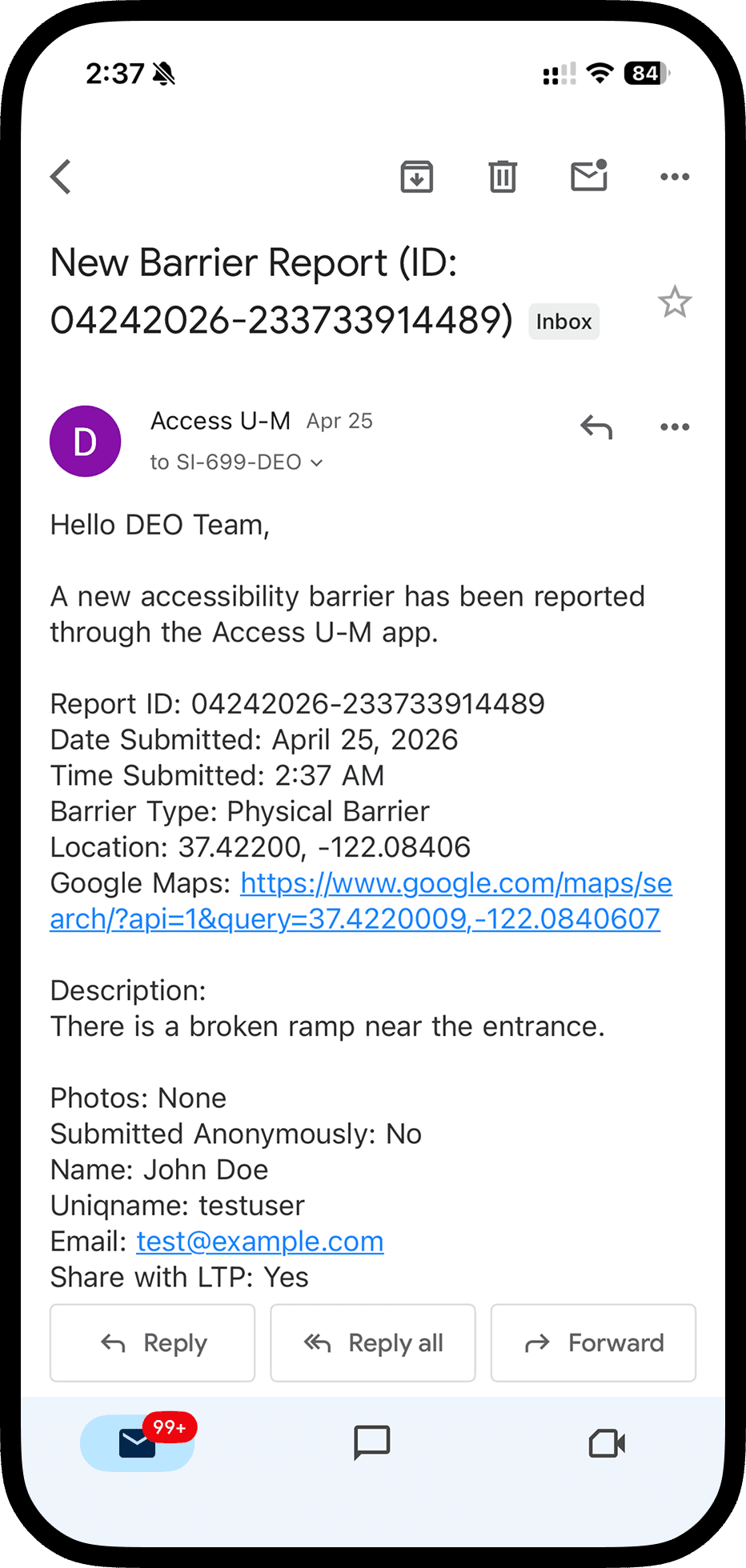
Client-side: real-time email notification
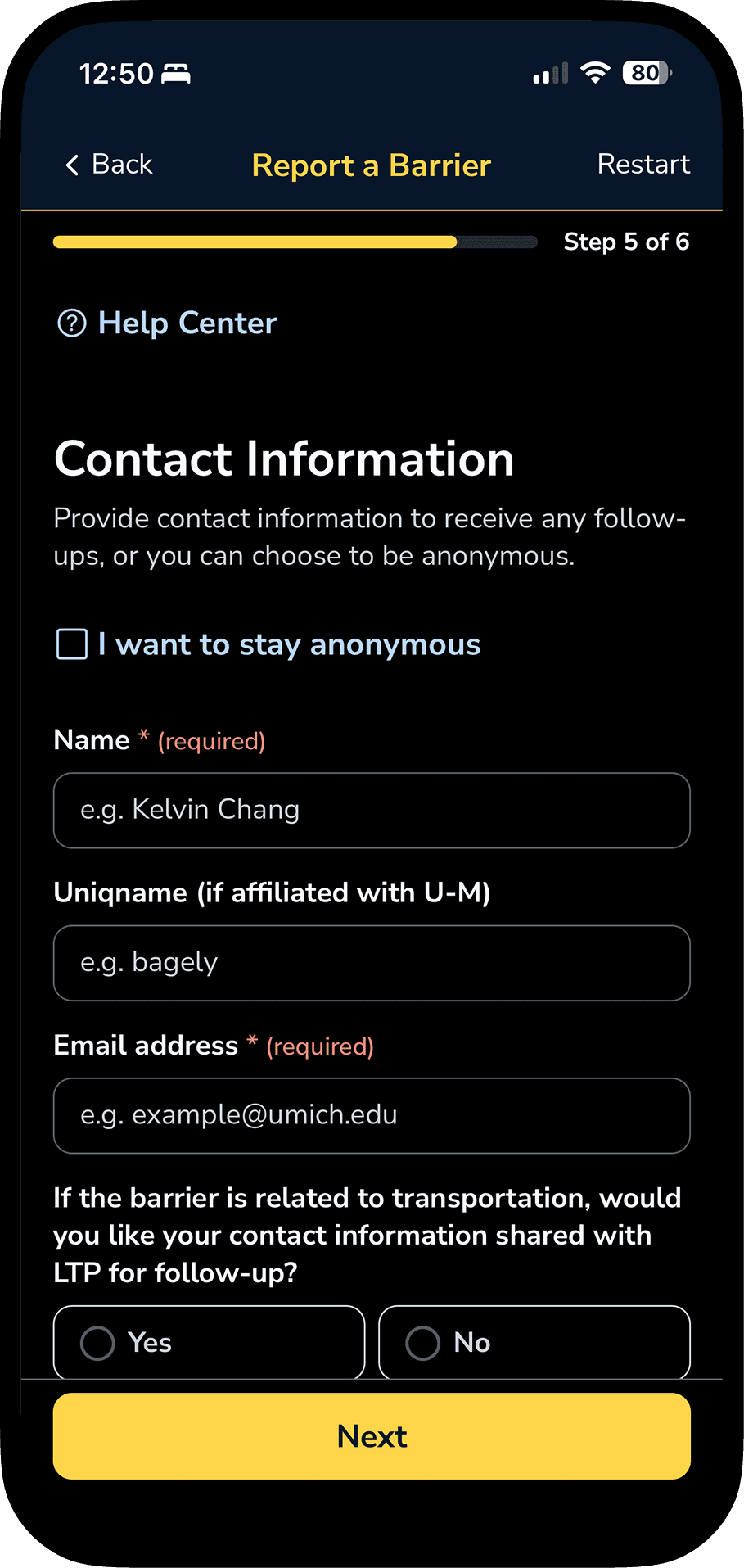
Available in Dark Mode for accessibility
THE PROCESS
Our Agile Journey
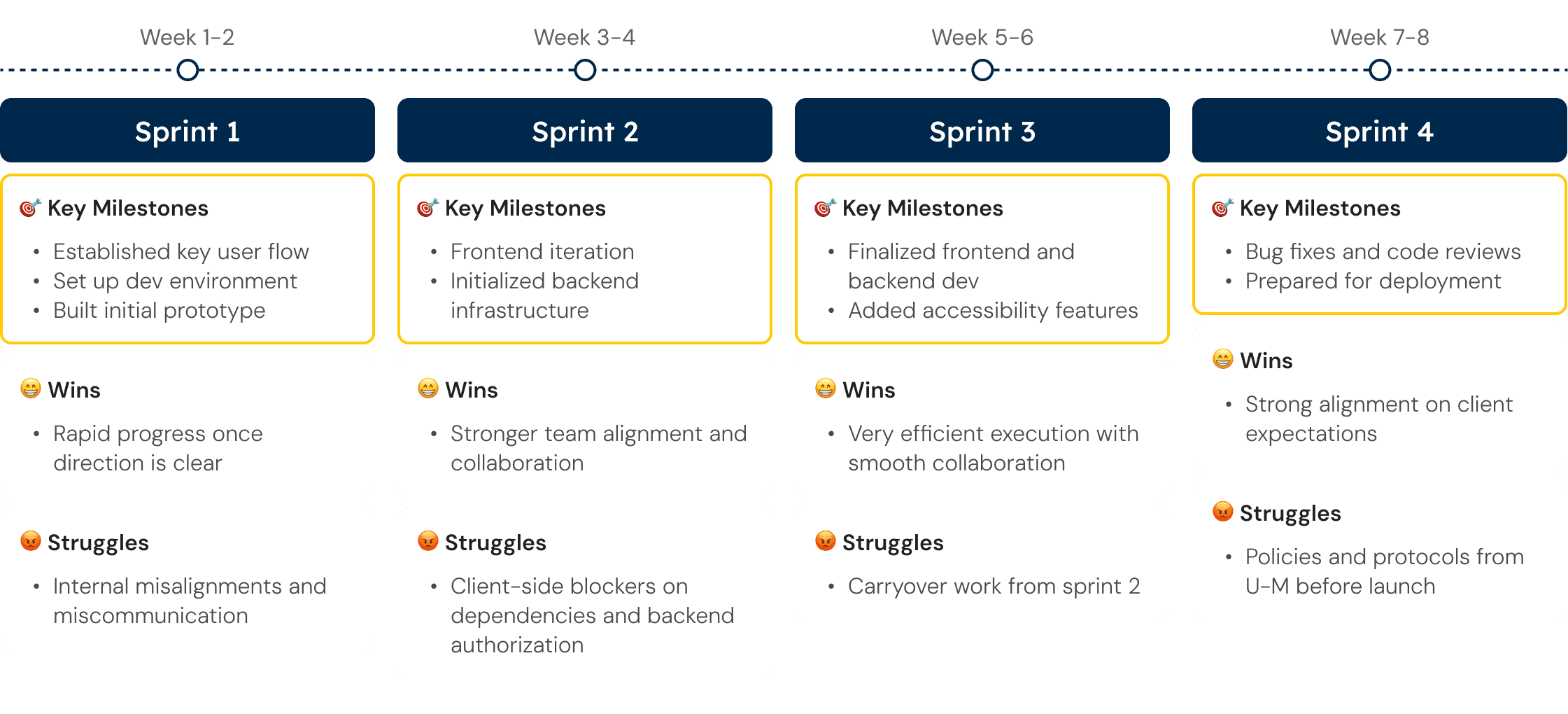
Over a fast-paced 8-week Agile process across 4 sprints, we iterated quickly to design, build, and refine the product. Despite encountering challenges along the way, we achieved key milestones and successfully deployed and launched the app by the end of the cycle.
THE DESIGN & DEV STRATEGY
Design as we Build
UX design was integrated directly into the development process, with design and engineering happening in parallel. Across all sprints, features were continuously refined during implementation, allowing for faster iteration, immediate feedback, and more efficient delivery.
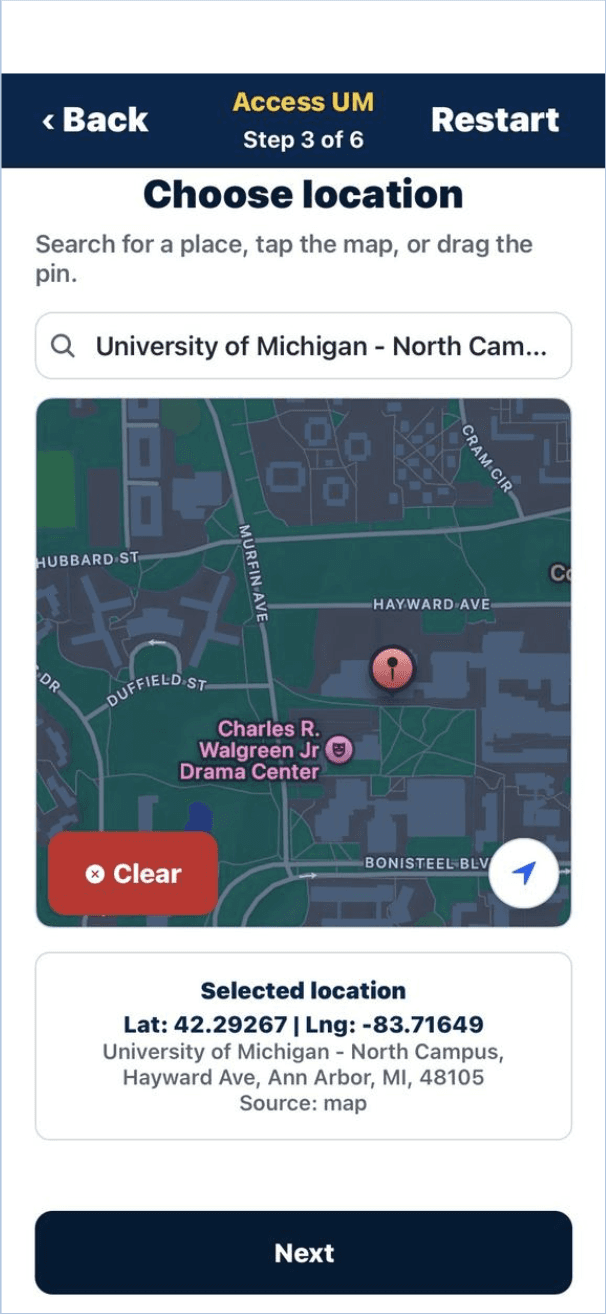
Sprint 1
Testing basic functionalities and layout
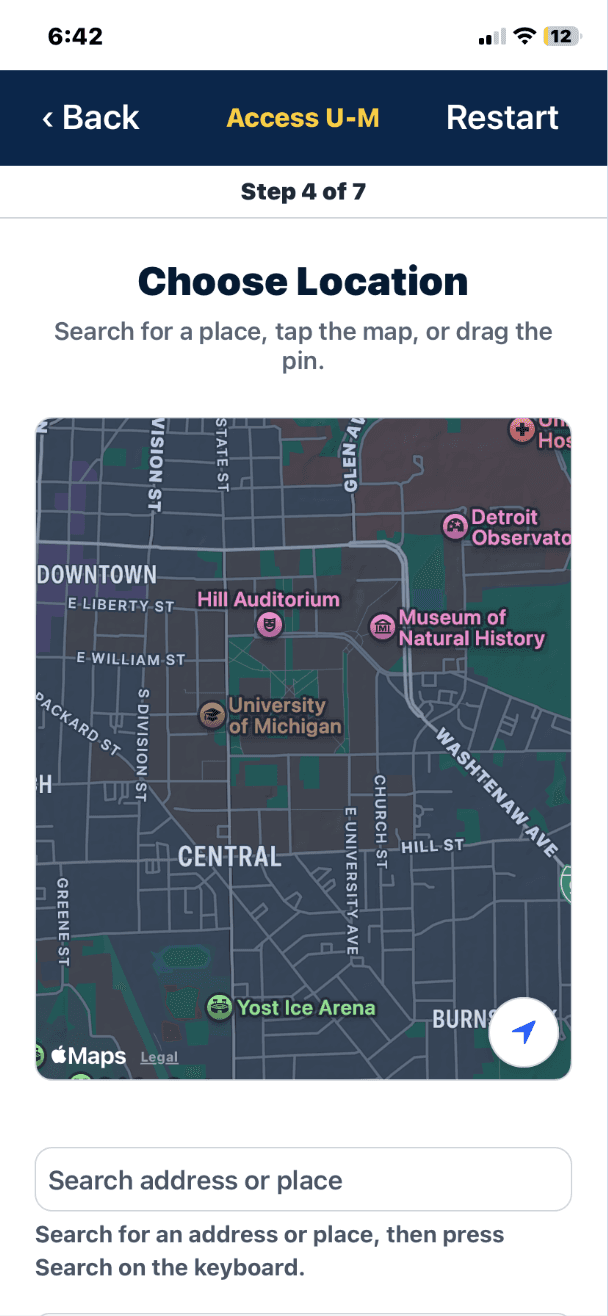
Sprint 2
Gradually adding more features
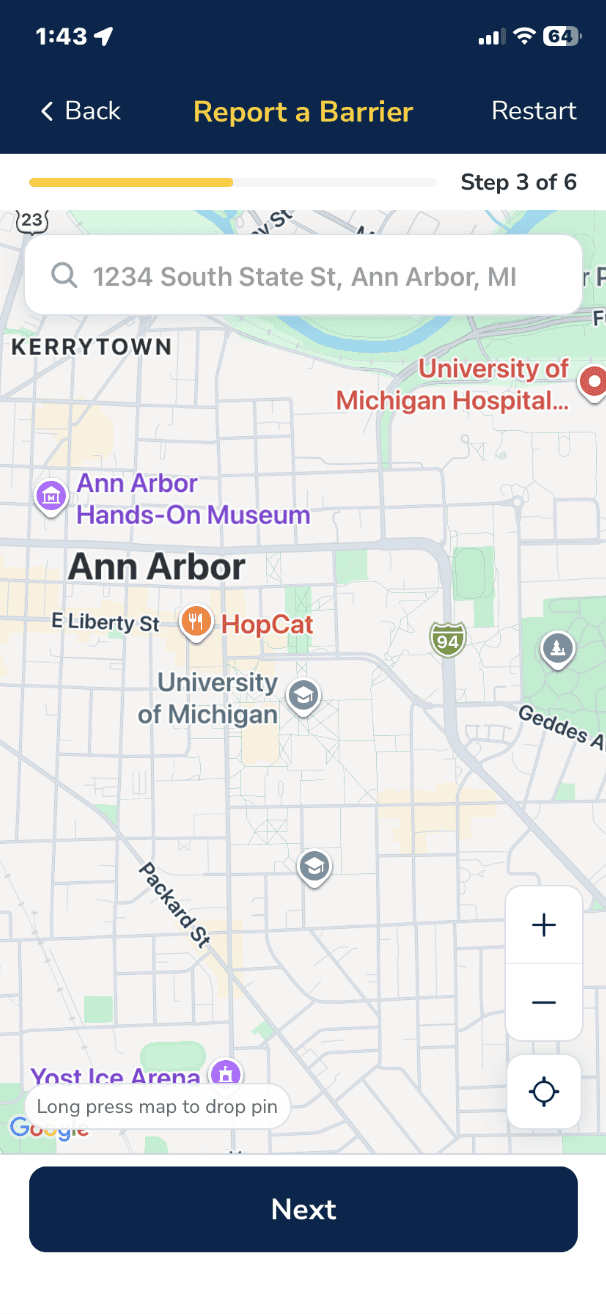
Sprint 3
Refining user flow and design system
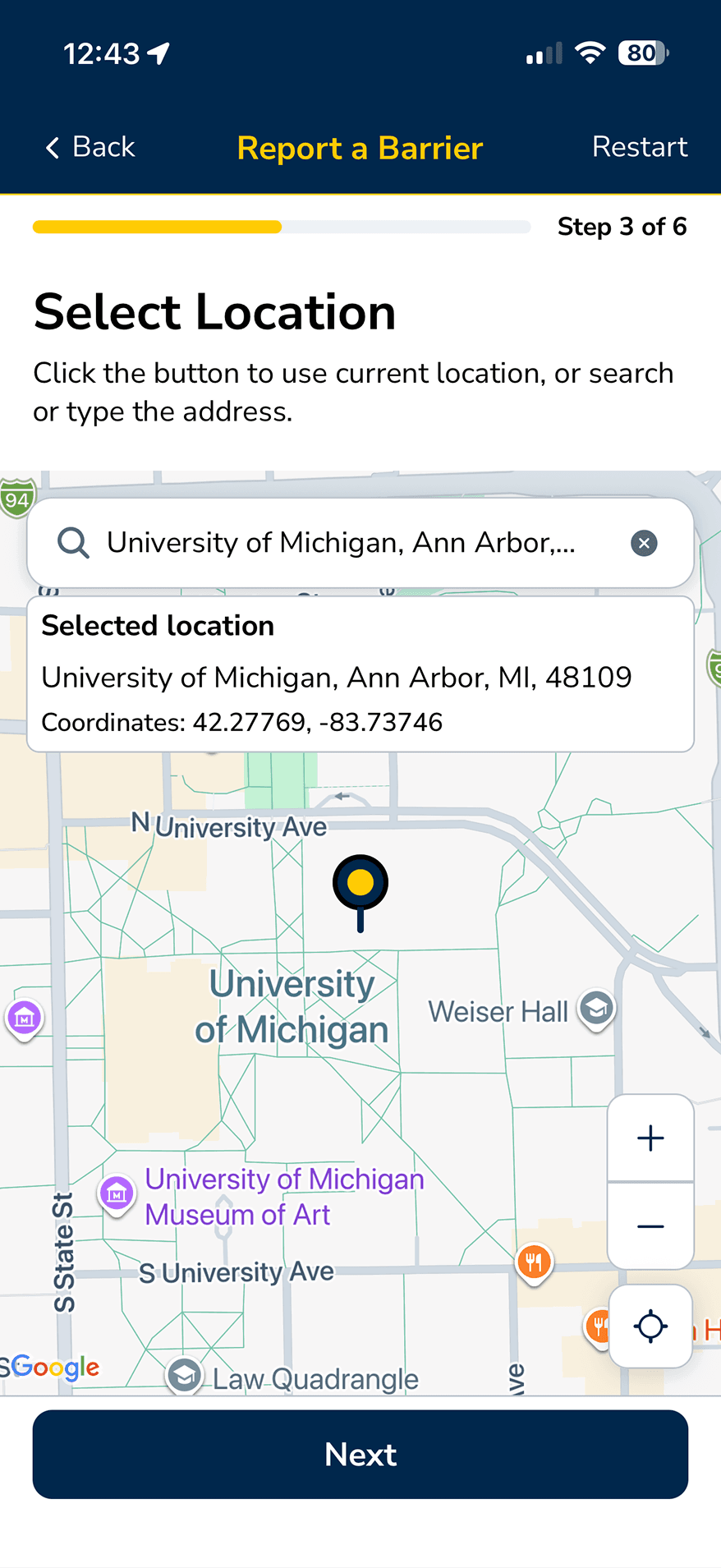
Sprint 4
Completing feature set, ready for deployment
AI-Assisted Vibe Coding
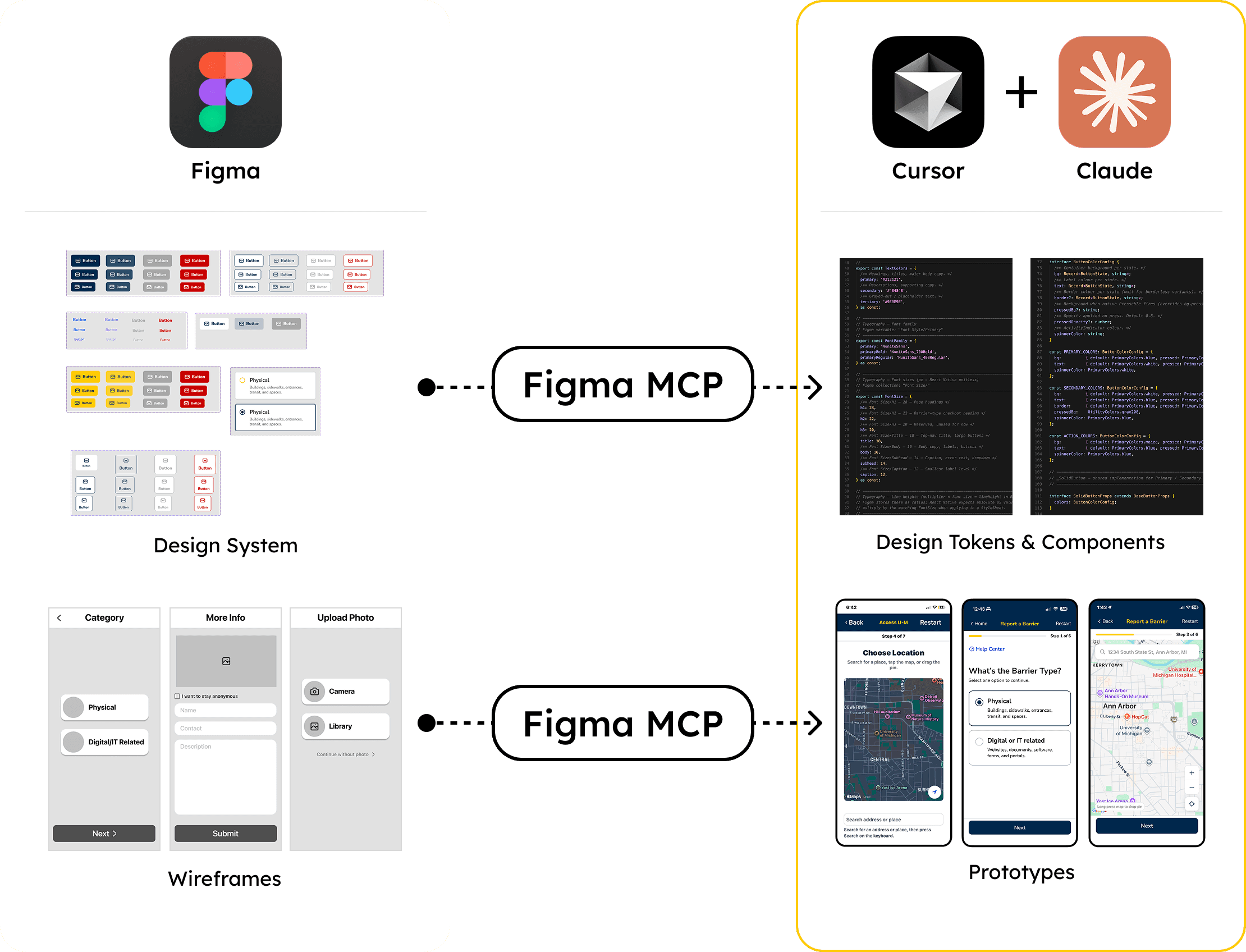
I used Figma to create low-fidelity wireframes and a design system with initial components, styles, and variables. I then transferred these assets through the Figma MCP server into code using Cursor and Claude. This enables a quick setup of the work environment.
From there, I used vibe coding to rapidly prototype, iterate features, and scale the design system in development. This allowed design and development to stay closely connected throughout the process.
Backend Architecture
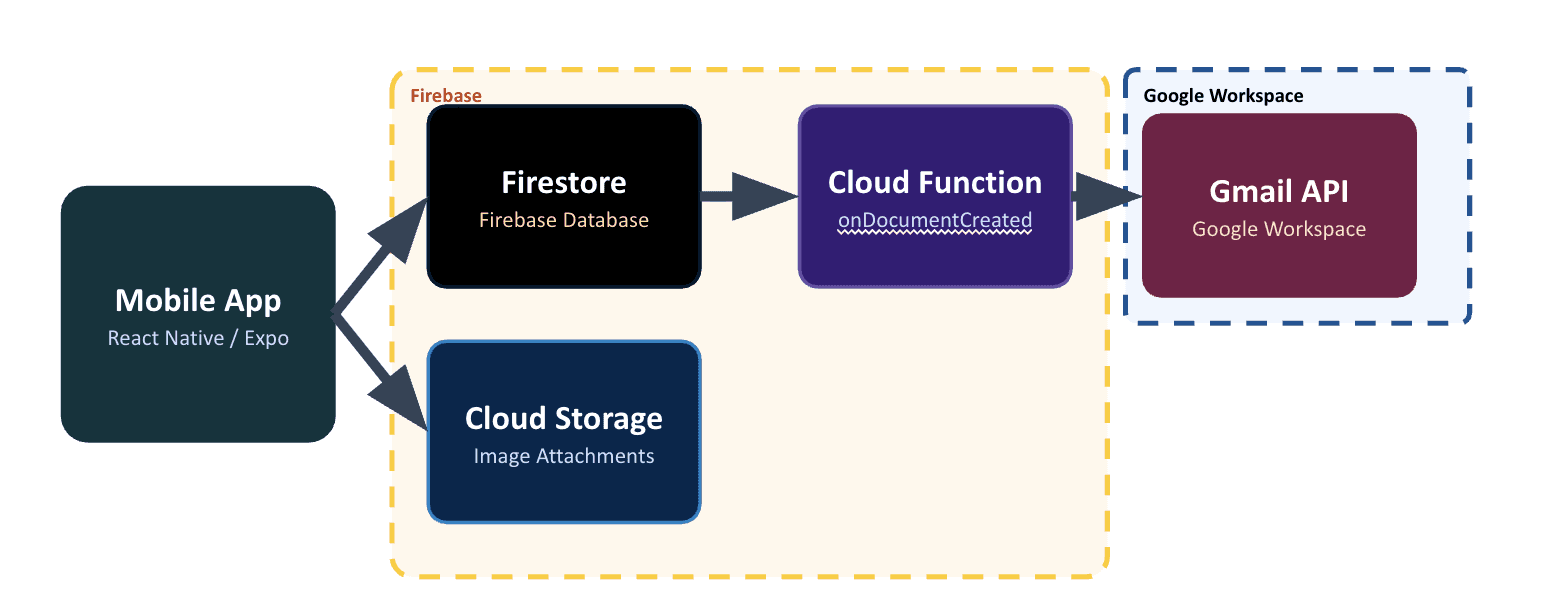
The backend is built on Firebase, chosen for its lightweight setup and existing adoption across University of Michigan applications. It uses Firestore for report data, Cloud Storage for images, and Cloud Functions to trigger email notifications via the Gmail API when a report is submitted.
The team has configured security rules and data handling protocols to align with University of Michigan policies and ensure compliant operations.
ADDITIONAL FEATURES
Testing Accessibility Features
The app serves a diverse user base, including many users with disabilities. Therefore, accessibility compliance is a core requirement. Our team developed and tested accessibility features throughout the development cycle. All features meet App Store's accessibility standards and were reviewed and tested by the Disability Equity Office before launch.
Voice Over
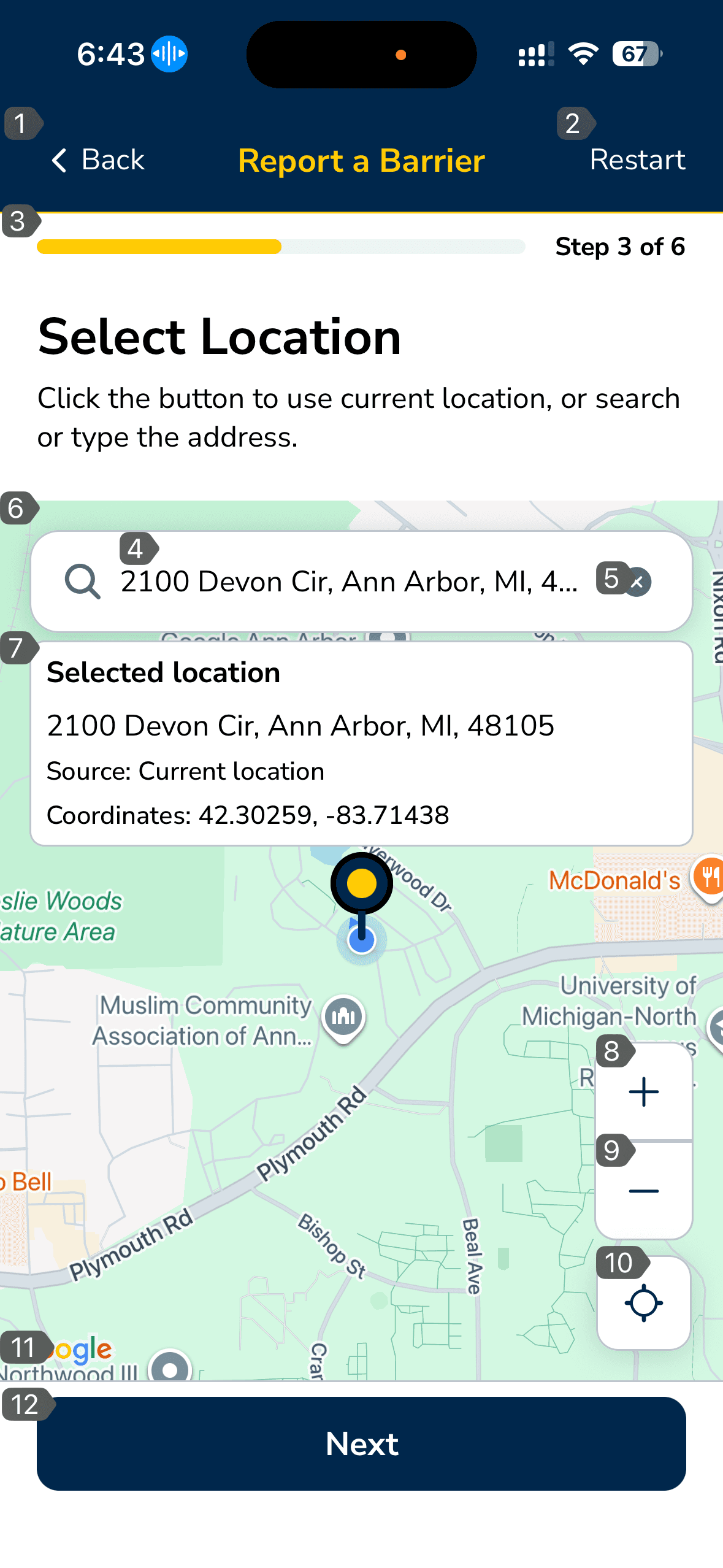
All UI elements are labeled with accessible text and structured for screen reader navigation.
Voice Control
All interactive elements are clearly named and tappable via voice commands.
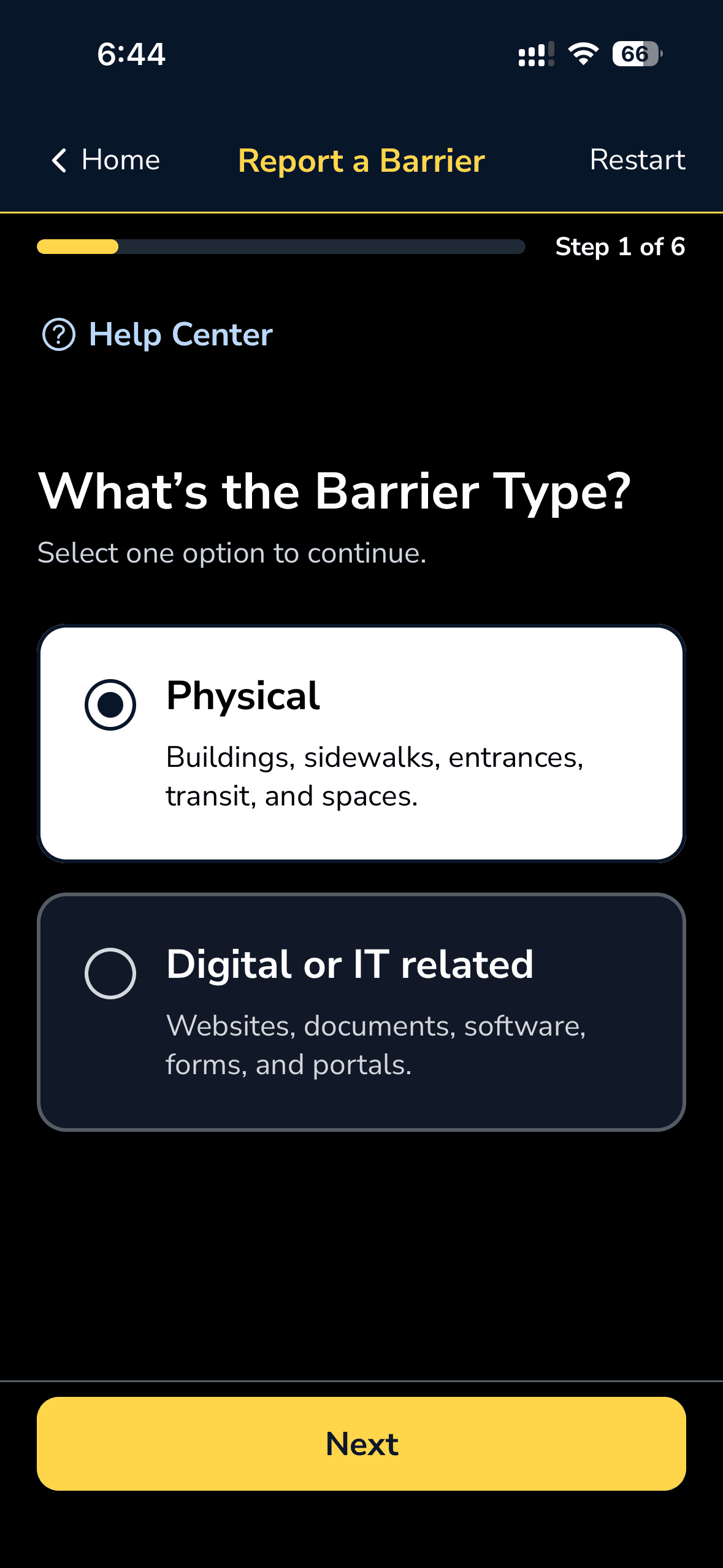
Dark Mode
The app comes with a dark mode that reduces eye strain and supports users with light sensitivity or under night conditions.
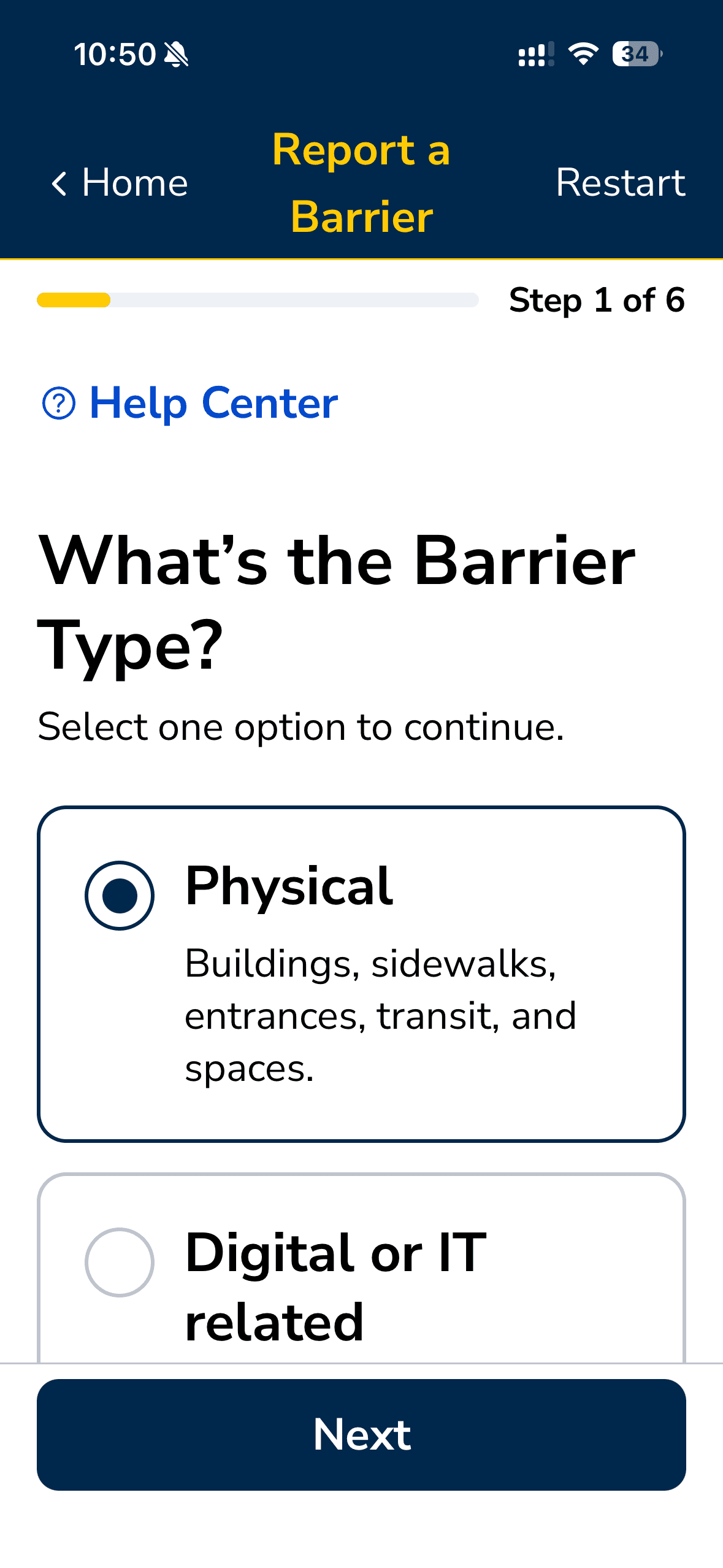
Large Text
The app supports dynamic type, allowing text to scale based on system settings.
Reduced Motion
Animations are minimized and adapt to system “Reduce Motion” preferences.
Rich Contrast
All text meets WCAG AA color contrast standards, using high-contrast color pairs to ensure readability across different visual conditions.
KEY TAKEAWAYS
Summary
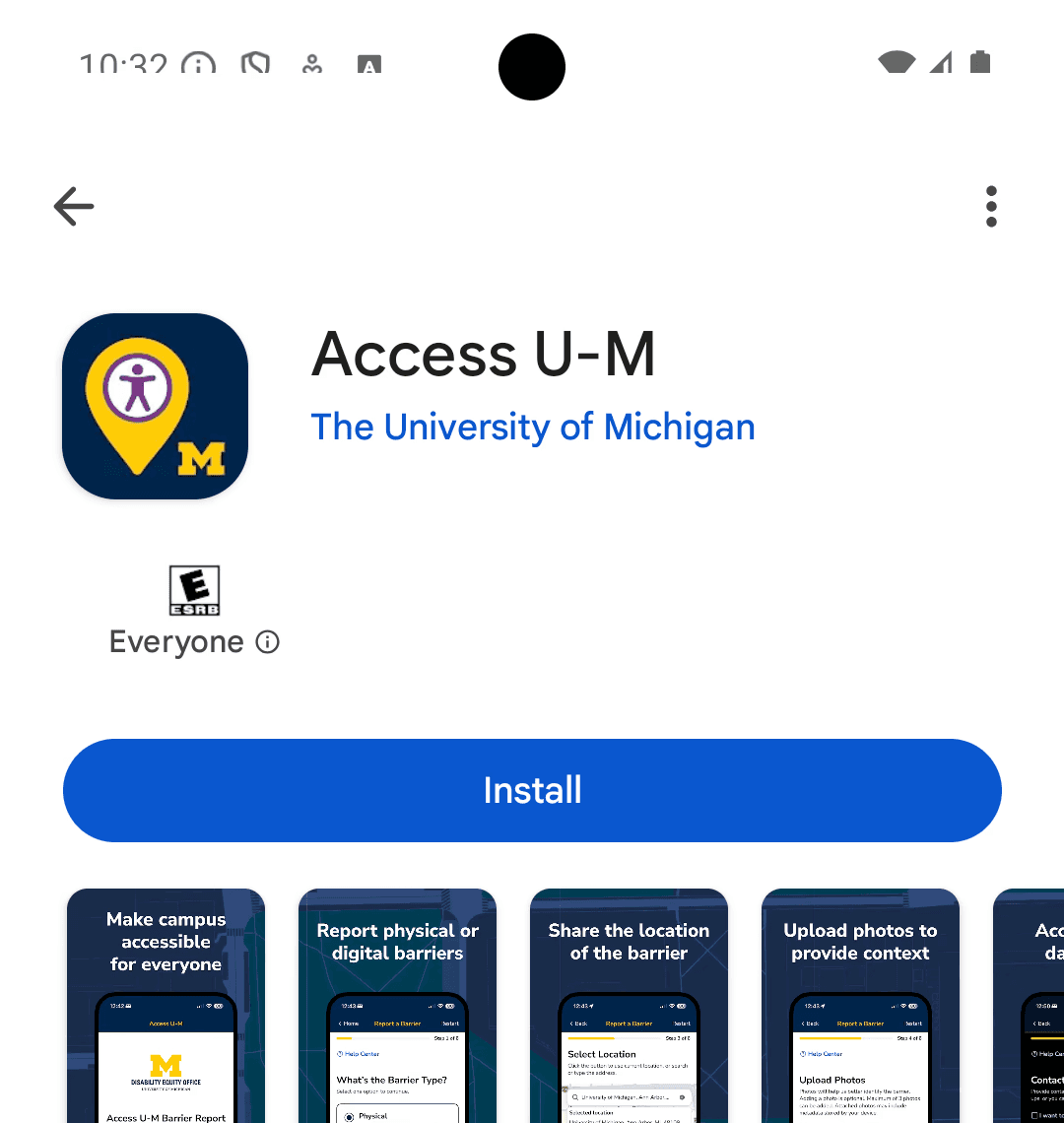
This project was completed by an agile team across fast-paced 8-weeks. We collaborated closely across four sprints to design, build, and iterate the product from concept to launch. The app was fully developed, bundled, and launched on the App Store and Google Play. It was then smoothly handed off to the Disability Equity Office for ongoing maintenance and future updates.
What did I learn?
Agile Team Collaboration. I learned to work efficiently in a fast-paced agile environment with quick iterations and frequent check-ins. This helped the team stay aligned and make decisions quickly.
AI-Integrated Design Workflow. I explored a new workflow by integrating AI tools and vibe coding into the design process. This allowed me to prototype faster and connect design more closely with development.
Next Steps
The next step is to integrate the app with the Disability Equity Office’s upcoming marketing campaign to increase visibility and adoption. The goal is to reach 10,000+ users by the end of 2027.